Arc Raiders Renthal FULL

वेरिएशन

4
Arc Raiders Renthal FULL

Arc Raiders Renthal FULL

1-दिन
निष्क्रिय
स्वचालित
स्टॉक समाप्त
पसंदीदा
383,67 ₹
Arc Raiders Renthal FULL

Arc Raiders Renthal FULL

3-दिन
निष्क्रिय
स्वचालित
स्टॉक समाप्त
पसंदीदा
959,19 ₹
Arc Raiders Renthal FULL

Arc Raiders Renthal FULL

7-दिन
निष्क्रिय
स्वचालित
स्टॉक समाप्त
पसंदीदा
1.918,37 ₹
Arc Raiders Renthal FULL

Arc Raiders Renthal FULL

30-दिन
निष्क्रिय
स्वचालित
स्टॉक समाप्त
पसंदीदा
3.357,15 ₹
स्थिति निष्क्रिय Son kontrol 26.09.2026 22:34

उत्पाद सुविधाएँ

Arc Raiders Renthal FULL

AIM | aiming system

Enable Aimbot (M1)
Turns the aimbot on with the left mouse button. Target lock happens instantly, and in close-quarters fights inside Rust Belt warehouses or building corridors that is the difference between a clean raid and losing all your gear.
Aim Players / Aim Enemies (M4)
Separate aim for players and ARC robots. M1 works against raiders, M4 against the machines. Handy when both hit at once, like when a Matriarch pushes into a zone where you are already trading shots with another trio.
Aim FOV (250) / Enemy FOV (120)
Target capture radius in pixels from the center of the screen. Players get a wide cone, 250 pixels lets you grab targets during sharp turns. For robots 120 is enough: they are bigger and move more predictably.
Aim Smooth (1.0) / Enemy Smooth (3.0)
How smoothly the crosshair pulls onto the target. A value of 1.0 for players means near-instant lock for aggressive PvP. For ARC robots it is set to 3.0, a soft track that looks more natural during the PvE phase of a raid.
Humanize
Adds micro-deviations to the crosshair movement, imitating manual aim. Without humanization the aimbot moves in a perfect straight line to the hitbox. With it the path looks like a live player with good reflexes is aiming.
Aim Bones (Head)
Pick your hit point. Head targets the head for maximum damage. In Arc Raiders headshots decide the outcome of fights behind cover, when only the top half of the enemy is visible.
Draw FOV Circle / Draw Aim Line
Shows the capture zone and the aim line on screen. The FOV circle shows the radius the aimbot will grab a target in, and the line shows the current pull direction. It helps you tune your FOV to your own style without guessing.

ESP | visual information

Player ESP (Max Range 350)
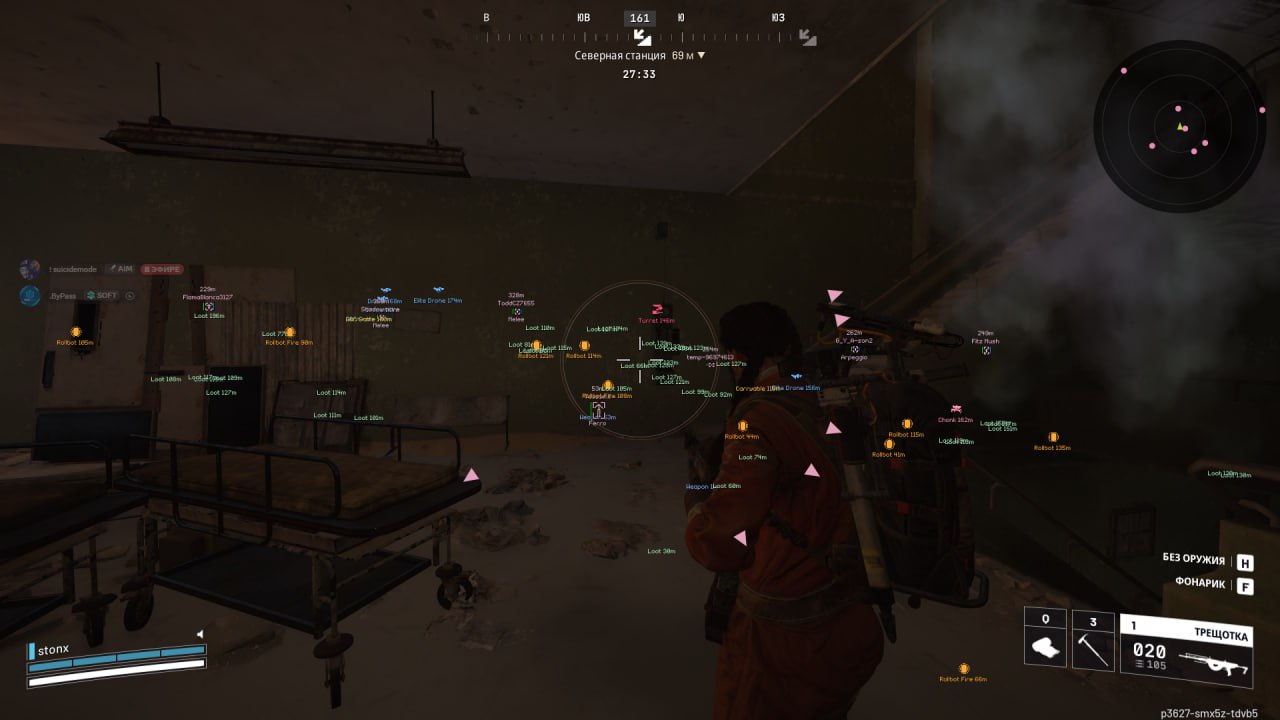
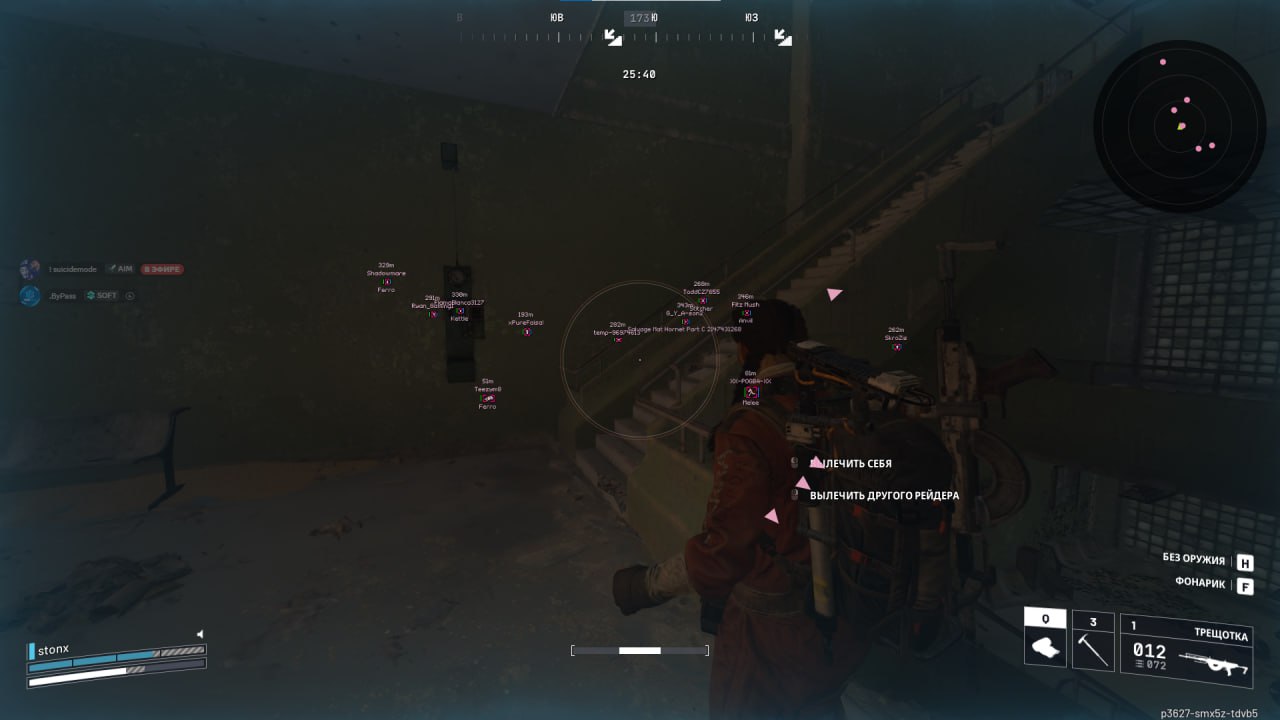
Highlights every live player within a 350 meter radius. On maps like Stella Montis or Dam Battlegrounds, where fights happen at mid-range between buildings, that covers almost the whole active zone around you.
Cornered Box / Skeleton / Snaplines
Three ways to display players. Cornered Box is a frame at the corners of the silhouette, minimal clutter. Skeleton is the model's skeleton, you see the pose and movement direction. Snaplines are lines from your crosshair to the target for fast orientation in chaos.
Health Bar / Names / Distance / Active Item
The health bar shows whether the enemy is finished off after a firefight. The name helps you tell familiar players apart. Distance matters when picking a weapon: at 200+ meters it only makes sense to shoot with a rifle. Active Item shows what the raider has in hand right now.
Off-Screen Arrows (Radius 300)
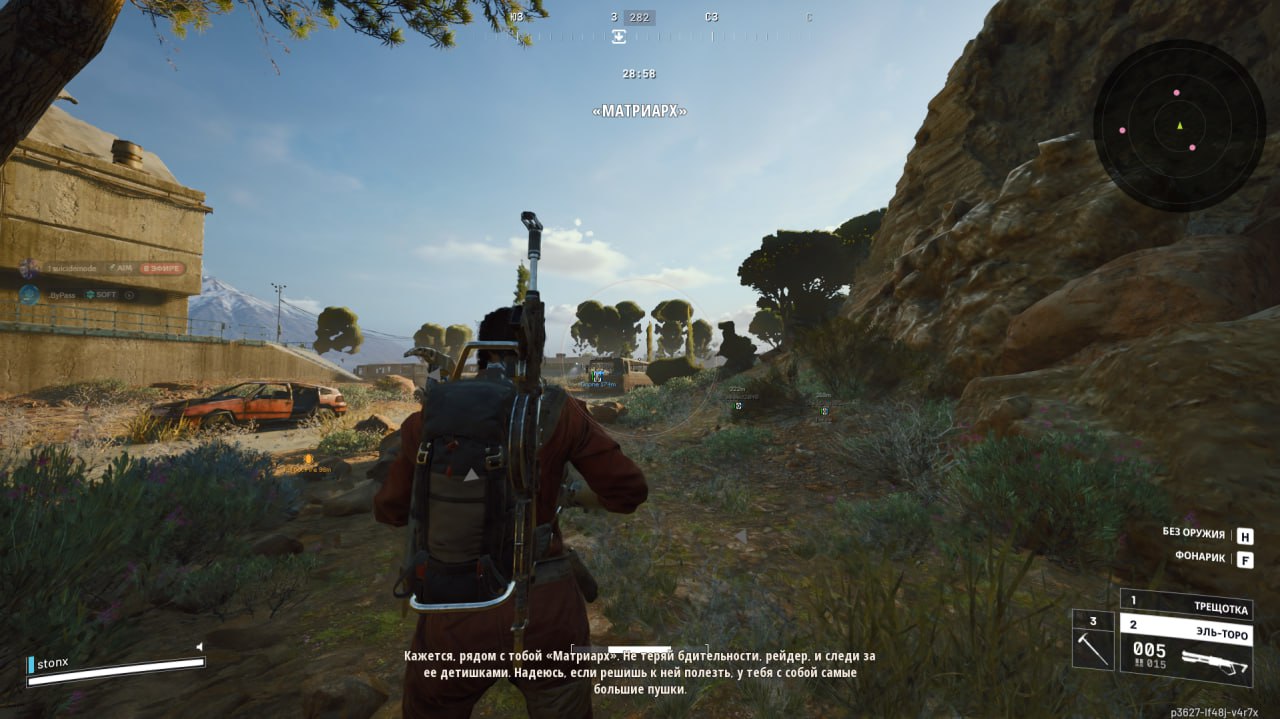
Arrows at the edges of the screen point toward players outside your field of view. A radius of 300 warns you about someone approaching long before visual contact. It saves you from flank pushes, which happen constantly in Arc Raiders.
Show Dead
Displays the bodies of killed players. In an extraction shooter a dead body is information: there was a fight here, maybe the winner is standing nearby waiting for the next victim, or the loot is already taken.

ESP enemies (ARC)

Enemy ESP (Range 200)
Highlights every ARC robot within a 200 meter radius. The machines spawn in waves and can catch you off guard while you are looting crates. ESP shows them in advance, so you can avoid the group or set up a position.
Drones / Rollbots / Turrets / Ticks / Snitches / Spotters / BullCrabs / Other
Filters by ARC type. Snitches are dangerous because they raise the alarm and pull in reinforced waves, so you need to see them first. BullCrabs are a serious threat in close quarters. Turrets and Spotters control zones. Each type is highlighted separately so you can read the situation fast.

ESP loot and containers

Loot ESP (Range 200)
Highlights items on the ground within a 200 meter radius: weapons, consumables, carryables. Instead of searching every corner you see what you need right away. Raids speed up and time spent on the surface drops.
Loot Items / Loot Weapons / Carryables / Other Loot
Filters loot by category. If you only need Weapons to craft a Wolfpack, you turn off the rest and the screen does not get cluttered with icons. When farming resources for a Trophy Display you turn on Carryables and Other Loot.
Containers (Weapon / Ammo / Grenade / Storage / Salvage Crates)
Highlights every crate type with color coding. Weapon Crates are the priority at the start of a raid, when you need to gear up. Salvage Crates are the backbone of progression in expeditions. You see the route from crate to crate without wandering around randomly.
Extraction Points
Shows evac points on the map and through walls. When your backpack is full and the timer is running down, you know the exact direction to the nearest exit. Paired with Off-Screen Arrows you can tell which raiders are already heading for the same extract.

MISC | utility

Radar (Range 250, Size 260)
A mini-map with markers for players and robots. Range 250 covers the mid-range combat zone, Size 260 makes the radar big enough to read targets without staring at it. Color customization lets you separate the marker types.
Battle Mode (F1)
Switches to combat mode with one key. It strips out extra visual info and leaves only enemy data, which is handy when entering a hot zone where loot is no longer the priority and there are too many markers on screen.
ESP Font & Icons (Font Size 13, Icon Size 24)
Adjusts the ESP font and icon size. On 1440p and 4K monitors the default 13pt can be a bit small, so you can scale it up. On 1080p you scale it down instead, so the labels do not block your view.
Configs (Create / Save / Load / Delete / Refresh)
A system of setting profiles. One config for aggressive PvP with a narrow FOV and fast Smooth, another for farm raids with wide Loot ESP and soft tracking on robots. You switch between styles in a second through the menu.

उत्पाद विवरण

Arc Raiders Renthal FULL

Arc Raiders Renthal FULL ARC Raiders का प्राइवेट ESP है। एimbोट: FOV, स्मूथिंग, टारगेट फ़िल्टर; प्लेयर ESP: दूरी, रंग, पार्टी/गिल्ड छिपाना. मेन्यू: —. स्पूफर नहीं.

Arc Raiders Renthal FULL — ARC Raiders

Arc Raiders Renthal FULL ARC Raiders का प्राइवेट ESP है। एimbोट: FOV, स्मूथिंग, टारगेट फ़िल्टर; प्लेयर ESP: दूरी, रंग, पार्टी/गिल्ड छिपाना. मेन्यू: —. स्पूफर नहीं.

अंदर क्या है

  • एimbोट: FOV, स्मूथिंग, टारगेट फ़िल्टर
  • प्लेयर ESP: दूरी, रंग, पार्टी/गिल्ड छिपाना
विंडो या बॉर्डरलेस. स्पूफर नहीं. Windows: 10: all builds; 11: all builds. Steam.

जोखिम

प्राइवेट होने से बैन खत्म नहीं होता। लिस्टिंग का स्टेटस देखें। ऑटो चलता हो तो फार्म अकाउंट मेन से अलग रखें।

तेज़ डिलीवरी 24/7 तुरंत डिलीवरी
सुरक्षित भुगतान 3D Secure + SSL सुरक्षा
सबसे अच्छा मूल्य छूट और मूल्य गारंटी
संतुष्टि गारंटी सुरक्षित और आसान खरीदारी