NoName Valorant External
वेरिएशन
3
NoName Valorant External
उत्पाद सुविधाएँ
NoName Valorant External
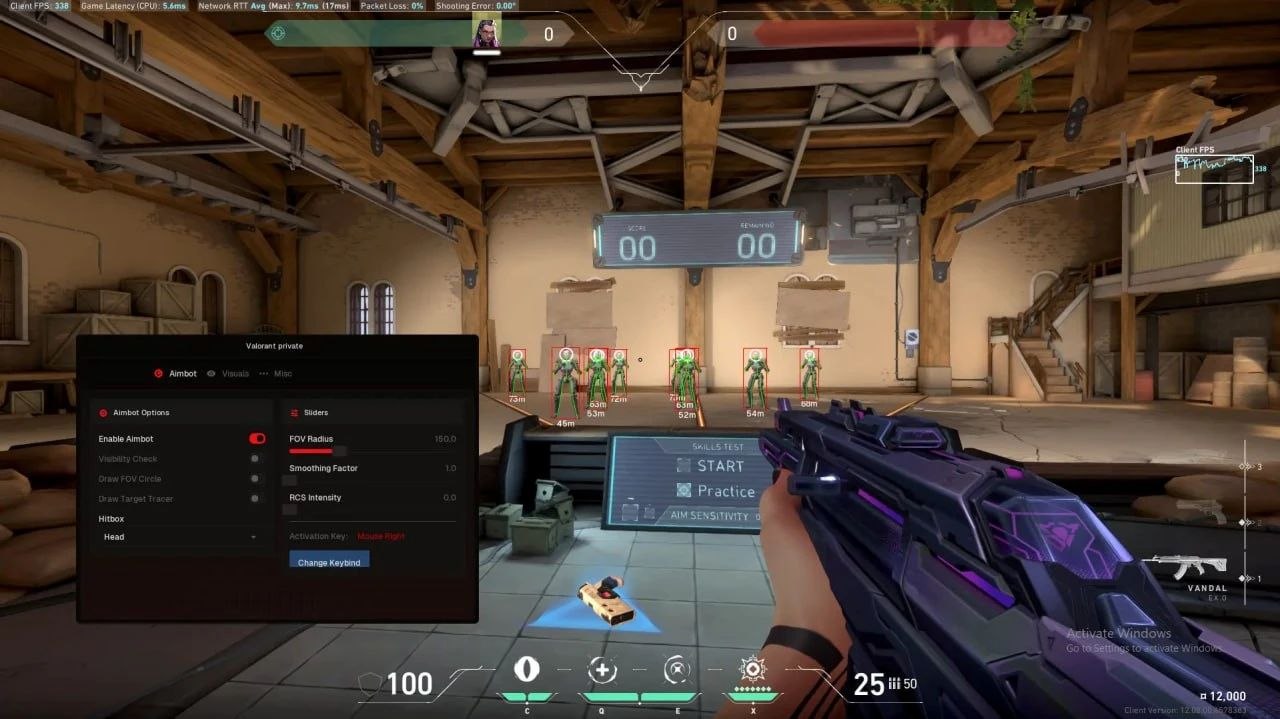
Aimbot
- Targets and bots
- Locks onto live enemies and onto training dummies on the Range. Handy when you are dialling settings in without burning a ranked game.
- Aim key
- The aim sits on a key of your choice and only fires while it is held. Side mouse button, Shift — whatever you already use.
- Target selection
- Two modes: nearest by distance, or closest to the centre of your crosshair. The second one behaves better in Haven scrambles.
- Visible check
- Only pulls onto enemies you can actually see. Someone behind a box or inside a Viper cloud is ignored.
- Bone
- Head, neck or body. With Phantom spread at range plenty of players settle on the neck as a middle ground between damage and stability.
- Speed and stickiness
- Aim Speed sets how sharp the pull is, Smooth softens the snap, stickiness decides how well the crosshair rides a moving target.
- FOV and its border
- Capture radius in degrees with the circle drawn on screen. Operator players narrow it down to a couple of degrees so the aim stops grabbing stray silhouettes.
- Working distance
- A range threshold beyond which the aim ignores targets. Cuts off pointless cross-map pulls.
Visuals
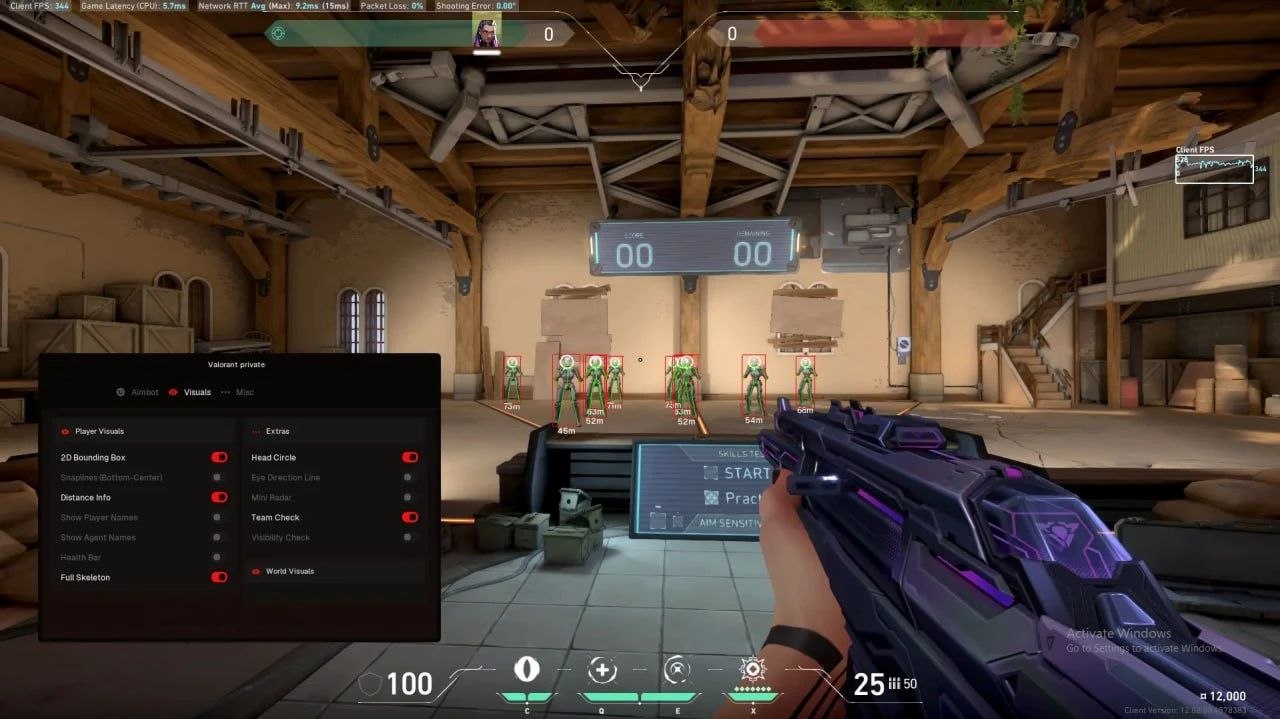
- Skeleton and box
- The skeleton shows posture — whether the enemy is holding an angle, pushing or already turning. The box gives you the frame: full rectangle or corners only, with adjustable line thickness.
- Enemy information
- Distance, health bar and a bot marker on one line. The HP bar tells you whether to finish the trade or back off and reload.
- Weapon in hand
- A label with the enemy's current gun. Spot an Operator on a long angle and you hold the corner for utility instead of peeking wide.
- Nickname and distance
- Enemy name and metres to them render next to the model. Drop either one if your screen feels busy.
- Visible check
- A separate flag for ESP: enemies in line of sight and enemies behind walls get different colours.
- Render distance
- The cutoff past which models stop drawing. On Bind, with its long sightlines, it keeps the screen readable.
- Colour palettes
- A colour per element: skeleton, box, text, visible and hidden targets. Set it once to match your own scheme.
Menu and licence
- English menu
- The interface is English only, there is no Russian localisation. The list is short and the labels are the usual cheat vocabulary.
- Hardware binding
- The key activates on one machine. This is a licence lock, not a spoofer: the cheat cannot mask your hardware fingerprint.
उत्पाद विवरण
NoName Valorant External
Valorant पर NoName Valorant External एimbोट पर टिका है। रिकॉर्ड रूट और ऑटोमेशन; एimbोट: FOV, स्मूथिंग, टारगेट फ़िल्टर; Target selection. Windows 10: 2004, 21h1, 22h2, 23h2, 24h4; 11: 21h2, 22h2, 23h2, 24h2, 25h2, 26h2.. स्पूफर नहीं.
NoName Valorant External — Valorant
Valorant पर NoName Valorant External एimbोट पर टिका है। रिकॉर्ड रूट और ऑटोमेशन; एimbोट: FOV, स्मूथिंग, टारगेट फ़िल्टर; Target selection. Windows 10: 2004, 21h1, 22h2, 23h2, 24h4; 11: 21h2, 22h2, 23h2, 24h2, 25h2, 26h2.. स्पूफर नहीं.
अंदर क्या है
- रिकॉर्ड रूट और ऑटोमेशन
- एimbोट: FOV, स्मूथिंग, टारगेट फ़िल्टर
- Target selection
- Visible check
- प्लेयर ESP: दूरी, रंग, पार्टी/गिल्ड छिपाना
जोखिम
प्राइवेट होने से बैन खत्म नहीं होता। लिस्टिंग का स्टेटस देखें। ऑटो चलता हो तो फार्म अकाउंट मेन से अलग रखें।