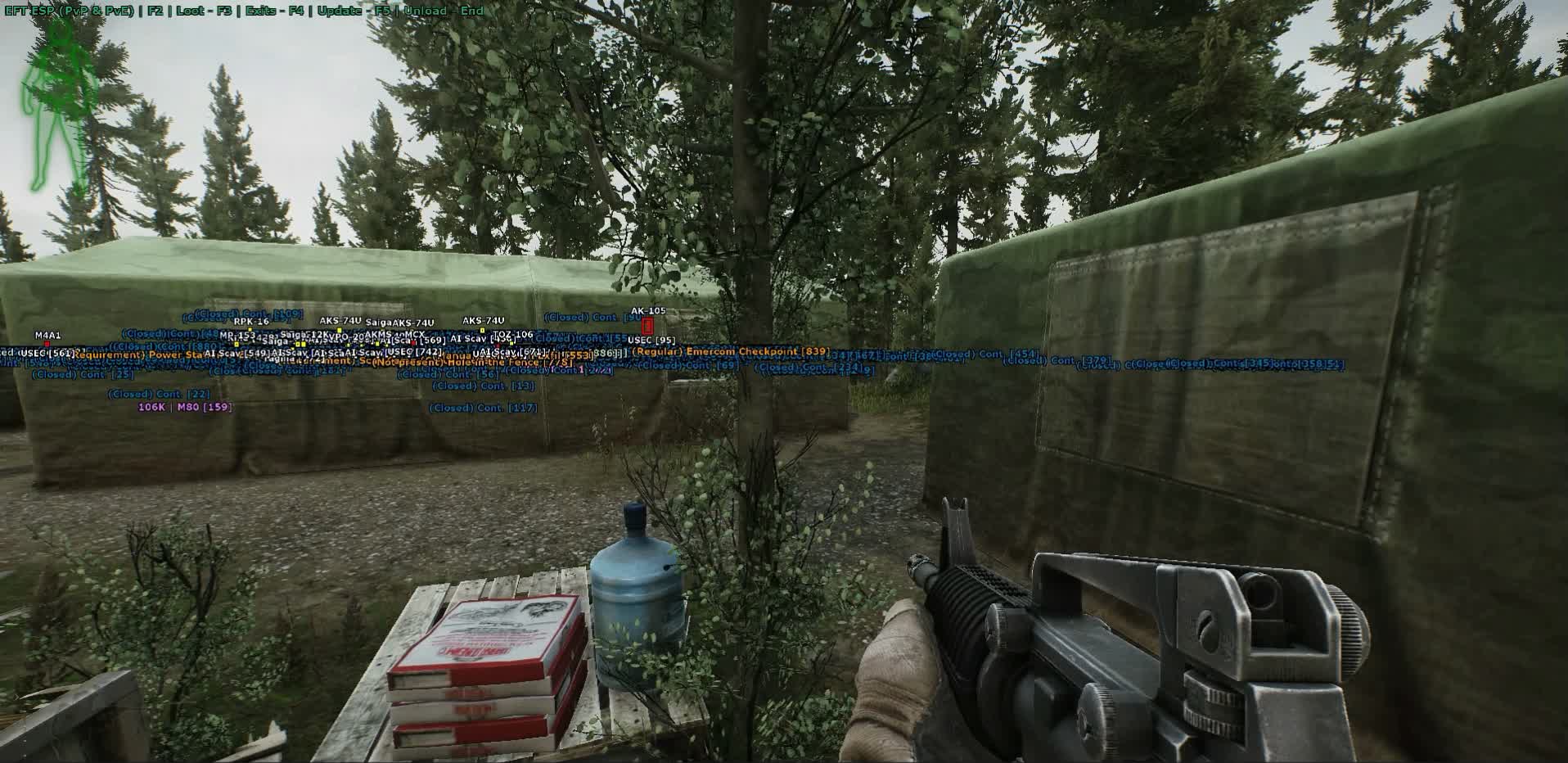
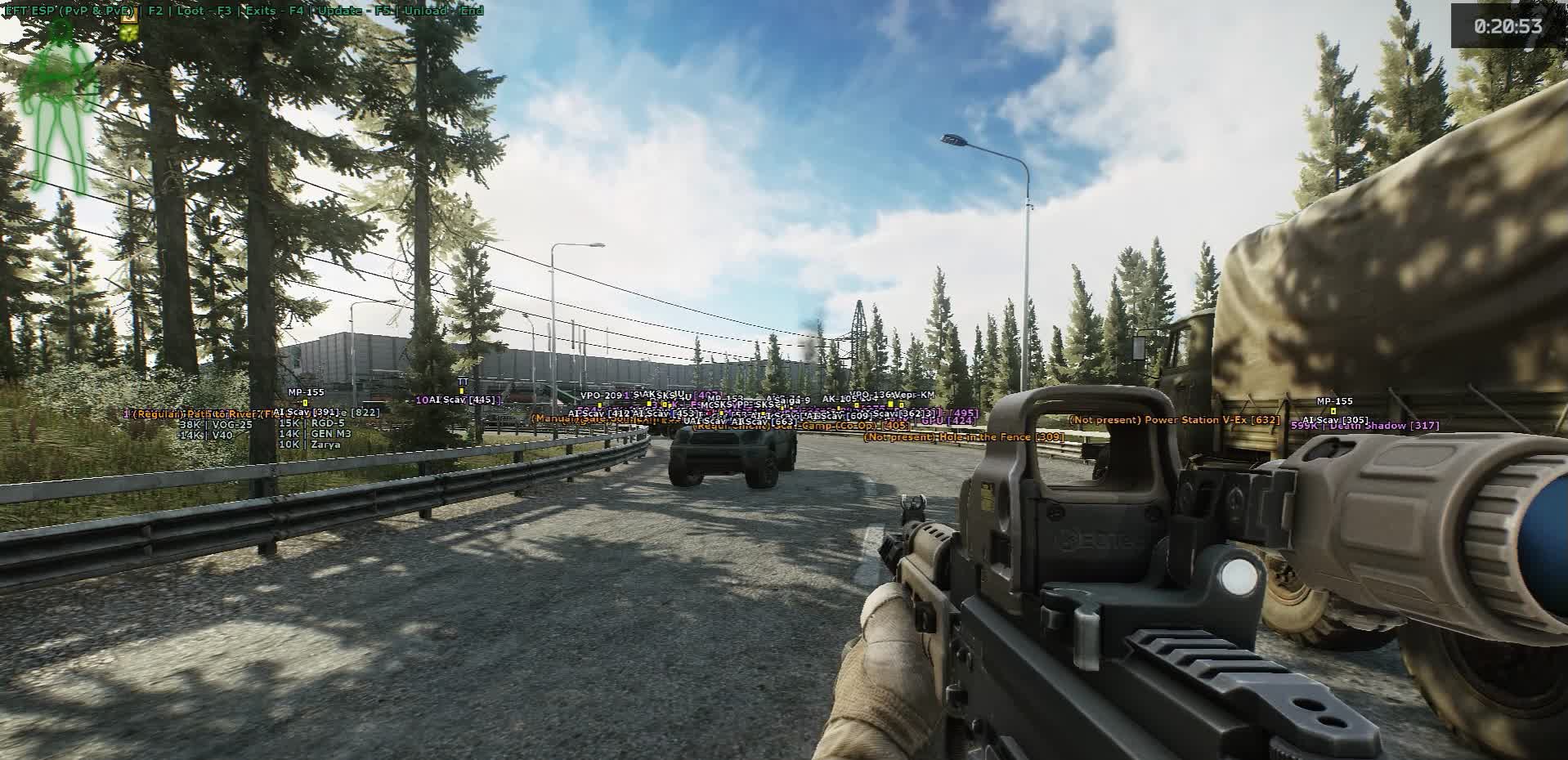
SOFT HUB ESP
Variasi
3
SOFT HUB ESP
SOFT HUB ESP
Fitur produk
SOFT HUB ESP
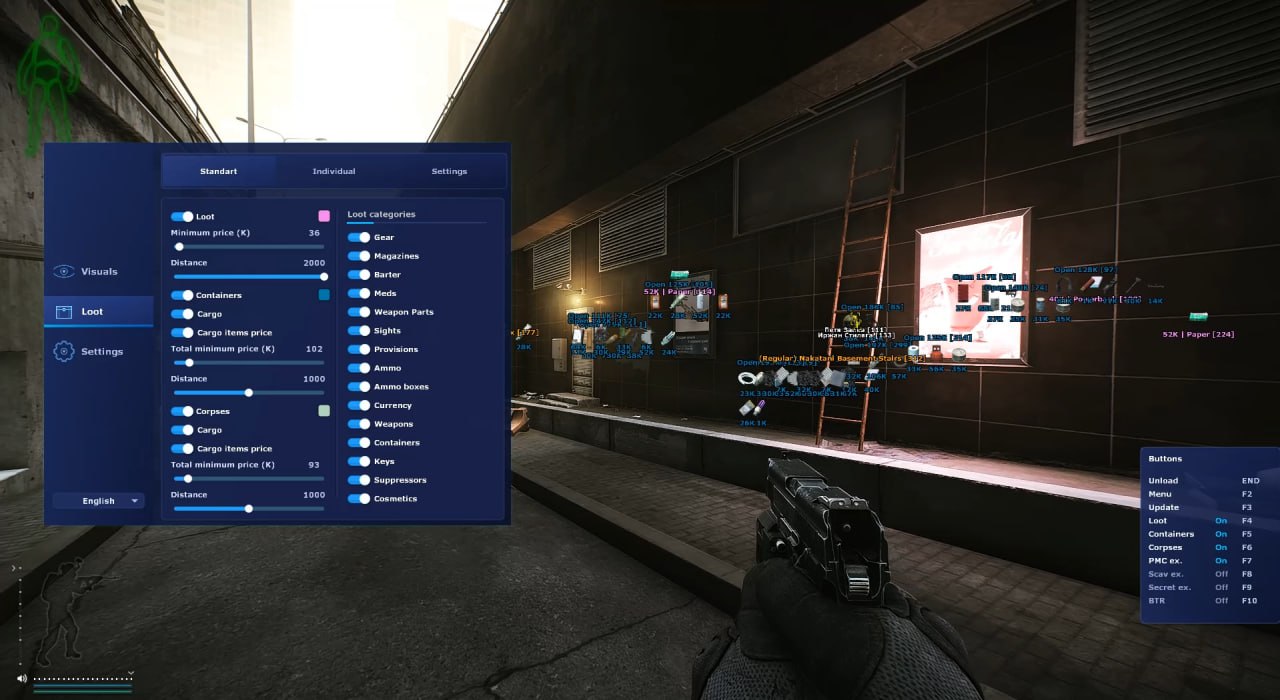
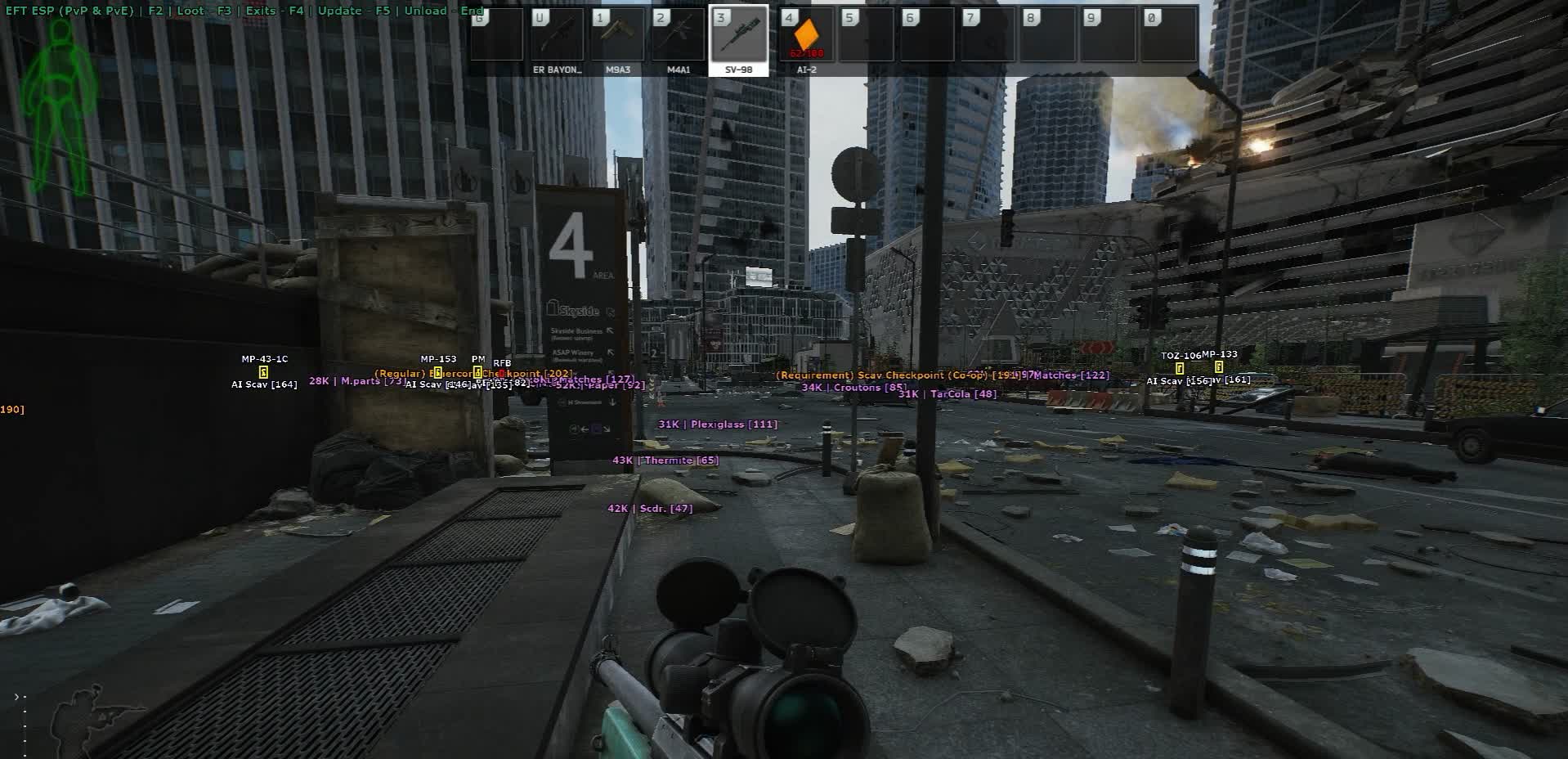
Visuals
- 2D Box
- A rectangular box around an enemy through walls. Basic position marker: you see where a PMC or Scav is sitting before you turn the corner into them. No extra visual noise.
- Box Customization
- Adjust color, line thickness, and fill on the box. High-contrast orange for Reserve's and Labs' dark interiors, neutral tones for bright outdoor maps like Shoreline. Set it to match your monitor and playstyle.
- Skeleton
- Full body skeleton of the player model. Shows real pose: standing, crouching, prone, looting a body. Critical when shooting through doorframes - the box gives you a rectangle, the skeleton tells you the target is prone and the hitbox is shifted to the floor.
- Skeleton Customization
- Adjust skeleton line thickness and color. Thin lines for minimal visual clutter, thick for reading pose reliably in Shoreline's dense vegetation or Lighthouse's darkness.
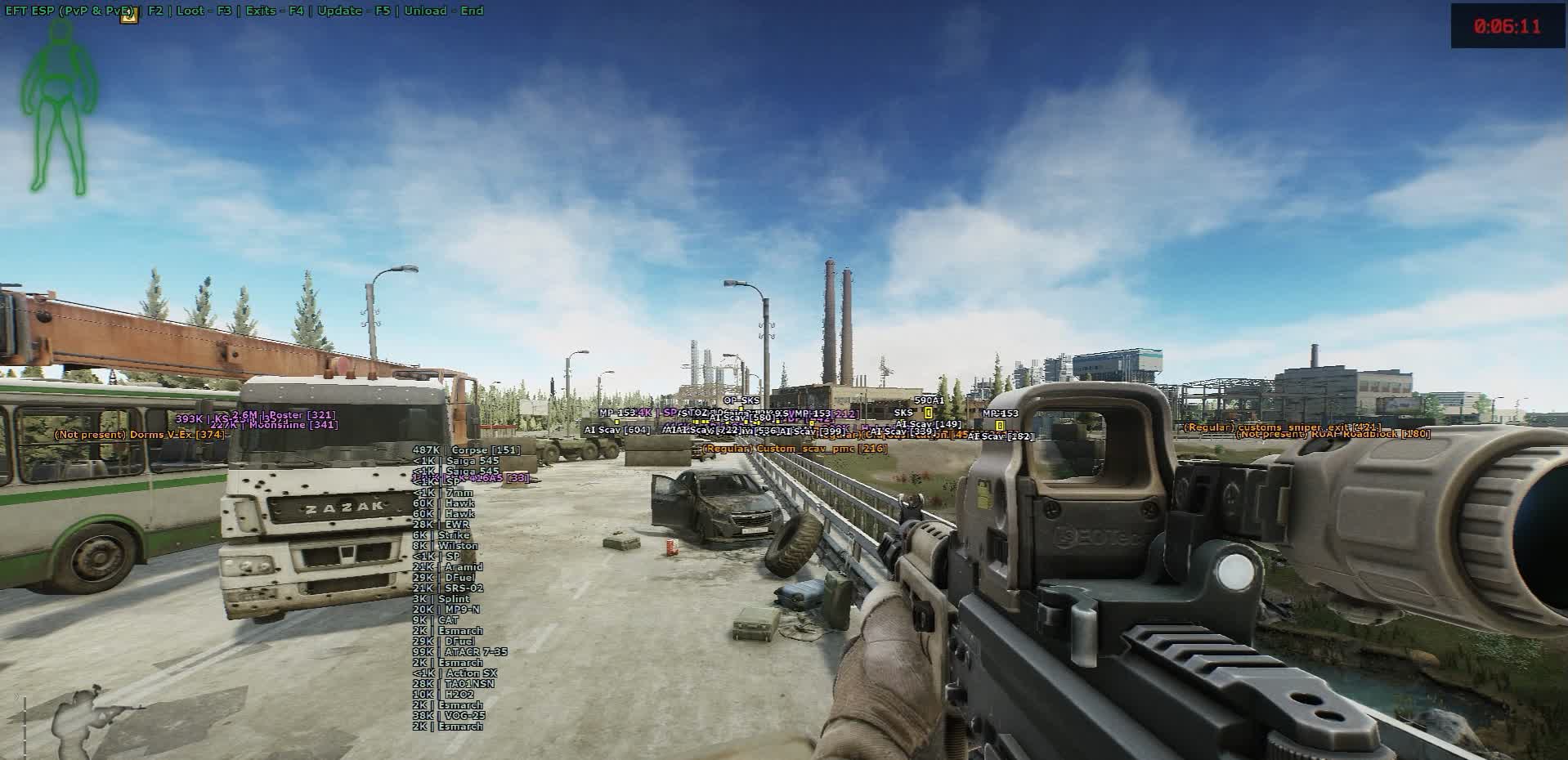
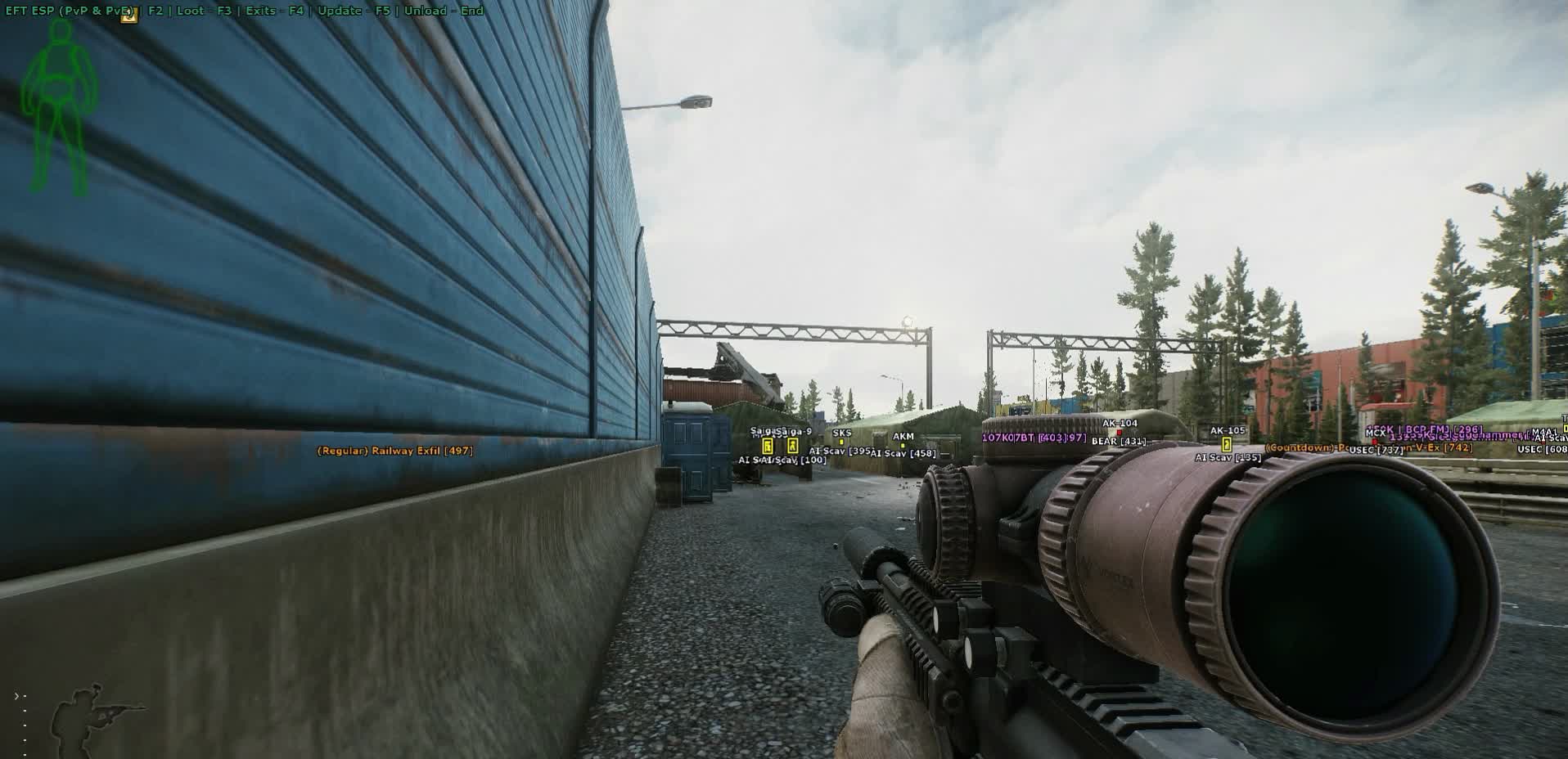
- Weapon
- The weapon in the target's hands. See who's running an SR-25 with a thermal and who only has a Saiga, target priority is instant. Decide whether to push or stretch the engagement.
- Name & Side
- Player name and faction: PMC or Scav. In a Scav run you don't shoot your fellow Scavs; in a PMC raid you immediately see who is a real threat and who is a bot or a Scav player.
- Distance
- Distance to target in meters. Directly informs weapon choice and tactics: a pistol at 100m is useless, an SVD or Mosin at 100m is fine. Don't waste expensive AP rounds on a close-range target.
- Line
- A line from your position to the target. Helps you quickly orient in the dense interiors of Labs and Reserve's multi-story buildings where the geometry disorients.
Extracts
- PMC Exits
- Highlighted PMC exits with rotation markers and availability timers. On a new map you don't have to memorize every staircase and gate - you see which exit is yours and what sector it's in.
- Scav Exits
- Highlighted Scav exits. In Scav raids you don't mix up your exits with PMC exits - critical on Reserve, Lighthouse, and Labs where each side has its own extract grid.
- Secret Exits
- Separate highlight for secret exits via stash, key, or cooperative PMC+Scav extract. On maps with rotating exits you immediately see if today's run has the secret path available and where to go.
Containers and Corpses
- Content List
- List of what's inside a container or on a body, through the wall. See whether a locker has an M995 round and a key case or just empty mags. Don't waste time on empty boxes and Scav bodies with a crust of bread.
- Per-item Price
- Price of each item inside the container or on the body. Instantly know what to grab first when your backpack is limited and you have to choose.
- Total Container Price
- Total value of a box or body as a single number. Decision to approach takes a fraction of a second: 50,000 rubles - skip it, 800,000 rubles - go in even if it's risky.
- Minimum Total Price
- Filter by minimum total value. Containers below the threshold don't render - the map stays clean instead of turning into a Christmas tree, only meaningful loot points remain.
- Render Distance
- Render distance for containers and corpses. Tight radius for a loot run in a single building (only what's actually reachable), wide for route planning on an open map like Shoreline or Woods.
- Color Customization
- Container and corpse highlight color separate from player colors and category loot. Color-code instantly: red for a corpse, yellow for a container above your price threshold - keeps the info layers from blending together.
Loot Categories
- Armor
- Body armor, rigs, helmets, backpacks, tactical bags. At wipe start with no armor this is priority number one; late raid it's only tier 5-6 pieces for upgrades.
- Magazines
- Magazines for all calibers. Scarce at wipe start - an AP round is useless without a mag. The distance filter keeps you focused on combat instead of chasing consumables across the map.
- Barter
- Items for quest and trader exchanges: motor oil, nuts, wires, tools. On a targeted loot run for a specific quest, only turn on what you need - keeps the map from filling up with noise.
- Meds
- Medkits, painkillers, tourniquets, bandages, stims. Salewa, IFAK, Grizzly - high priority at every stage. Filter cheap bandages by price so the map doesn't light up with zero-value markers.
- Weapon Parts
- Barrels, receivers, handguards, grips. For gunsmith quests, collectors, and flea market sales. Toggle selectively - the category is large and clutters the HUD without filtering.
- Optics
- Scopes, red dots, EOTech, thermal sights. Thermals and REAP-IR are top priority; filter cheap red dots by price. See a thermal in a locker - you go in.
- Provisions
- Food, water, energy drinks, coffee. Critical on long raids and in hardcore mode. Turn it off on short runs to avoid distractions.
- Ammo
- All calibers. AP rounds are expensive, standard ammo is cheap - the price filter leaves only what's actually worth picking up on the map.
- Ammo Boxes
- Sealed boxes of ammo. High priority - it's a dense volume of expensive consumables in one small icon. Separate category means they don't get lost on the map.
- Currency
- Rubles, dollars, euros, bitcoins. Bitcoin is top priority; euros and dollars are second tier. Always enabled - best value-to-space ratio of any category.
- Weapons
- Firearms on the ground and in lockers. With a price filter you immediately see the top weapons (M4A1, kitted AKM, bolt-actions) while grey Saigas and starter PMs get cut.
- Containers
- Cases for ammo, weapons, meds, docs, keys. The most valuable category in late wipe - a top case can be worth more than everything else in the raid combined. Always enabled, no price filter needed.
- Keys
- Room and container keys across maps. A Marked Room key or Red Key is millions of rubles on the flea; cheap keys get filtered out. Separate category so they don't get lost among regular junk.
- Suppressors
- Suppressors for all calibers. A scarce category for stealth-oriented runs - keep it in its own toggle for PMC-hunting raids.
- Cosmetics
- Watches, headwear, face masks. Low ruble value but important for collectors and quests. Usually filtered by price, turned on only for specific quests.
- Per-category Minimum Price
- Minimum price per category, set independently. Set ammo at 200 rubles (AP only), armor at 30,000 (tier 5-6 only), weapons at 200,000 (M4s and bolt-actions only) - the map stays readable.
- Per-category Render Distance
- Render distance set per category. Cases and thermals visible across the whole map, cheap consumables only within 30 meters. No need to balance a single global setting.
- Category Toggle
- Choose which categories to show at all. "Shoreline loot run" profile: keys, currency, meds. "Wipe start" profile: ammo, mags, armor. "Late wipe" profile: cases, thermals, AP ammo only.
Deskripsi produk
SOFT HUB ESP
Di Escape From Tarkov, SOFT HUB ESP menitikberatkan ESP. ESP pemain: jarak, warna, sembunyi party/guild; Box Customization; Skeleton Customization. Windows 10: 24h4, 23h2, 22h2; 11: 21h2, 22h2, 23h2, 24h2, 25h2, 21h2, 22h2, 23h2, 24h2, 25h2.. Tanpa spoofer.
SOFT HUB ESP — Escape From Tarkov
Di Escape From Tarkov, SOFT HUB ESP menitikberatkan ESP. ESP pemain: jarak, warna, sembunyi party/guild; Box Customization; Skeleton Customization. Windows 10: 24h4, 23h2, 22h2; 11: 21h2, 22h2, 23h2, 24h2, 25h2, 21h2, 22h2, 23h2, 24h2, 25h2.. Tanpa spoofer.
Isi paket
- ESP pemain: jarak, warna, sembunyi party/guild
- Box Customization
- Skeleton Customization
- Weapon
- Distance
- Line
- PMC Exits
- Scav Exits
Risiko
Build privat bukan ban nol. Cek status di kartu. Kalau bot jalan sendiri, akun farm pisah dari main.