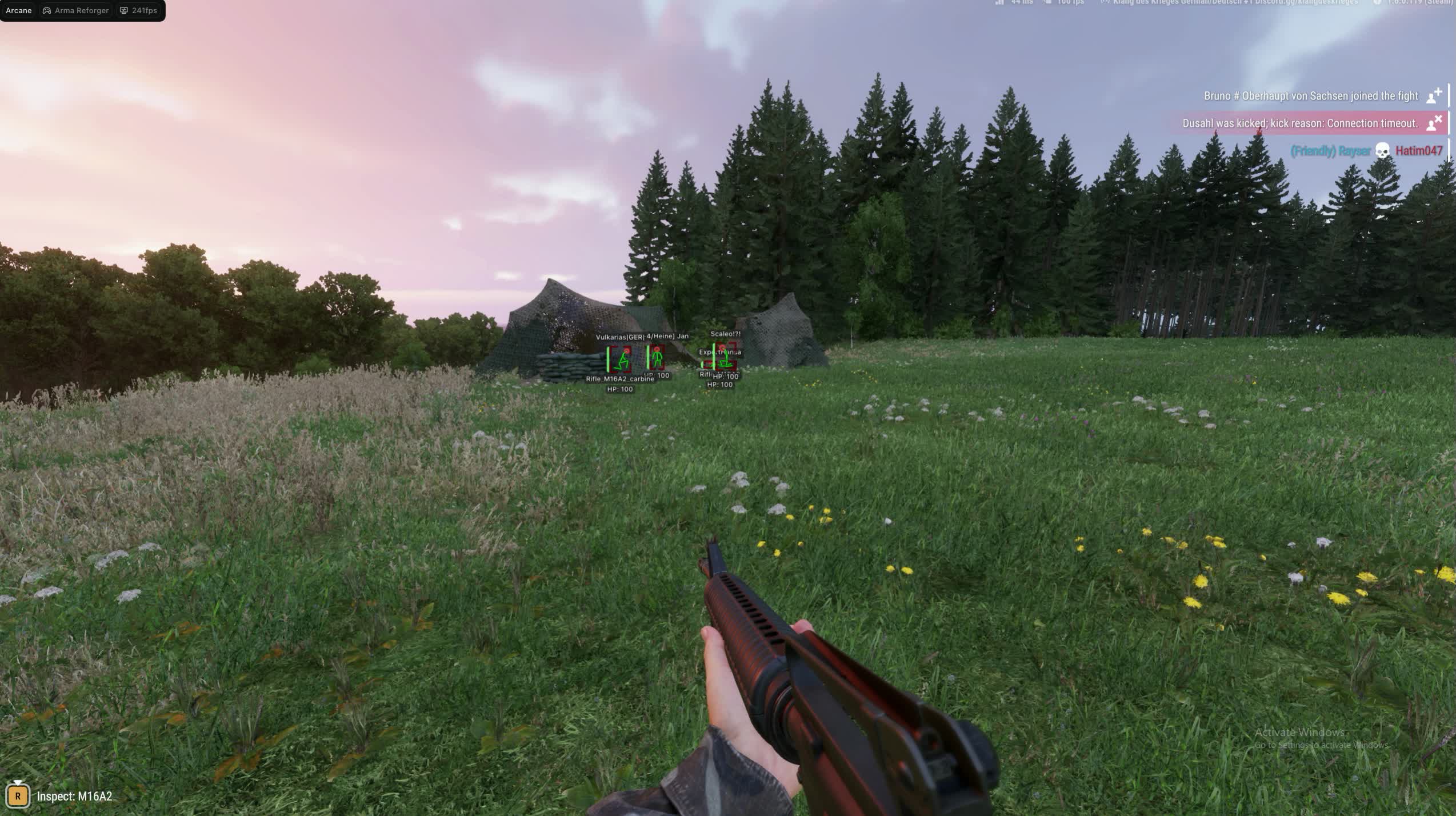
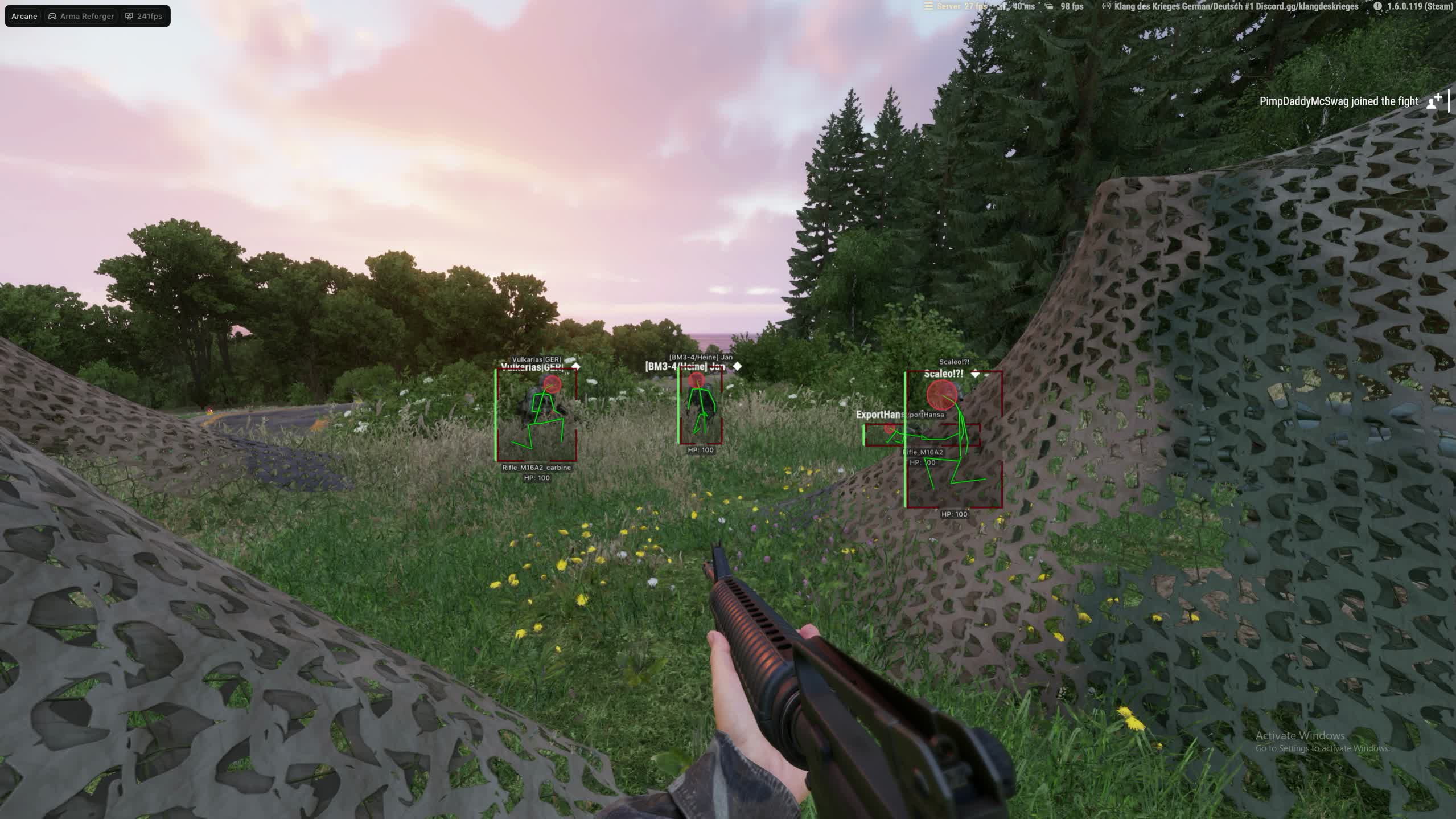
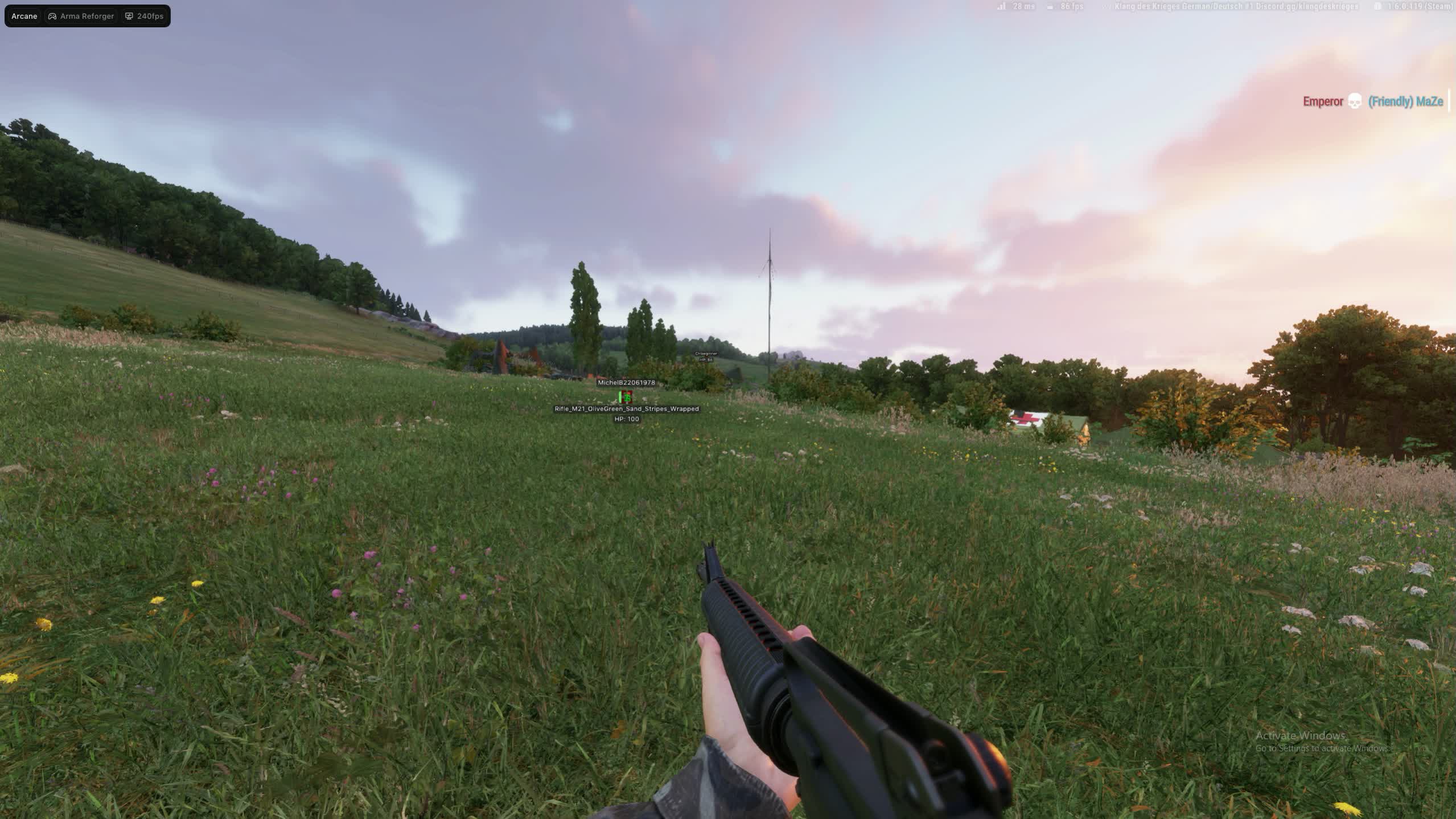
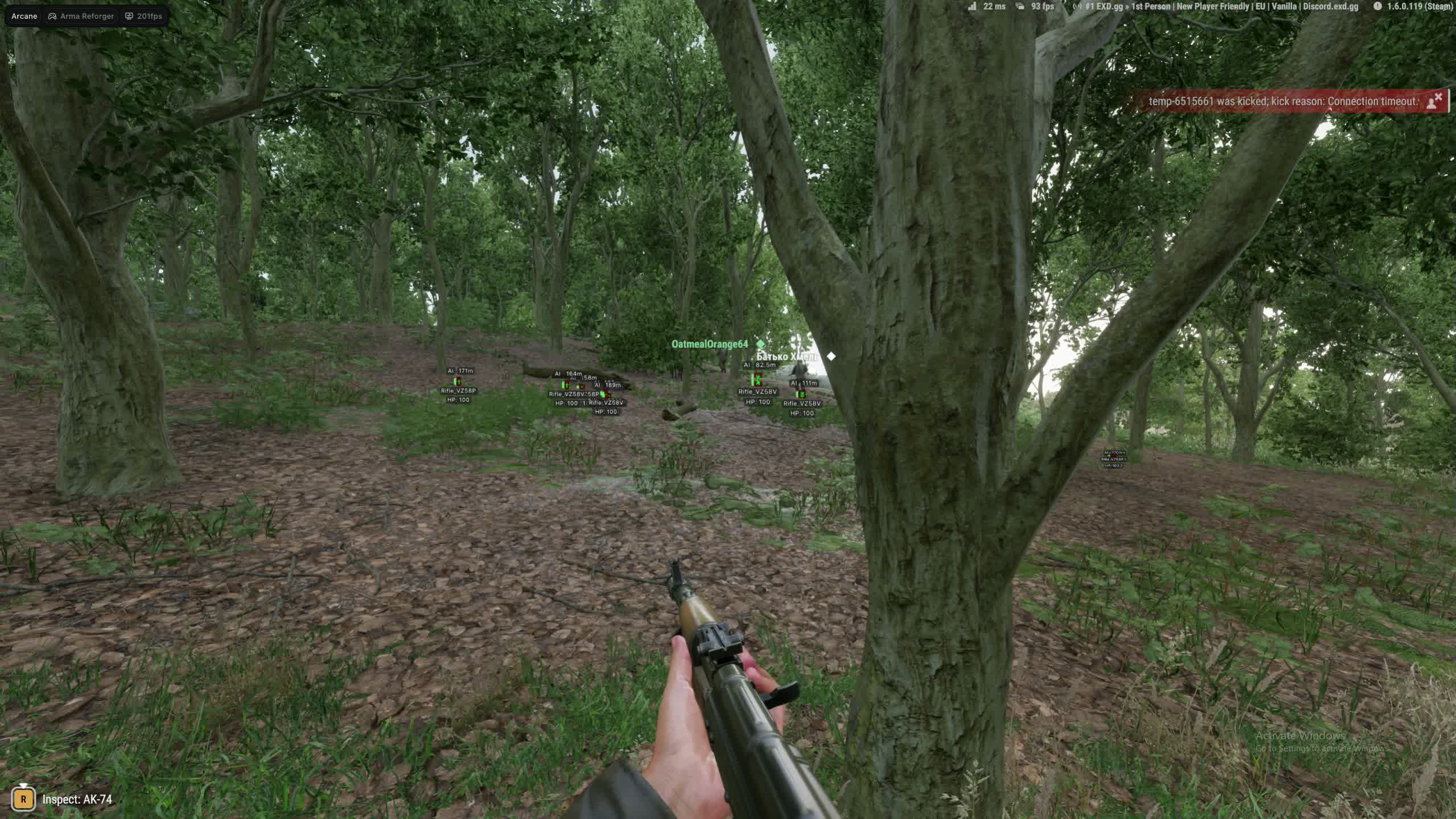
Arma Reforger Arcane

バリエーション

3
Arma Reforger Arcane

Arma Reforger Arcane

1-日
停止
自動
在庫なし
おすすめ
788 ¥
Arma Reforger Arcane

Arma Reforger Arcane

7-日
停止
自動
在庫なし
おすすめ
3.466 ¥
Arma Reforger Arcane

Arma Reforger Arcane

30-日
停止
自動
在庫なし
おすすめ
6.302 ¥
ステータス 停止 Son kontrol 26.09.2026 23:46

製品機能

Arma Reforger Arcane

Aimbot

Keybind
Assign the aimbot activation key to any button you want. Change the binding inside the cheat menu to whatever fits your playstyle and keybinds.
Target bone
Choose the aim bone: head, neck, body or pelvis. At long range in Arma Reforger aiming at the torso makes more sense due to bullet spread; up close, a headshot is an instant kill.
Type
Two aimbot modes: hold the assigned key or always-on. Hold mode gives you control over every aim engagement; always-on automatically tracks the nearest target.
Adaptive FOV
An adaptive capture circle - the aimbot only reacts to enemies inside the defined screen area. Adjust the FOV size with the slider to avoid accidentally locking onto targets at the edge of your screen.
Draw FOV
Visual display of the FOV circle on screen with an optional border and background. Helps you see the aimbot capture zone in real time and dial in a comfortable size for your playstyle.
Smoothness
Set aim smoothness from a hard snap to a soft follow. Higher smoothness values make the crosshair movement look natural; lower values are instant but more noticeable to the eye.
Max distance
Cap the maximum distance at which the aimbot locks targets. On the open maps of Arma Reforger distances can reach a kilometer - the cap cuts off targets that are too far to hit reliably.

ESP players

ESP Style
Two display styles: with a background for maximum readability on any terrain, or without a background for minimal visual noise. Toggle it with one click in the cheat menu.
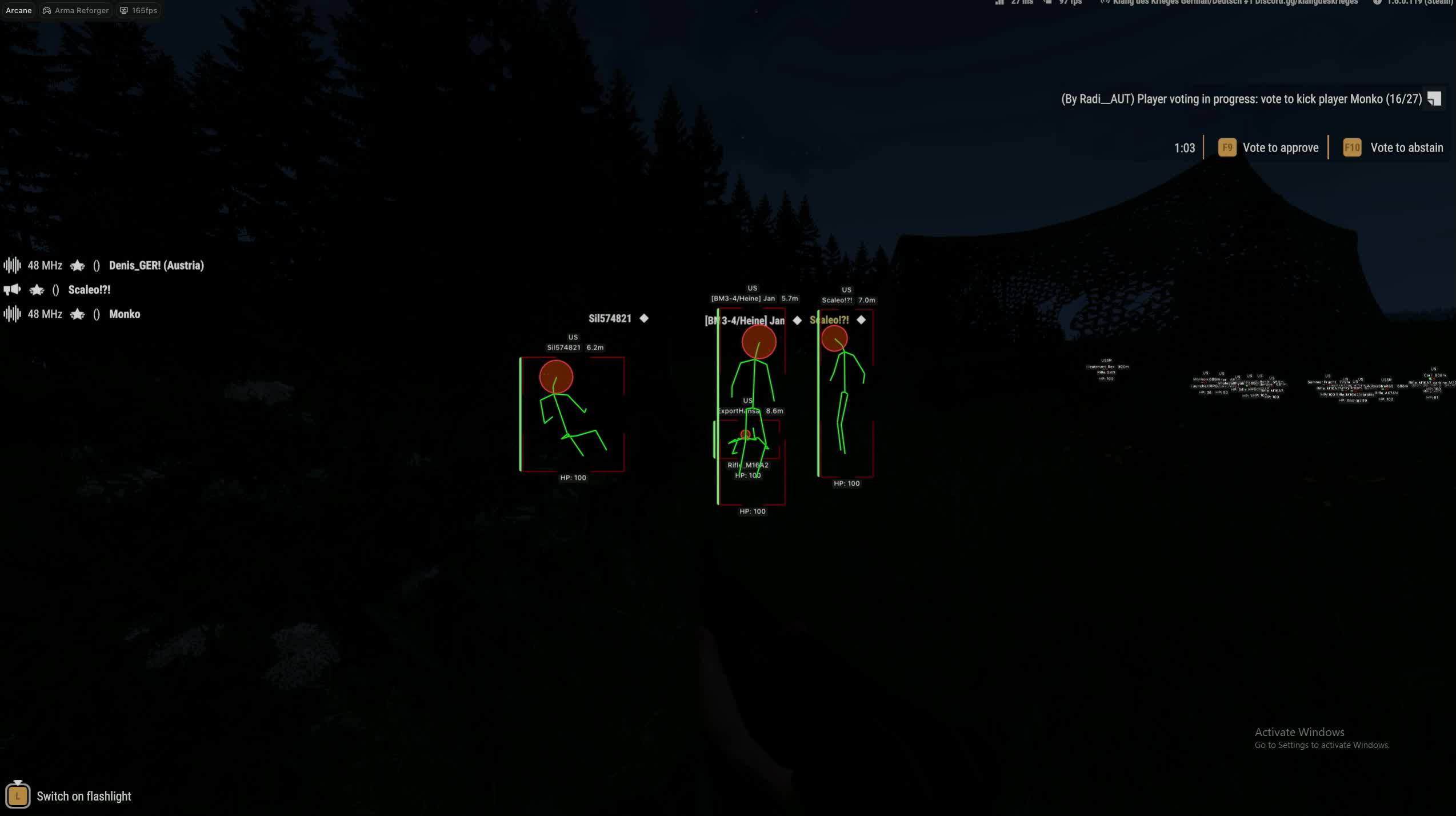
Bounding box
A 2D box around every player in two variants: full box or corner frames. Corner frames take up less screen space and don't cover the enemy model in close-quarters fights.
Fill box
Box background fill: solid color or gradient. The gradient variant visually separates the box from the environment on forest and urban maps where a flat background blends with textures.
Line to enemy
Lines from your character to each enemy with color and anchor point settings. On open fields in Reforger the lines instantly show the direction of a threat even when the enemy is behind cover.
Health bar
A health bar above each player in three modes: static, color-changes-with-HP and gradient. You see how much HP the enemy has left - you know whether to push for the kill or back off from a full-health target.
Skeleton
Draws the player skeleton with adjustable line thickness and a head circle. The skeleton shows the enemy's pose behind cover: standing, crouching or prone - which affects where you should aim.
Name & Team
Displays the player's name and team name. In the team modes of Arma Reforger the Show team option additionally highlights allies - stops you from shooting your own squad in chaotic firefights.
Current weapon
Shows the weapon each player is holding. See that the enemy has a sniper rifle - you know his effective range. An assault rifle means close range, a grenade launcher means you keep your distance.
Distance
Distance to each player in meters. On the large maps of Reforger distance determines your tactic: 50 meters is an assault, 300 meters means you need a firing position and optics. The number updates in real time.

Settings

Menu keybind
Assign the key that opens the cheat menu. The default is a standard button, but you can remap it to anything so it doesn't conflict with your Arma Reforger binds.
Unload keybind
One key to instantly unload the cheat from memory. One press and Arcane fully shuts down - all visual elements disappear and the game returns to its normal state.
DPI Scale
Scales the cheat interface to match your monitor resolution and DPI. On 4K monitors the menu elements won't be tiny; on 1080p they won't take up half the screen.
FPS Limit
Cap the cheat's frame rate to reduce system load. Arma Reforger is demanding on hardware - limiting the cheat's FPS frees up resources for the game itself.
Theme & Language
Dark and light interface themes, three languages: English, Russian and Chinese. The watermark is optional - turn it off when recording or streaming.

Configs

Config system
Create, load, rename and delete setting presets. One config for aggressive assaults with snap aimbot and full boxes, another for a low-profile playstyle with minimal ESP and smooth aim tracking. Switch between them in a couple of seconds.

製品説明

Arma Reforger Arcane

Arma ReforgerではArma Reforger ArcaneがESP寄り。エイム:FOV、スムーズ、ターゲットフィルタ.Windows 10: all builds; 11: all builds.。スプーファーなし。

Arma Reforger Arcane — Arma Reforger

Arma ReforgerではArma Reforger ArcaneがESP寄り。エイム:FOV、スムーズ、ターゲットフィルタ.Windows 10: all builds; 11: all builds.。スプーファーなし。

中身

  • エイム:FOV、スムーズ、ターゲットフィルタ
  • ESP Style
  • プレイヤーESP:距離、色、パーティ/ギルド非表示
  • Fill box
ウィンドウかボーダーレス. スプーファーなし. Windows: 10: all builds; 11: all builds. Steam. English.

リスク

非公開でもBANは消えない。掲載ステータスを見て、自動移動があるなら周回用と本アカを分ける。

迅速な配信 24時間即時配信
安全な支払い 3D Secure + SSL保護
お得な価格 割引と価格保証
満足保証 安全で簡単な買い物