Lovec Radar for Arena Breakout Infinite
Вариации
4
Lovec Radar for Arena Breakout Infinite
Особенности продукта
Lovec Radar for Arena Breakout Infinite
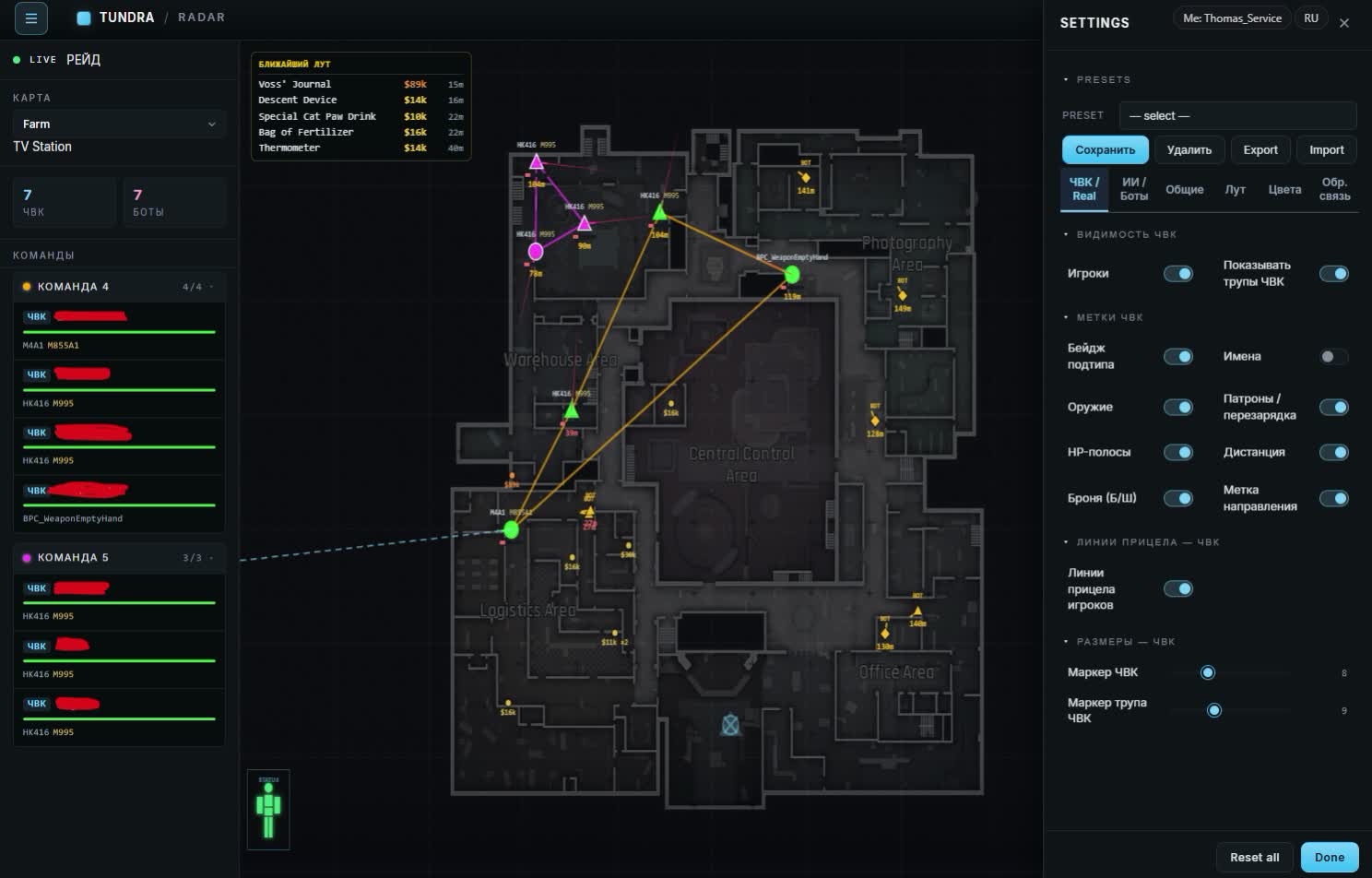
Players
- PMC and scav markers
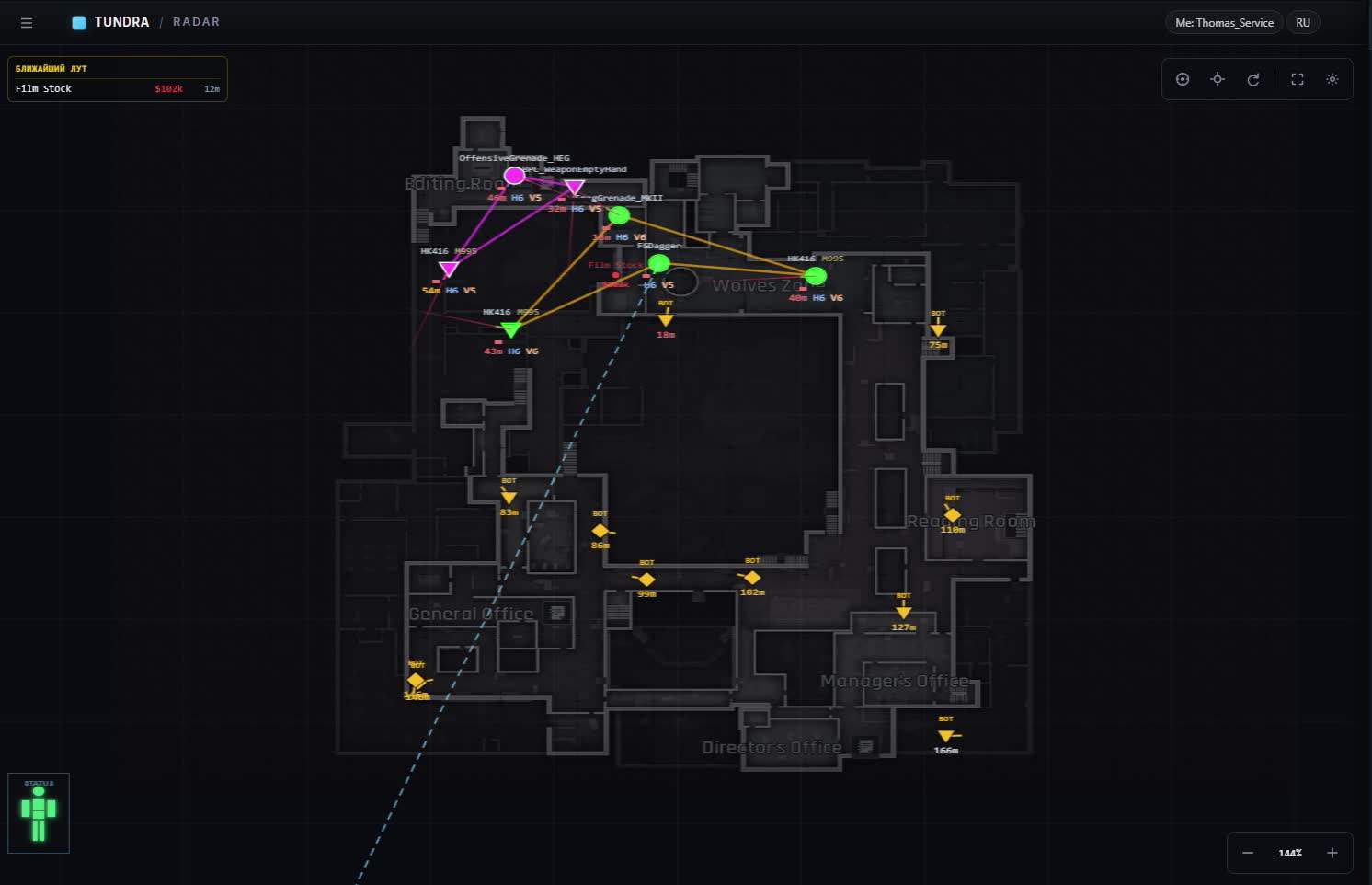
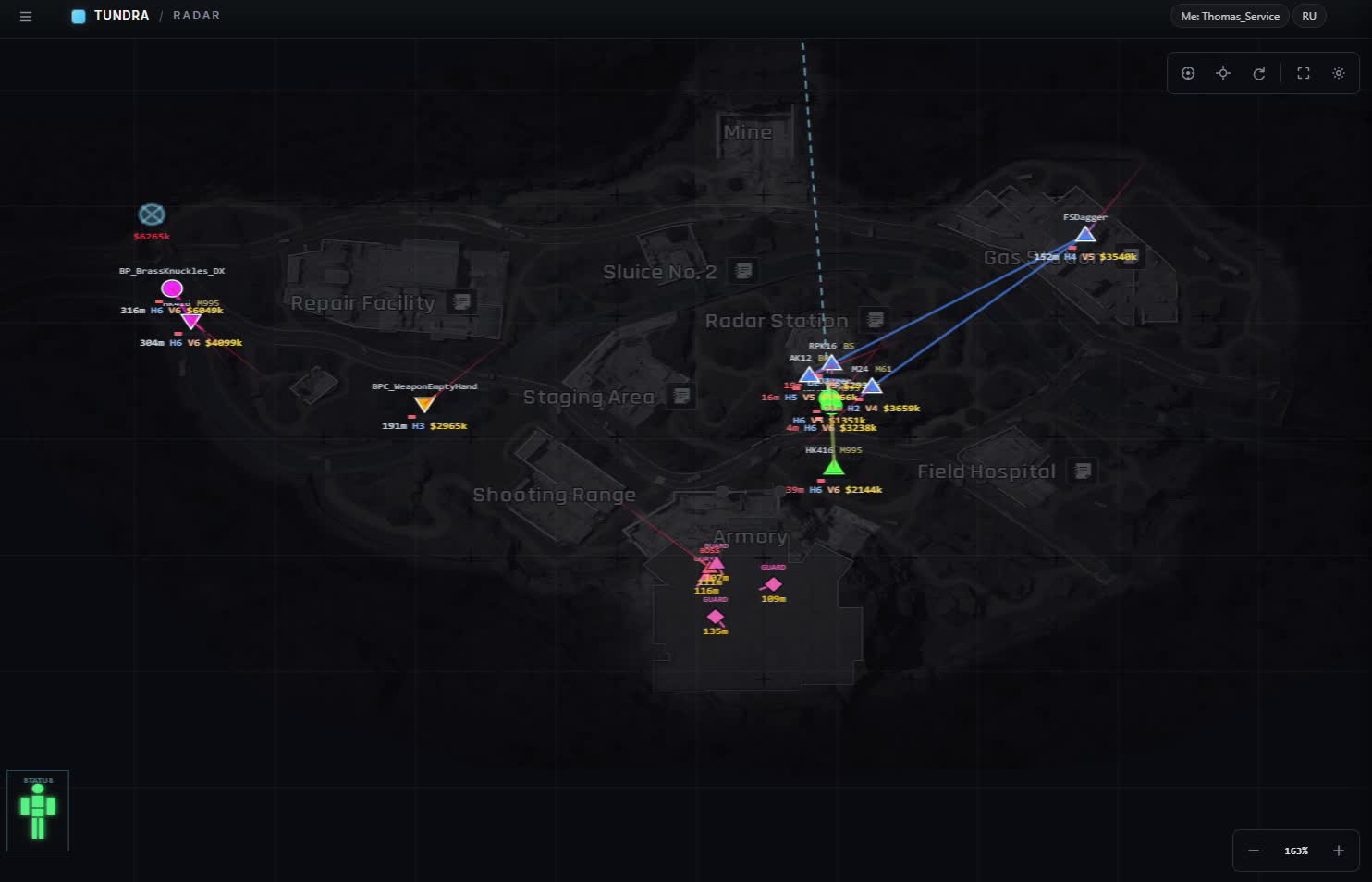
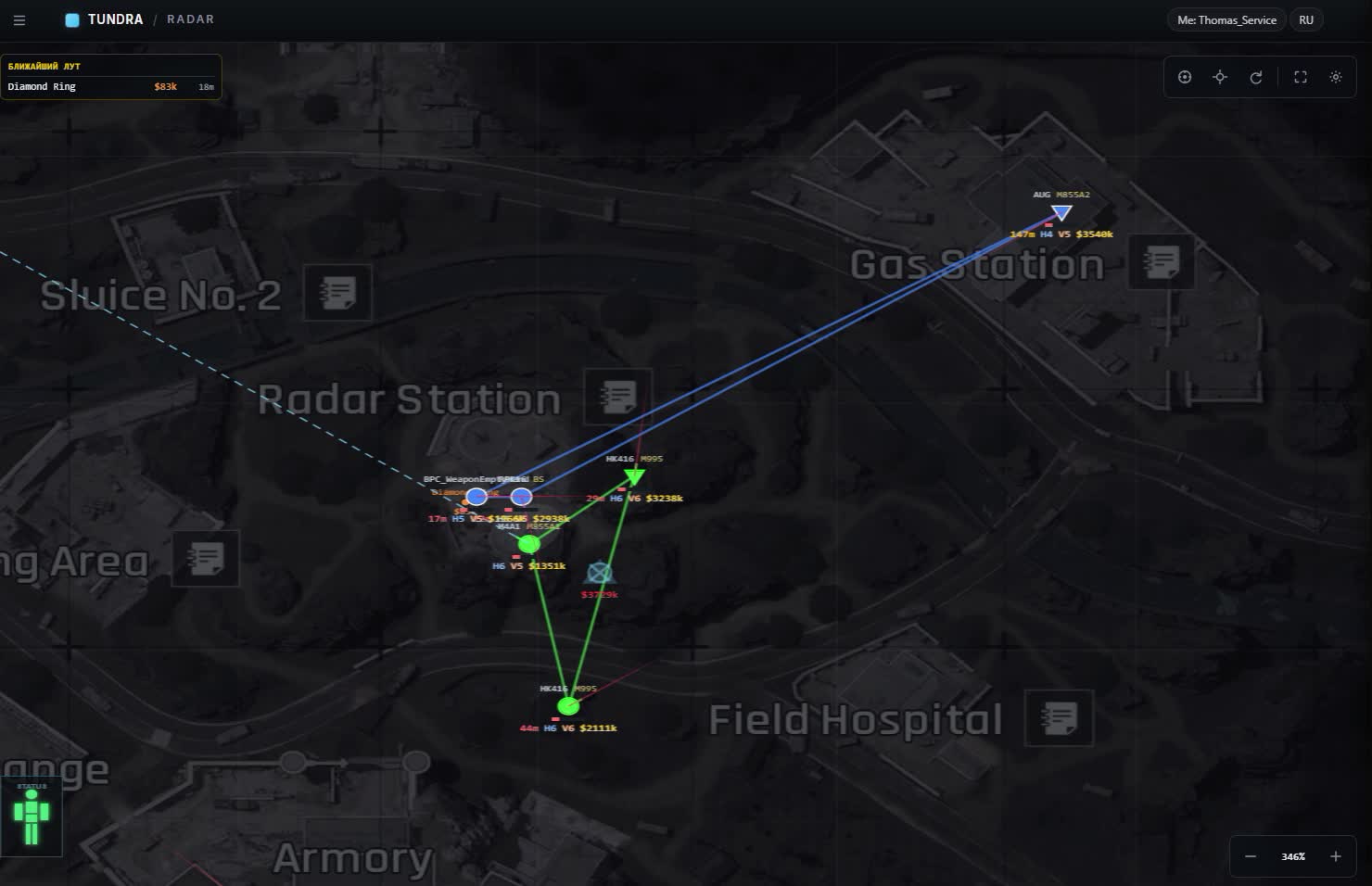
- Every player on the map with nickname, team, level and distance. You read at once who that is and whether it's worth pushing.
- Gear on the marker
- Weapon with ammo type, armor and helmet. You know what's coming your way before the first shot.
- HP silhouette
- A silhouette overlay shows how much health a target has left and where it already took hits.
- Facing arrow
- An arrow by the marker tells you where the enemy is looking. You see whether they clocked you or walked past.
- Your own aim line
- A separate line from your character so you can check on the map where you're pointing right now.
- Movement trail
- The trail behind a player: where they came from, where they're headed and whether cutting them off makes sense.
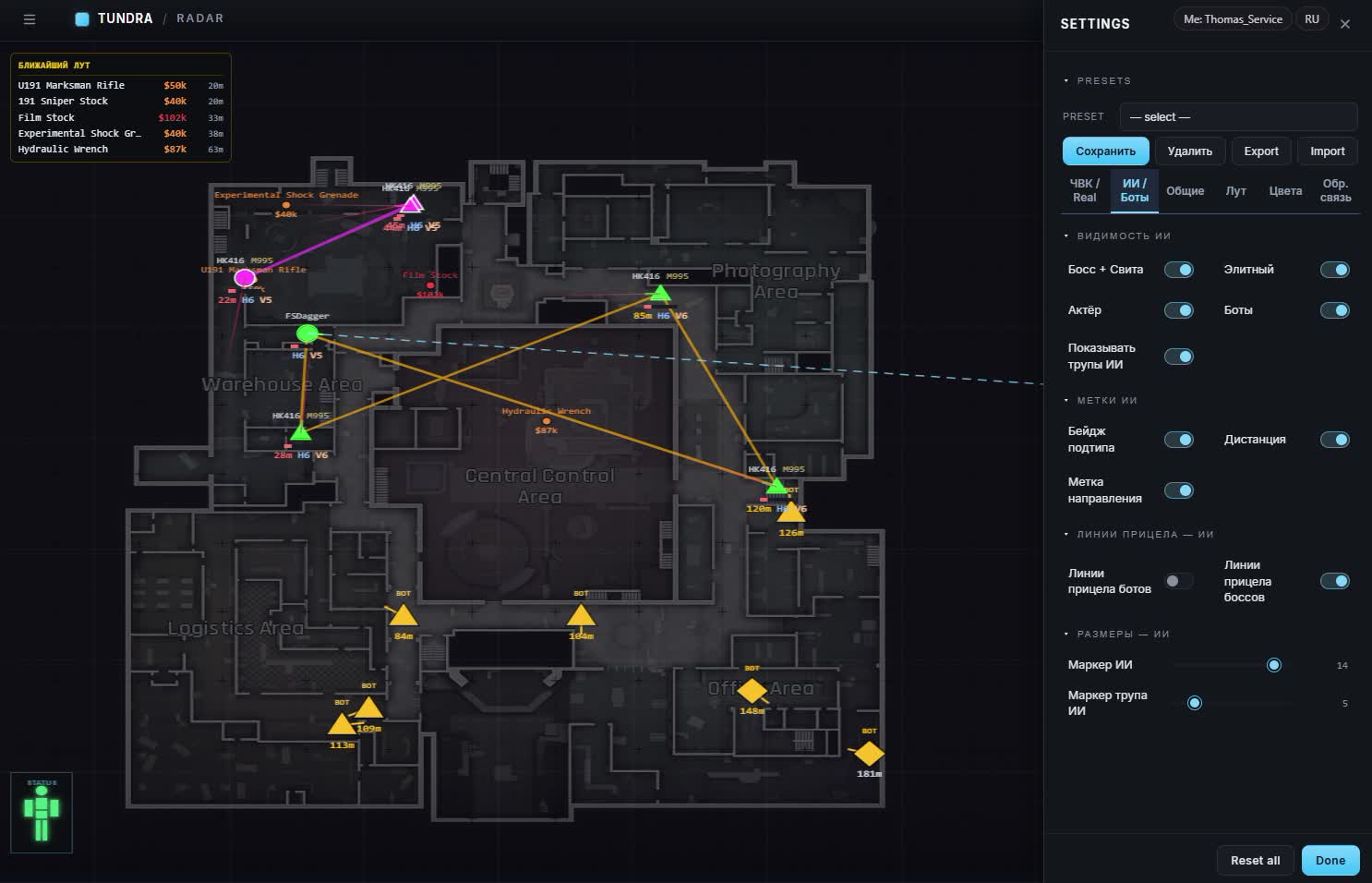
AI and bosses
- AI toggles
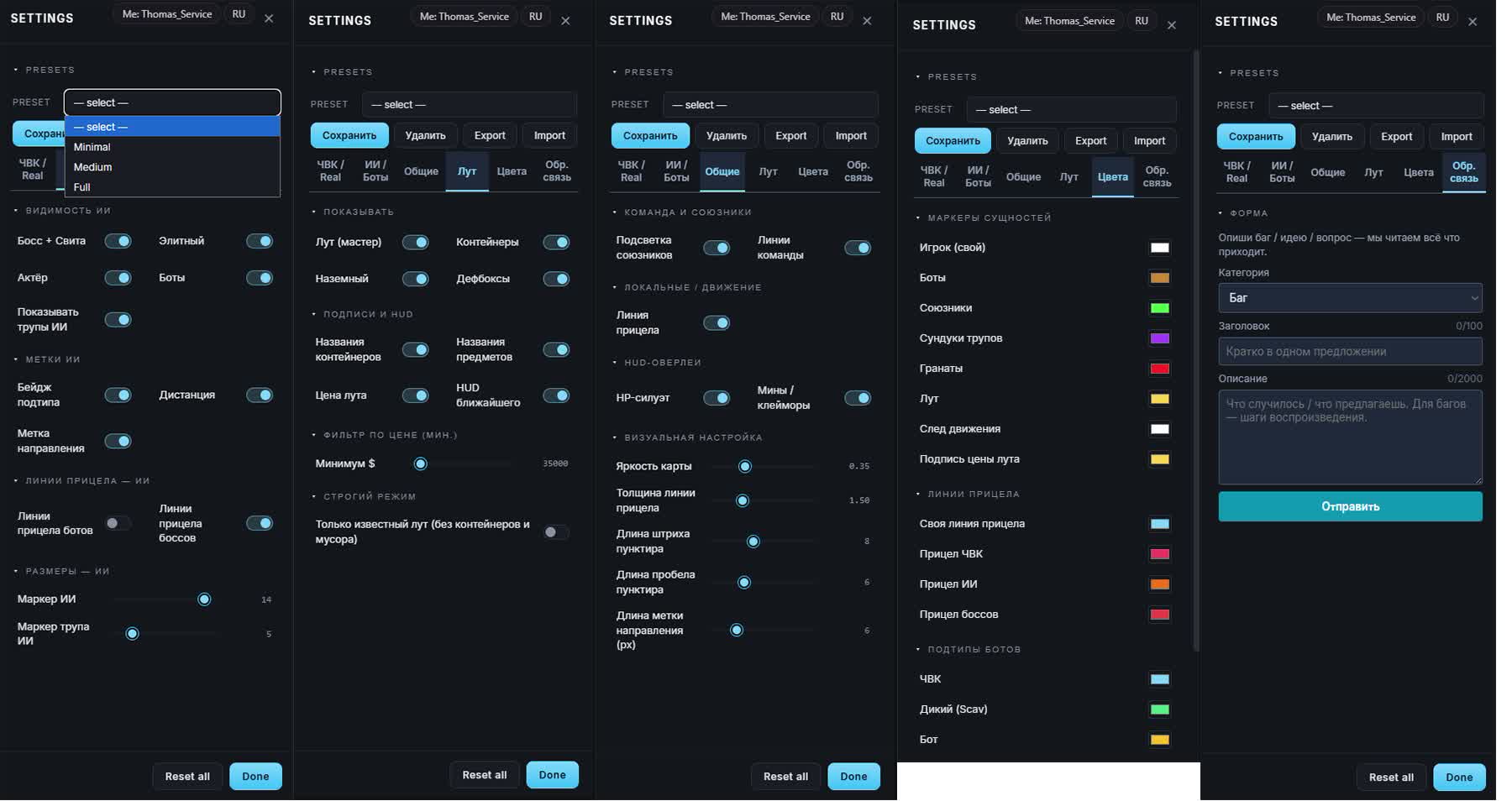
- Bots, actors, bosses with their entourage and elites switch on separately. Don't need the small fry, turn it off and watch the dangerous ones.
- Subtype badge
- Every AI carries a label of what it is, plus distance and a facing arrow.
- AI corpses
- Dead bots show up apart from players, so you don't mix them with the living.
- AI aim lines
- Where bosses look and where regular bots look, toggled independently.
- Subtype colors
- PMC, scav and bot each get their own color, you tell them apart with peripheral vision.
- Marker size
- Sliders for AI and corpse marker size so a crowded map doesn't turn into mush.
Squad
- Teammate highlight
- Your own are colored, so you don't shoot a teammate in a messy fight.
- Lines between allies
- Squad links are drawn as lines: you see who fell behind and who went around.
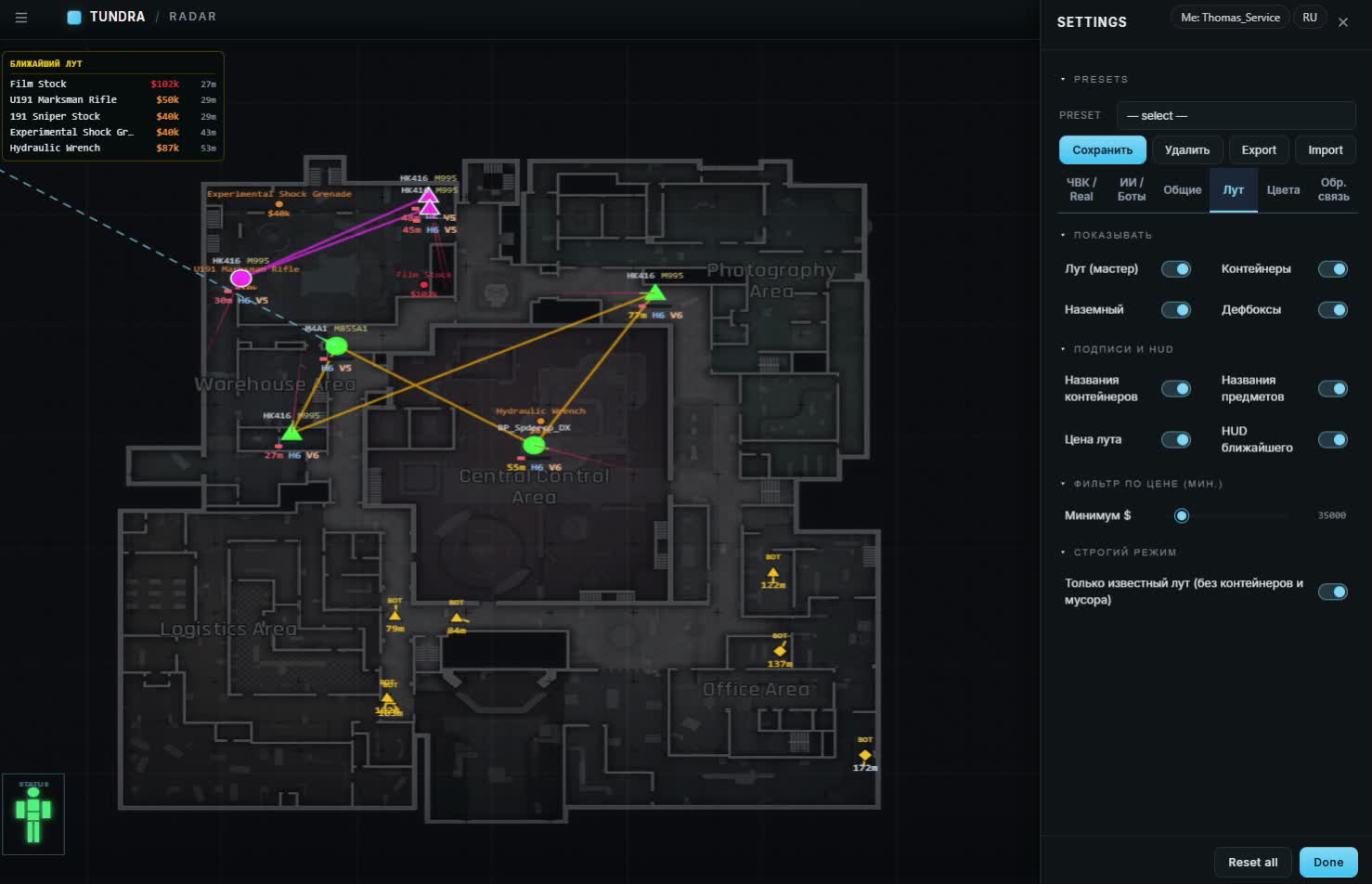
Loot
- Loot master toggle
- One switch kills all loot when you want a clean screen for a fight.
- Containers and defboxes
- Crates, ground loot and defboxes switch on one by one.
- Price filter
- A slider plus manual dollar input, 35,000 by default. Cheap junk simply never reaches the map.
- Loot labels
- Container names, item names and price, each label toggled on its own.
- Nearby loot HUD
- A panel with the closest haul: what's lying around and what it pays.
- Strict mode
- Keeps known loot only, without containers and floor junk.
- PMC corpse chests
- Player bodies with an estimate of what's inside. You decide on the spot whether to loot or move on.
Hazards
- Grenades on radar
- An incoming grenade is marked on the map, so you step away instead of guessing by sound.
- Mines and claymores
- Tripwires and mines are visible early, on the way to a point.
Maps
- Auto map detection
- The radar figures out where you dropped in, no picking the location by hand.
- All six locations
- Farm, Valley, Northridge, Armory, TV Station and Airport.
- TV Station floors
- The TV Station is laid out by floors, markers from different levels don't pile up together.
Look and feel
- Map brightness
- A slider for the underlay to match your lighting and monitor, no glare at night.
- Line tuning
- Aim line thickness, dash and gap length for the dotted style, and facing marker length.
- Marker colors
- Your own colors for players, bots, allies, corpse chests, grenades, loot, the movement trail and the price label.
- Aim line colors
- Four lines are colored separately: yours, PMC, AI and bosses.
Presets and settings
- Built-in presets
- Minimal, Medium and Full: from an almost empty map to the whole set of markers.
- Custom presets
- Save your own layout and swap between them in a couple of clicks.
- Settings export
- Export and Import carry the config between PC and phone, nothing to set up twice.
- Reset all
- Reset all puts everything back to default if you overdid the tuning.
Mobile and contact
- Portrait and landscape
- Two phone layouts, panels adapt to the screen width.
- Light on traffic
- Positions run in real time while the radar barely loads the channel, mobile data is enough.
- Feedback form
- A bug, an idea or a question goes to the developers straight from the interface: category, title, description.
Gear and thermal scopes
- Thermal scopes
- The marker shows who runs a thermal: a T7 on the head or a thermal scope on the gun. Don't bother hiding in a bush against that one.
- Player gear
- Hover the cursor over a marker and it unfolds everything the player wears and holds.
- Gear durability
- Green numbers like 45/45 show armor and helmet durability. Battered armor holds worse than its class promises.
- Gear value
- The value of what a player carries is now counted correctly, the old price errors are gone.
Safes
- Safes on the map
- Every safe on the location is marked apart from the rest of the loot.
- Safe status
- An orange marker means an open safe, green means closed. A closed one is waiting for you, an open one has already been cleaned out.
Описание продукта
Lovec Radar for Arena Breakout Infinite
Lovec Radar for Arena Breakout Infinite как приватный радар в Arena Breakout Infinite. ESP игроков: дистанция, цвета, скрытие пати и гильдии; Слой ресурсов: тип, тир, скрытие пустых нод; HP silhouette. Меню: Russian, English. Спуфера в сборке нет.
Lovec Radar for Arena Breakout Infinite — Arena Breakout Infinite
Lovec Radar for Arena Breakout Infinite как приватный радар в Arena Breakout Infinite. ESP игроков: дистанция, цвета, скрытие пати и гильдии; Слой ресурсов: тип, тир, скрытие пустых нод; HP silhouette. Меню: Russian, English. Спуфера в сборке нет.
Что внутри
- ESP игроков: дистанция, цвета, скрытие пати и гильдии
- Слой ресурсов: тип, тир, скрытие пустых нод
- HP silhouette
- Аим: FOV, сглаживание и фильтр целей в меню
- Свои маршруты и автоматизация
- Subtype badge
Про риск
Приватный софт не даёт нулевого бана. Смотрите статус на карточке. Фарм-акк и основу лучше не мешать, если сборка ходит сама.