Rampart External
Varyasyonlar
3
Rampart External
Rampart External
Ürün Özellikleri
Rampart External
Aimbot
- Aimbot
- Automatic aim onto the enemy. Tunes to any style, from soft aim assist to hard lock on the target.
- Silent Aim
- Bullets land on target even when your aim is not pointed at them. Visually it looks like normal shooting, you cannot tell from the outside.
- Silent On Key Toggle
- Silent Aim turns on and off with a key. Handy when you need to switch between modes quickly in a fight.
- Prediction
- The Aimbot accounts for the target's movement and aims where the enemy will be, not where they are now. Matters at range and when the target is running.
- Prediction On/Off Toggle
- Position prediction toggles on a separate key. At close range it sometimes gets in the way, at long range it is irreplaceable.
- Lock Target
- Hold the key and the Aimbot keeps one specific target until you let go. It will not switch to other players by accident in a group fight.
- Custom Aim Key Bind
- The aimbot activation key is set manually for any layout.
- Adjustable FOV
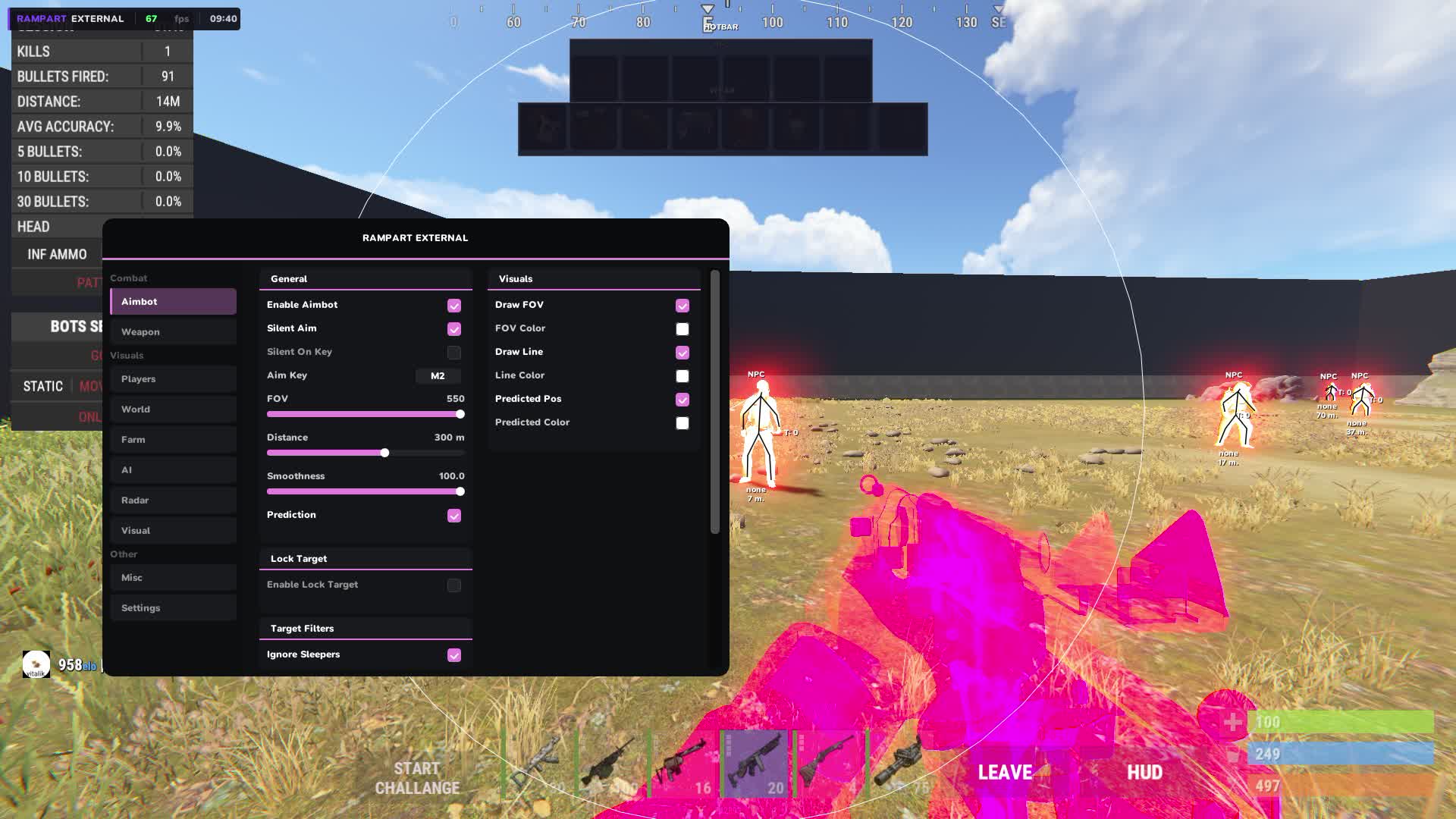
- The radius of the target capture zone is adjustable. A narrow FOV takes only those directly in your crosshair, a wide one reacts to everyone in view.
- Adjustable Smoothness
- Aim smoothness from sharp to soft. Too sharp looks unnatural in recordings, smooth reads cleaner visually.
- Adjustable Max Distance
- Maximum trigger distance for the aimbot. Cut reactions to far players and work only in the real combat zone.
- Hitbox: Head / Chest / Pelvis / Legs
- Pick the bone to aim at. Head for max damage, chest is steadier at range, legs slow the target without killing right away.
- Filters: Ignore Sleepers / NPC / Teammates
- Filters keep sleepers, bots and teammates out of the capture zone. The Aimbot will not lock onto your own people or react to inactive targets.
Aim Visuals
- FOV Circle
- A circle on screen shows the current aimbot capture zone. You can see how big the active zone is without opening the settings.
- Aiming Line
- A line from your crosshair to the target the Aimbot is holding. A visual cue that the lock is active and on whom exactly.
- Predicted Position Marker
- A marker shows where the Aimbot predicts the hit, accounting for the target's movement. Handy for checking accuracy at range.
Weapons
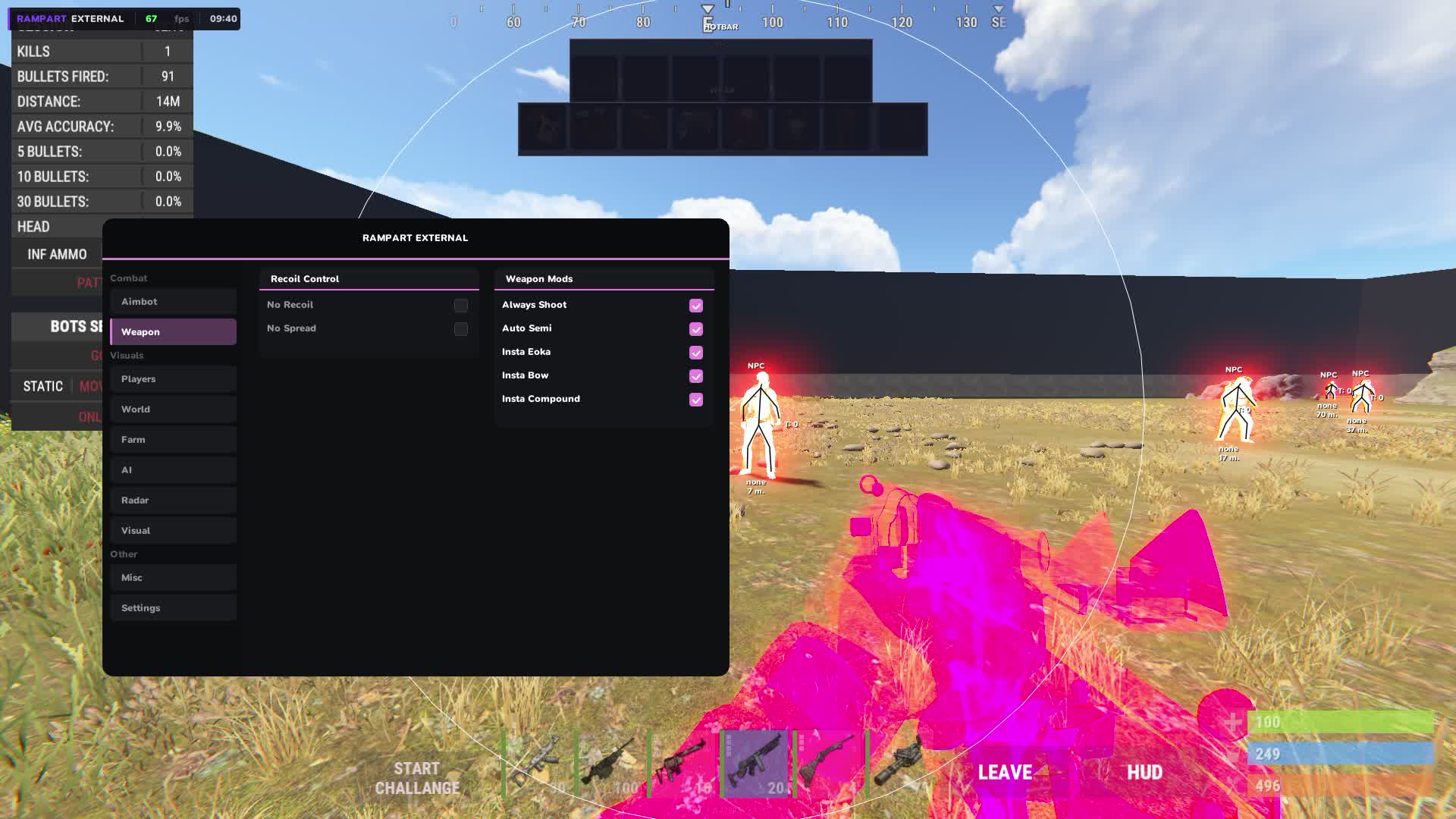
- No Recoil
- Removes recoil in software, so every bullet lands exactly on the aim point with no manual pattern compensation.
- No Spread
- Removes bullet spread. A shotgun and other weapons with spread hit dead on aim at any range.
- Always Shoot
- The weapon fires even in situations where the game blocks the shot, through obstacles or during animations.
- Auto Semi
- Semi-automatic weapons fire at maximum speed automatically. Bolt and other single-shot guns run at the limit of their fire rate.
- Instant Bow
- The bow draws and fires instantly with no draw animation delay.
- Instant Compound Bow
- The compound bow fires without waiting for a full draw. Fire rate jumps sharply.
- Instant Eoka
- The Eoka Pistol fires on the first flint with no random misfires. One of the most frustrating close-range weapons becomes reliable.
Player ESP
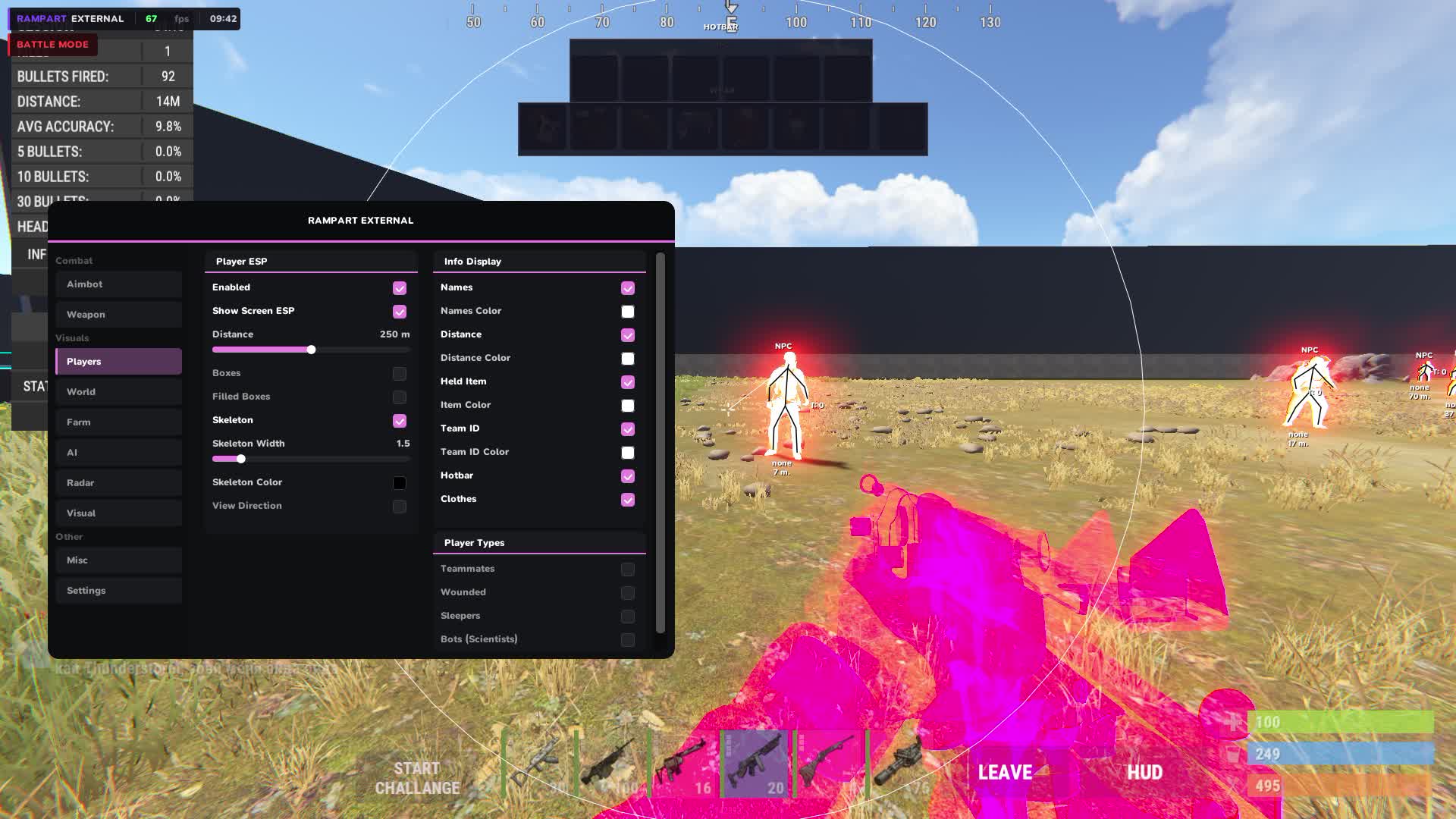
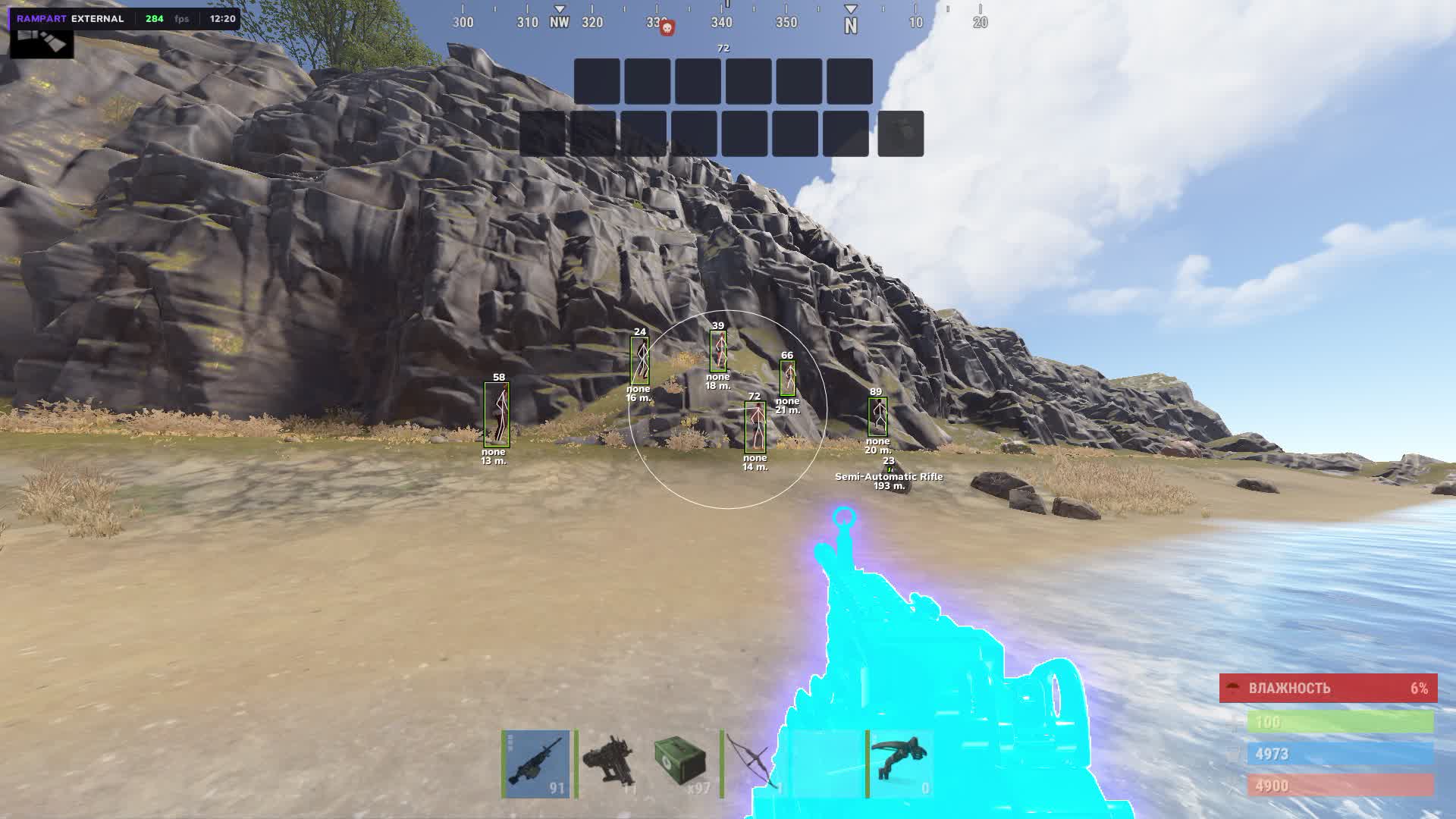
- Boxes: 2D / 3D / Corner
- Three box types around players: flat 2D, volumetric 3D, or corner markers. Pick whatever reads easiest in a given situation.
- Skeleton
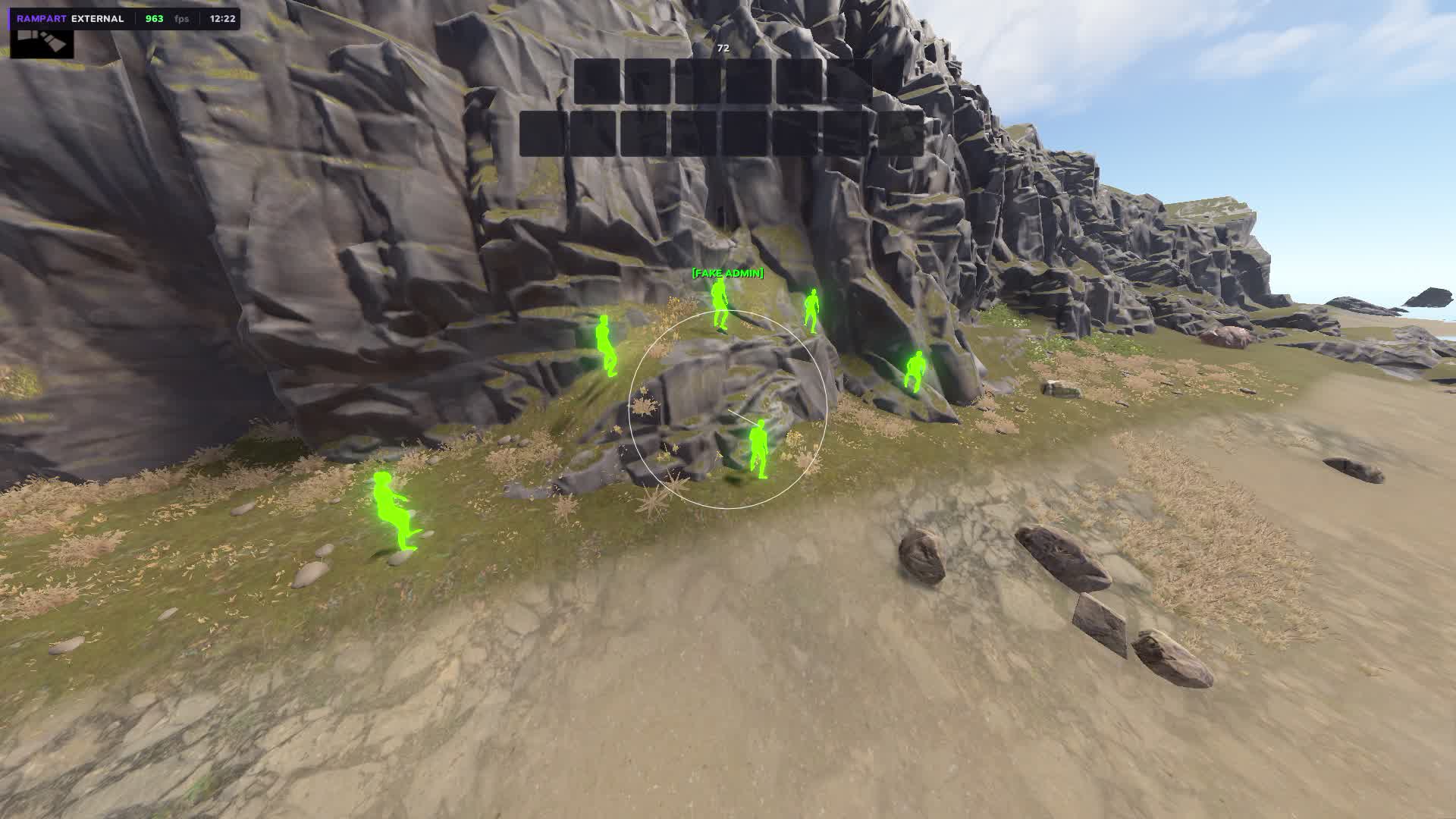
- A model skeleton over the textures shows the enemy's exact pose: standing, crouched, or aiming from around a corner.
- View Direction Line
- A line in the direction the player is looking. You see where the enemy is facing and flank them while they are busy with another angle.
- Name
- The player's nick above the marker. In team play it instantly separates friend from foe.
- Distance
- The distance to each player next to the ESP marker.
- Held Item
- The item in the enemy's hands right in the ESP. You see the AK, bolt or medical gear before the player even peeks out of cover.
- Team ID
- A team identifier above the player. You instantly see how many people are in the enemy group and how they are positioned relative to each other.
- Belt Items
- Items on the enemy's hotbar are visible in the ESP. You know right away what they will pull out in the next second of the fight.
- Clothing Items
- The enemy's armor and clothing show in the ESP. You judge how protected they are before making contact.
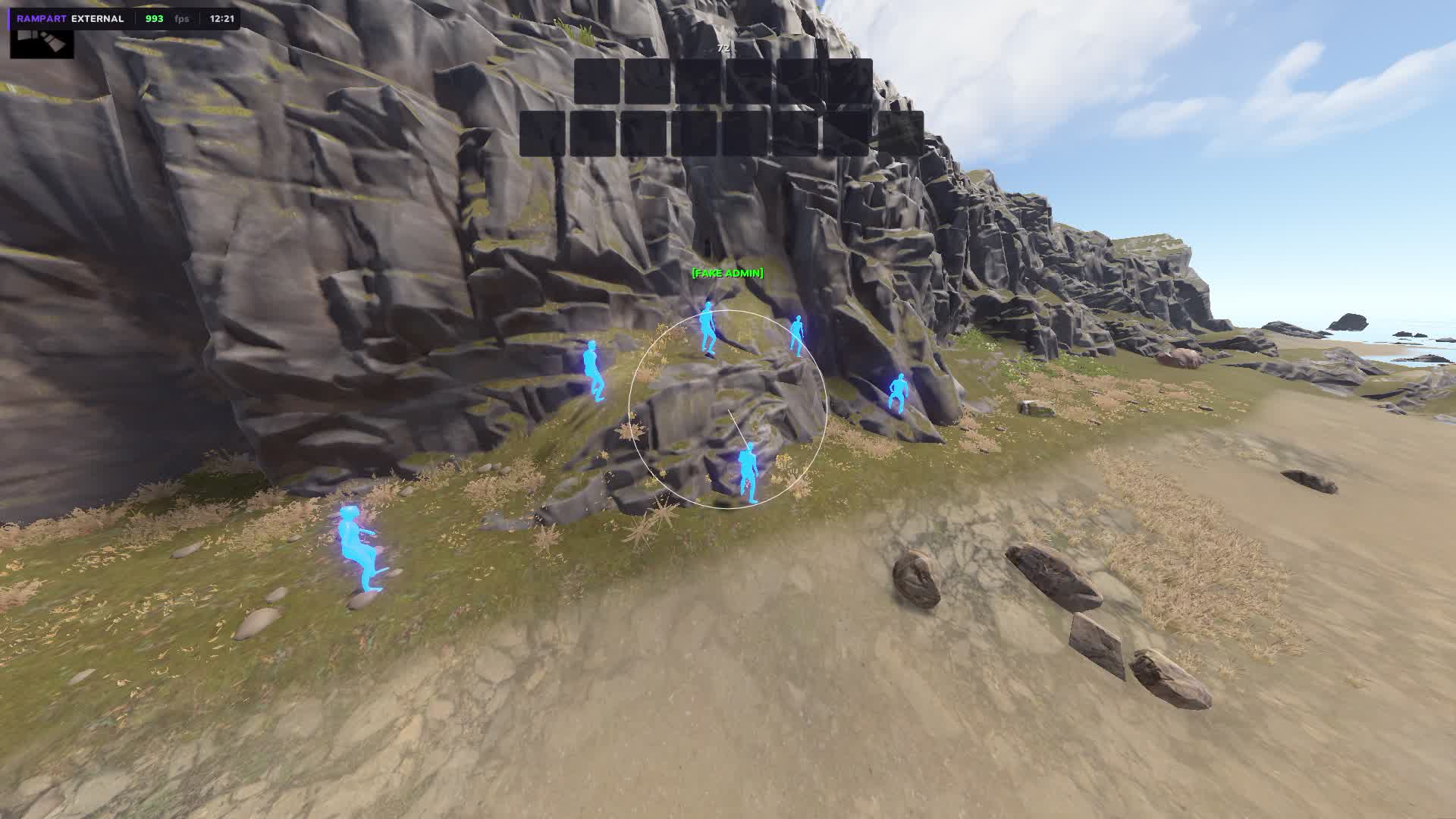
- Chams
- Fills player models through walls in a chosen color with no ESP boxes. An alternative to boxes for those who prefer a cleaner picture.
- Separate Colors: Teammates / Wounded / Sleepers / Bots
- Teammates, wounded, sleepers and bots show in different colors. You read the situation instantly without analyzing each marker separately.
- Separate Bot Distance
- Draw distance for bots is set separately from players. You cut bots out of far markers and keep only live enemies.
Radar
- Minimap: Circle / Square
- A minimap in your chosen shape, circle or square. It shows your surroundings in real time right on screen.
- Adjustable Size / Scale / Position
- Radar size, scale and position are set manually. Put it in any corner of the screen with precise offset.
- Background Color
- The minimap background color for any preference and lighting conditions on your monitor.
- Player Dots
- Player dots on the radar, color and size set separately.
- View Zone Cone
- A view cone on the radar shows where you are looking at the moment. Helps you orient toward threats.
- Grid Lines
- A grid on the radar, line thickness, transparency and color are adjustable.
- Tick Marks
- Distance marks along the edge of the radar, with adjustable thickness, transparency and color.
- Show: Teammates / NPCs / Distance / Names
- Turn on only the layers you need on the radar: teammates, bots, distance and names as separate toggles.
- Show: World Items / Farm / AI on Radar
- World items, farm resources and AI show right on the minimap. You see where the loot is and where the bots are without switching ESP modes.
World ESP
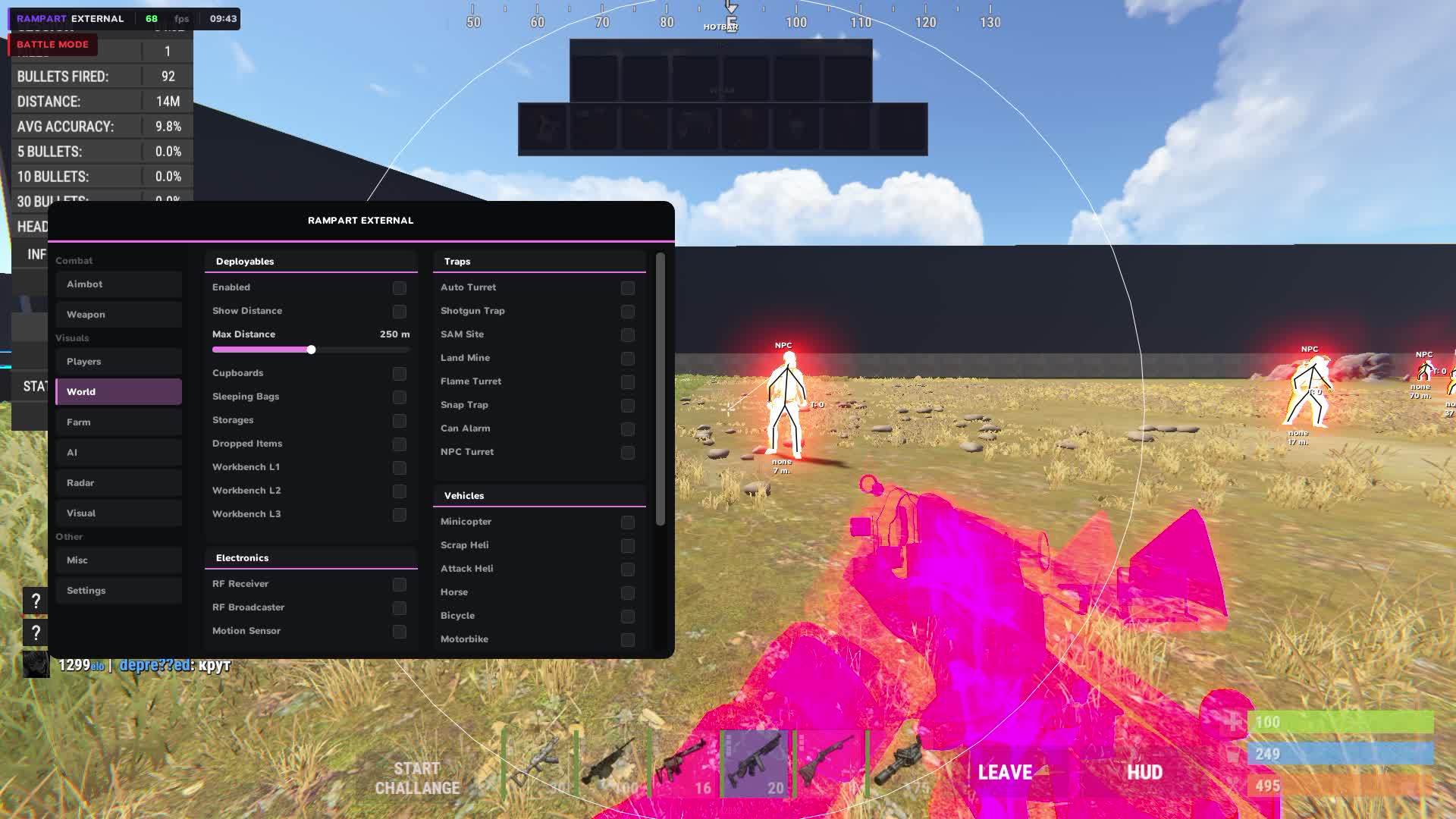
- Tool Cupboard + Upkeep Display
- Tool cupboards are visible through walls with upkeep shown. You go into a raid and know right away how many resources the base owner has left.
- Sleeping Bags
- Enemy sleeping bags are visible on the map. You understand how many respawn points the group you are raiding has.
- Workbench Tier 1 / 2 / 3
- Workbenches of all tiers show in the ESP. You judge the base's tech level before going in.
- Dropped Items
- Dropped items with category filters: weapons, tools, food, resources, ammo, clothing, components. You see only what you need.
- Corpses
- Corpses with loot show with a separate marker. You find the body before other players on the server.
- Backpacks
- Backpacks on the map show separately. They often hold valuable loot left after a fight.
- Storage Boxes
- Storage boxes are visible through walls. You judge how stocked a base is before the raid.
- RF Receiver / Broadcaster
- A base's RF gear is visible in the ESP. You know whether the enemy has automated defense systems on frequencies.
- Motion Sensor
- Motion sensors are visible before you trip them. You enter the base without raising the alarm.
- Raid ESP + Timer
- Active raids are visible on the map with a wall destruction timer. You know where a fight is happening and how much time is left, so you can hit them weakened.
- Individual Distance per Category
- Draw distance is set separately for each World ESP category.
Trap ESP
- Auto Turret
- Auto turrets are visible through walls with status and health shown. You enter a base knowing where every tower stands.
- Shotgun Trap
- Shotgun traps are visible before you walk into their trigger zone.
- SAM Site
- SAM Sites are visible on the map ahead of time, useful when flying in on a helicopter or planning a route across open ground.
- Landmine
- Mines are visible on the ground. You cross someone's territory without watching your feet.
- Flame Turret
- Flame turrets show in the ESP with their activity status.
- Snap Trap / Bear Trap
- Bear traps are visible on the ground. Especially useful on a night raid when you can barely see them visually.
- Can Alarm
- Can alarms are visible ahead of time, so you do not make noise entering a base.
- NPC Turret
- NPC turrets at monuments and in dungeons are visible with distance and status.
- Trap Status / Health Display
- The status and health of each trap show next to its marker. You know whether a trap is active and how much damage it has already taken.
- Individual Distance per Trap Type
- Draw distance is set separately for each trap type.
Vehicle ESP
- Minicopter / Scrap Heli / Attack Heli
- All helicopters on the map are visible with distance. You find the mini before other players or get out of the attack heli's path early.
- Bicycle / Motorbike / Snowmobile
- Ground transport on the map is visible with separate markers.
- Modular Car / Horse
- Modular cars and horses show in the ESP with distance.
- Rowboat / RHIB / Tugboat
- Water transport is visible on the map. Useful on servers with a large water zone.
- Submarine / Diver Propulsion
- Underwater transport shows separately. You find a sub or DPV before the enemy swims to shore.
- Drone
- Drones are visible in the ESP. You know when someone is watching you from the air.
- Individual Distance + Color per Vehicle
- Each transport type gets its own draw distance and marker color.
Farm ESP
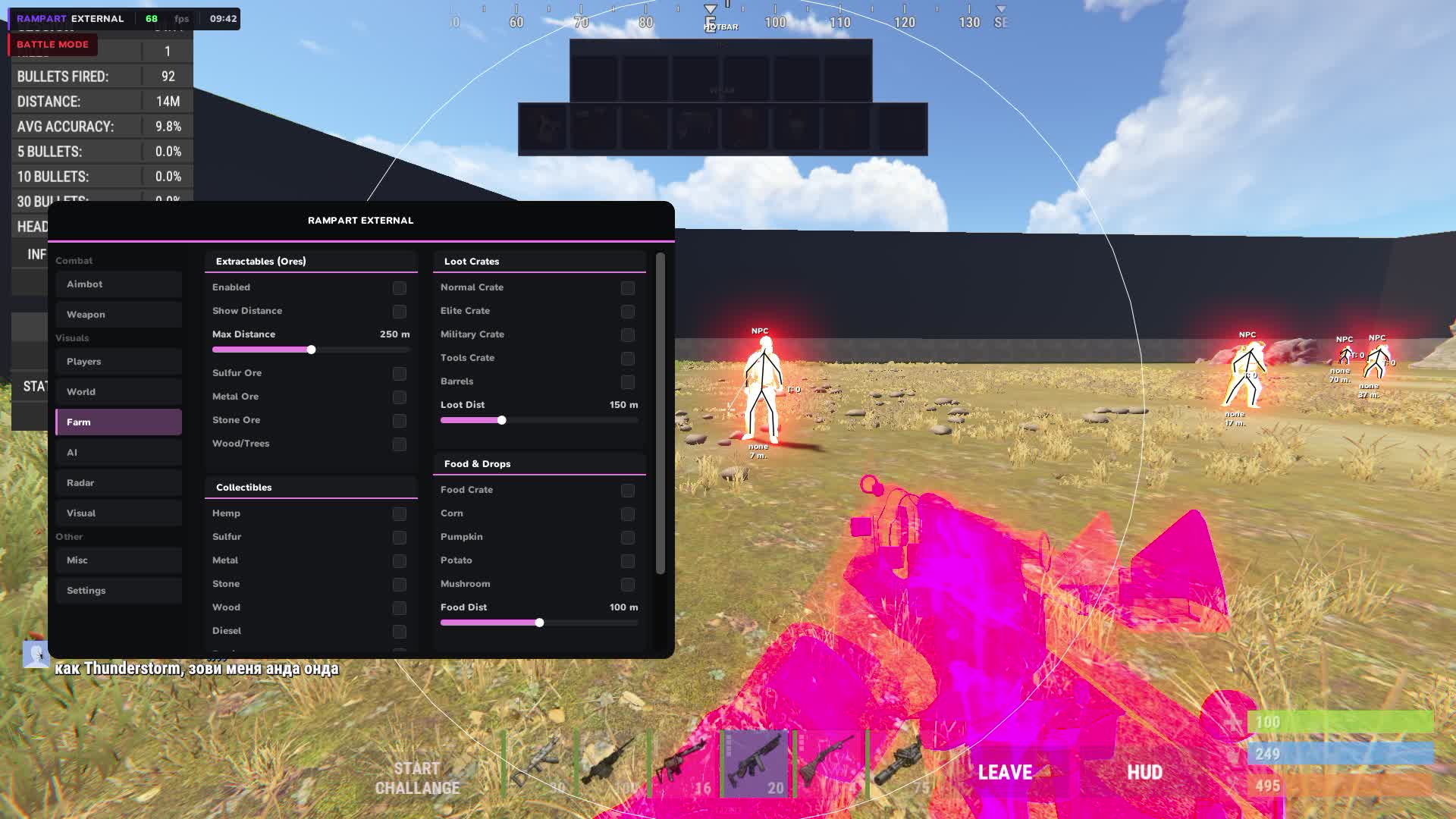
- Ores: Sulfur / Metal / Stone
- Sulfur, metal and stone ores are visible on the map with distance. You build a farm route ahead of time instead of running around the map looking for a node.
- Trees / Wood
- Trees show in the ESP, useful when mass farming wood for building.
- Collectibles: Hemp / Metal / Stone / Wood / Sulfur
- Collectible resources on the ground show with separate markers. You do not miss the sulfur and metal at your feet.
- Diesel Barrels / Berries / Roses
- Diesel barrels, berries and roses are visible in the ESP with distance.
- Crates: Elite / Military / Tools / Normal / Barrels
- All crate types are visible on the map, from elite to ordinary barrels. You build a route to the best loot on the server.
- Food: Corn / Mushroom / Pumpkin / Potato / Food Crate
- Food and food crates are visible on the map. Useful at wipe start when every resource counts.
- Airdrop
- Airdrops are visible in the ESP from the moment they appear. You fly to the drop point already knowing where to go.
- Chinook Crate + Locked Timer
- The Chinook crate is visible with a lock timer. You know exactly when it opens and arrive first.
- Individual Distance + Color per Item
- Distance and marker color are set separately for each resource and crate type.
Animal ESP
- Horse / Bear / Polar Bear / Boar / Stag / Wolf / Shark / Chicken
- All animals on the map are visible with distance. You find a horse for transport or go around a bear and a wolf while farming.
Visuals
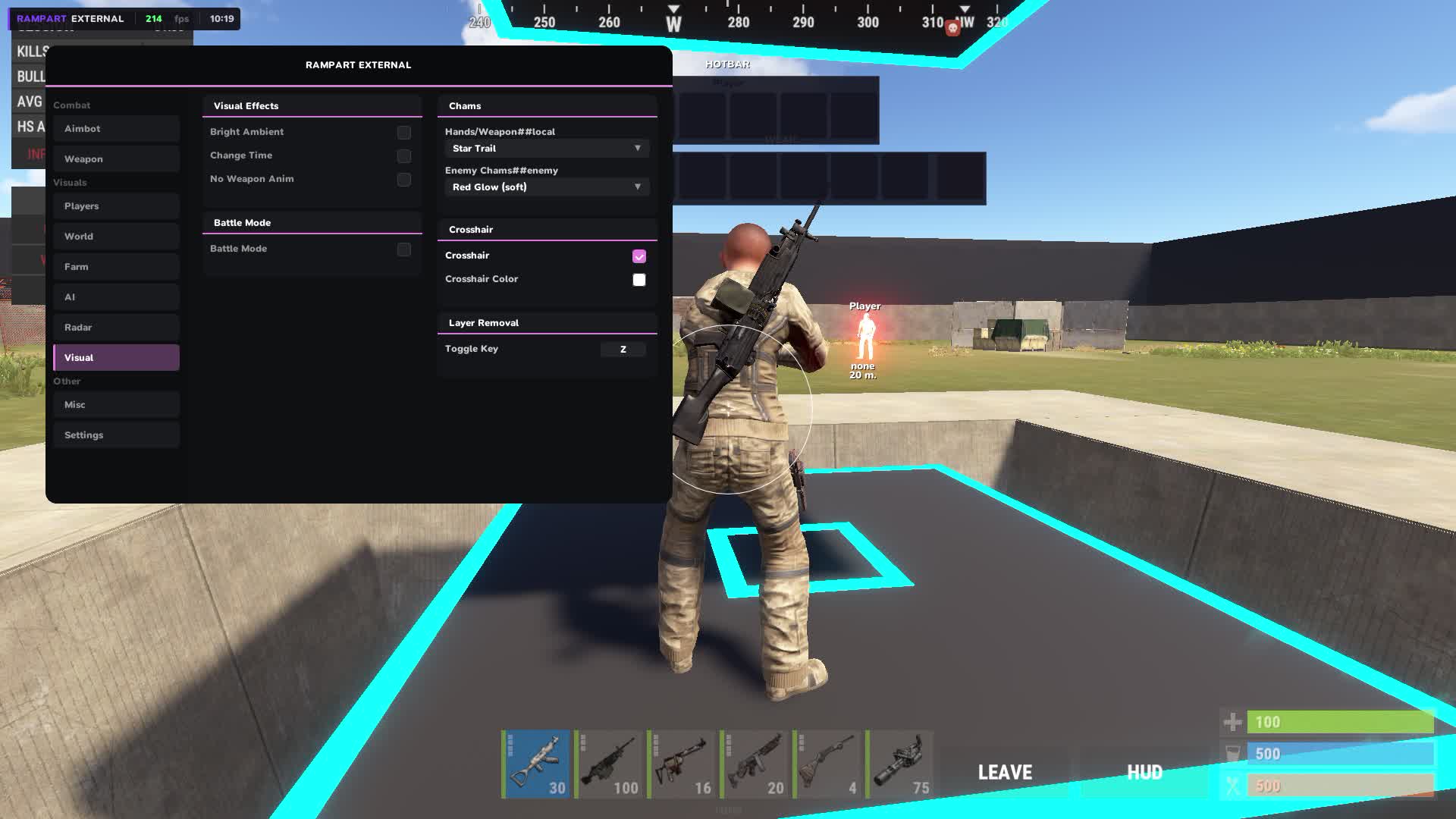
- Custom Crosshair
- Your own crosshair instead of the default, with several types and color choice.
- Hotbar Widget
- A hotbar widget on screen shows your hotbar items without looking down.
- Armor Widget
- Your armor state shows right on screen in real time.
- No Weapon Animation
- Removes the weapon animation. A cleaner screen, steadier aim while moving.
- Bright Night / Ambient
- Night on the client becomes bright. You play with normal visibility while the server runs its own time of day.
- Local Player Chams
- Chams on your own character. Used to control your position and how readable your hands are while aiming.
- Remove Layers
- Removes visual layers of the game on a bind. Helps when scanning territory in tough lighting conditions.
Misc
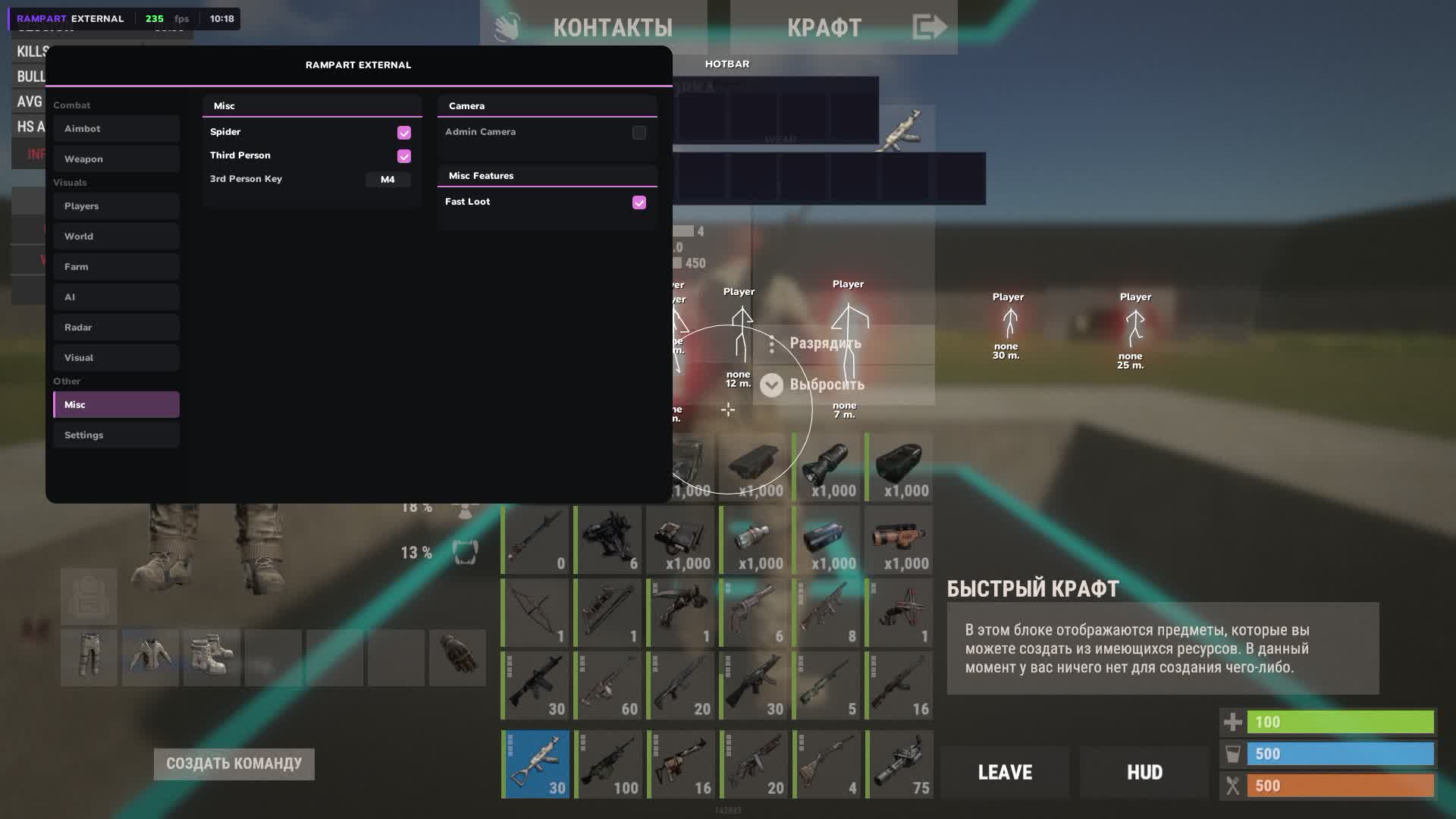
- Fast Loot
- Faster looting from corpses and crates. In an active raid every second on the spot is a risk.
- Spider
- Lets you climb vertical surfaces and removes fall damage. You enter bases through the roof without a parachute or stairs.
- Third Person
- Third-person view on a bind. You look around a corner without exposing your character, the classic peek corner.
- Admin Camera
- A free camera for scouting territory and structures before a raid. You look inside a base, judge the layout and where the traps are placed.
Settings
- Config Save / Load
- Save and load configs for different play styles. One set for raiding, another for farming, switch in a second.
- Menu Toggle Bind
- The key to show and hide the menu is set manually.
- Watermark: FPS / Time
- An on-screen watermark shows your current FPS and the time right in the game.
- Custom ESP Font
- The font of all ESP labels changes to your personal preference.
Ürün Açıklaması
Rampart External
RUST tarafında Rampart External: ESP odaklı özel yazılım. Oyuncu ESP: mesafe, renk, takım/lonca gizleme; Aimbot: FOV, yumuşaklık ve hedef filtresi menüden; Prediction On/Off Toggle. Windows 10: all builds; 11: all builds.. Spoofer yok.
Rampart External — RUST
RUST tarafında Rampart External: ESP odaklı özel yazılım. Oyuncu ESP: mesafe, renk, takım/lonca gizleme; Aimbot: FOV, yumuşaklık ve hedef filtresi menüden; Prediction On/Off Toggle. Windows 10: all builds; 11: all builds.. Spoofer yok.
Öne çıkanlar
- Oyuncu ESP: mesafe, renk, takım/lonca gizleme
- Aimbot: FOV, yumuşaklık ve hedef filtresi menüden
- Prediction On/Off Toggle
Not
Hiçbir özel yazılım sıfır risk vaat etmez. Sayfadaki duruma bakın; şüphede destekle konuşun. Bot ve farm hesabını ana hesaptan ayırmak alışkanlık olmalıdır.