Lacoste Tarkov Cheat
Varyasyonlar
2
Lacoste Tarkov Cheat
Ürün Özellikleri
Lacoste Tarkov Cheat
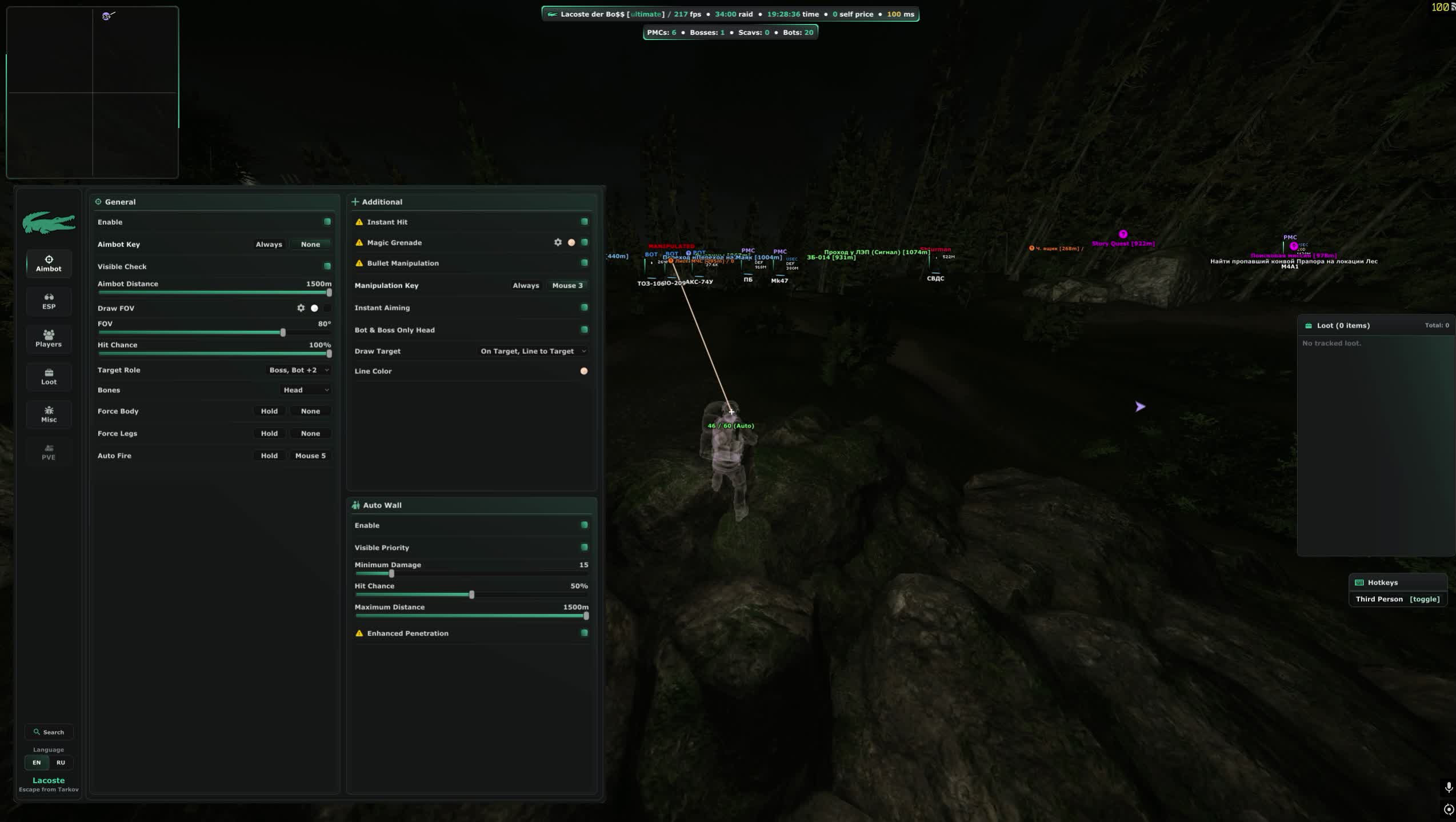
Aimbot
- Toggle and key
- Bind the aimbot to any key, including a side mouse button. Keep it off while looting and only raise it when a fight starts in the Reserve bunkers or the Factory halls.
- Capture radius
- Set the working distance, the radius around your crosshair and the radius type. The circle can be drawn on screen so you see the active zone instead of guessing why a target is ignored.
- Target selection
- Filter by role: PMC, Scavs, bots, bosses. Bones are picked separately, and there are body-only and legs-only modes for the classic buckshot leg meta on Factory.
- Visibility check
- Aim only at targets you can actually see, with priority given to visible players. Shooting through walls is a separate switch if you want the aggressive setup.
- Hit chance
- The percentage of shots the aimbot commits to. Drop it below a hundred and some rounds miss, the way a live player shakes after first contact.
- Auto fire
- The trigger is pulled for you the moment a target is locked. Paired with instant aim it turns a corner peek in the sanatorium corridors into a one second exchange.
- Instant hit
- The bullet reaches the target with no travel time. At long range it removes the lead question entirely, but it looks obvious, so use it in short bursts.
- Magic grenade
- The grenade flies where the aimbot points, with the trajectory drawn on screen. Clearing a squad out of a room on Interchange becomes a single throw.
- Bullet control
- A separate key that steers the round mid flight. It saves the shot when the target ducks behind cover after you fire.
- Head only
- A mode for bots and bosses where the aimbot goes for the head only. Reshala with his guards or Killa go down without trading magazines into armour.
- Damage and penetration
- Minimum damage threshold, improved penetration and a distance cap. The aimbot stops dumping a magazine into class six armour that your ammo cannot chew through.
- Target highlight
- The locked player is drawn apart from the regular ESP, so you always know who the aimbot is holding when three of them are in the room.
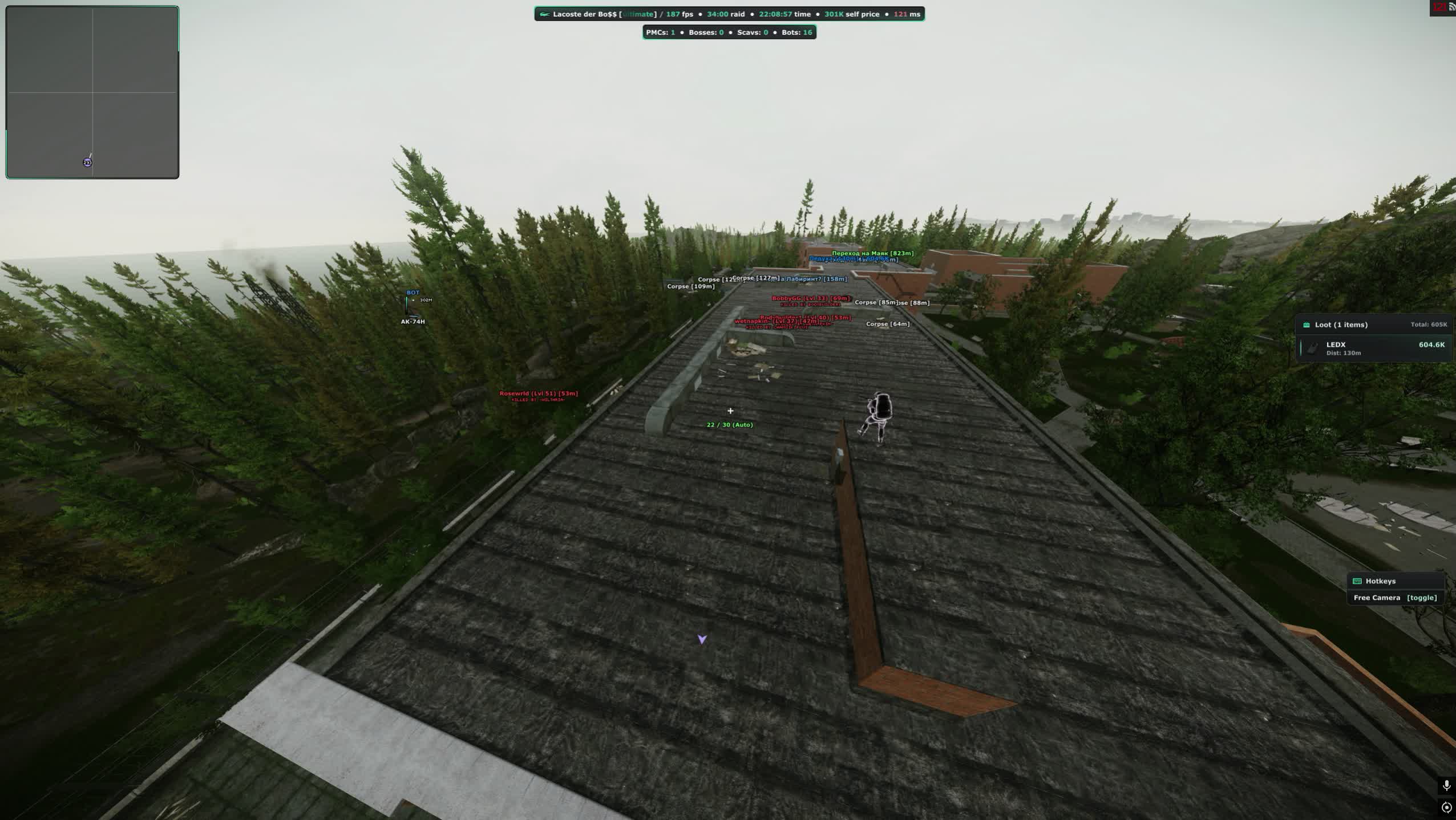
ESP: players
- Box
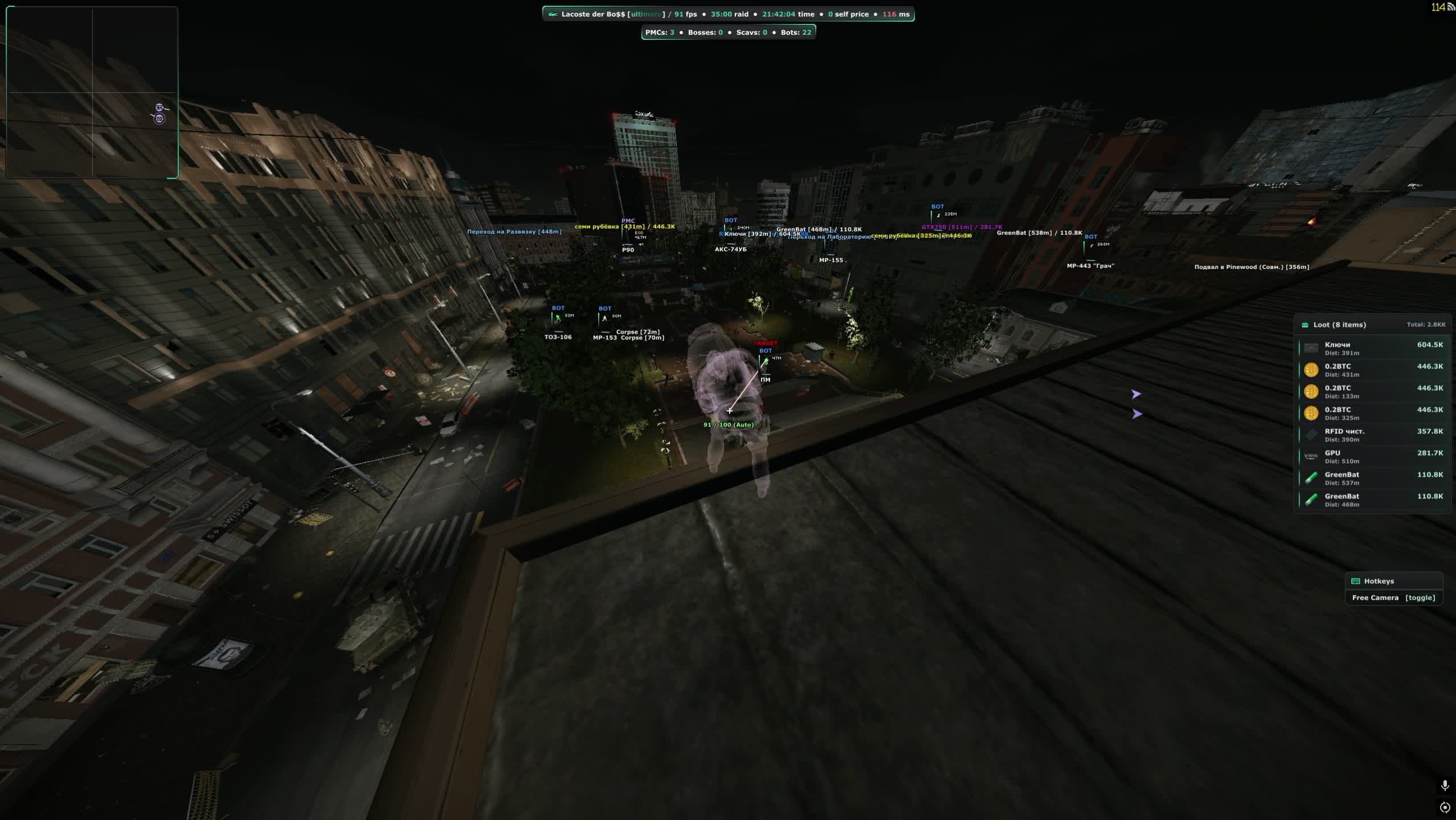
- A frame around the enemy with a choice of drawing style, plain rectangle or corners. Pick whatever clutters the screen less on busy maps like Interchange.
- Name and role
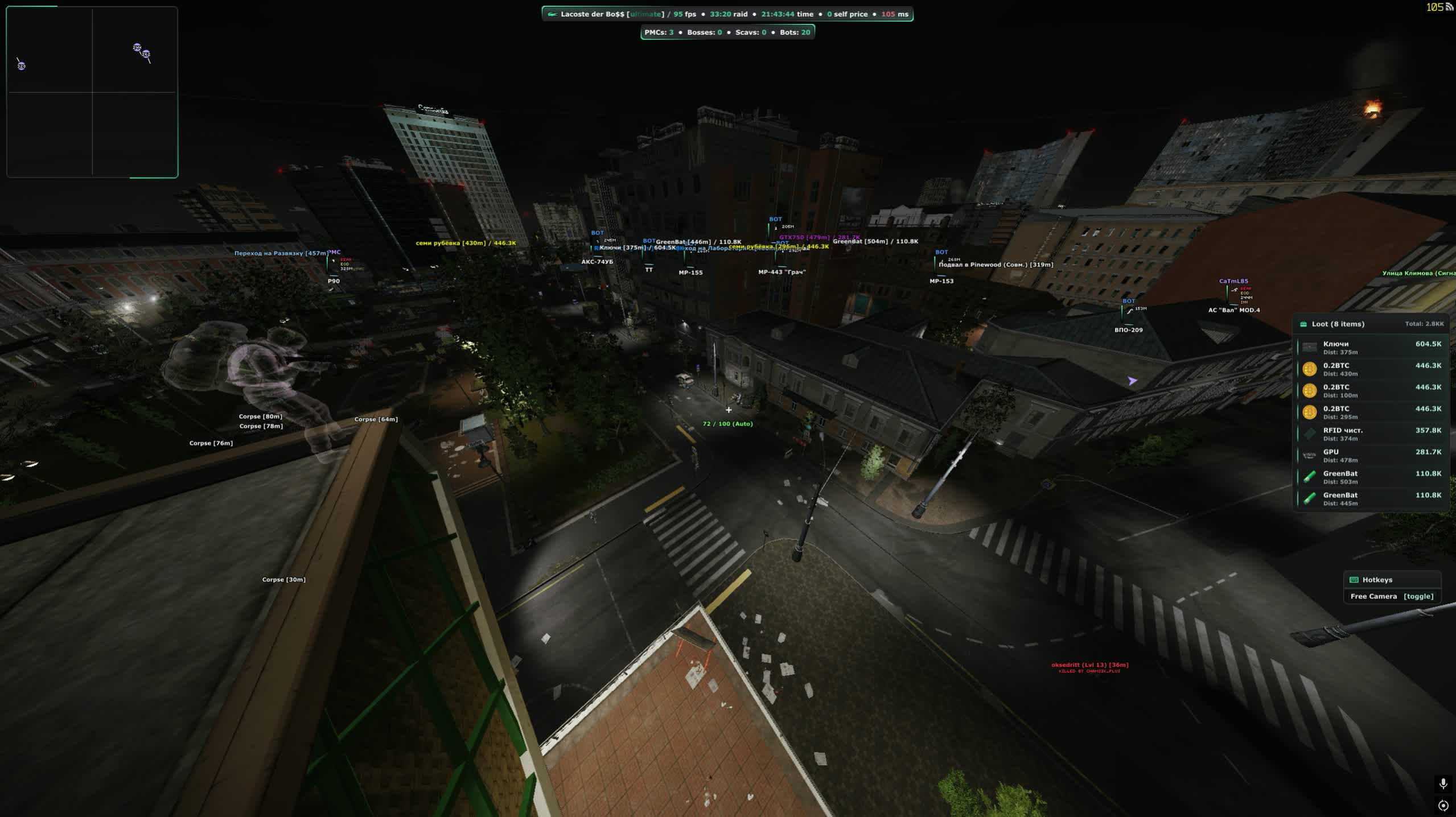
- A label above the target with its own colour for PMCs, Scavs, bots and bosses. One glance tells you whether a live player or a Scav gunner is pushing you.
- Health bar
- Three styles, flat, gradient and animated gradient, with both colours configurable. You can see whether to finish a wounded player or he already crawled off to heal.
- Ammo bar
- Shows how many rounds the enemy has left, with the same three drawing styles. His reload is your best peek window.
- Flags
- Faction, prestige, game edition, whether the backpack holds anything, its value, hours played and K/D. You know if a PMC is worth the risk before the shooting starts.
- Inventory
- Full parsing of what a player carries, with an option to show it only when the crosshair is on him so the screen stays readable.
- Weapon and skeleton
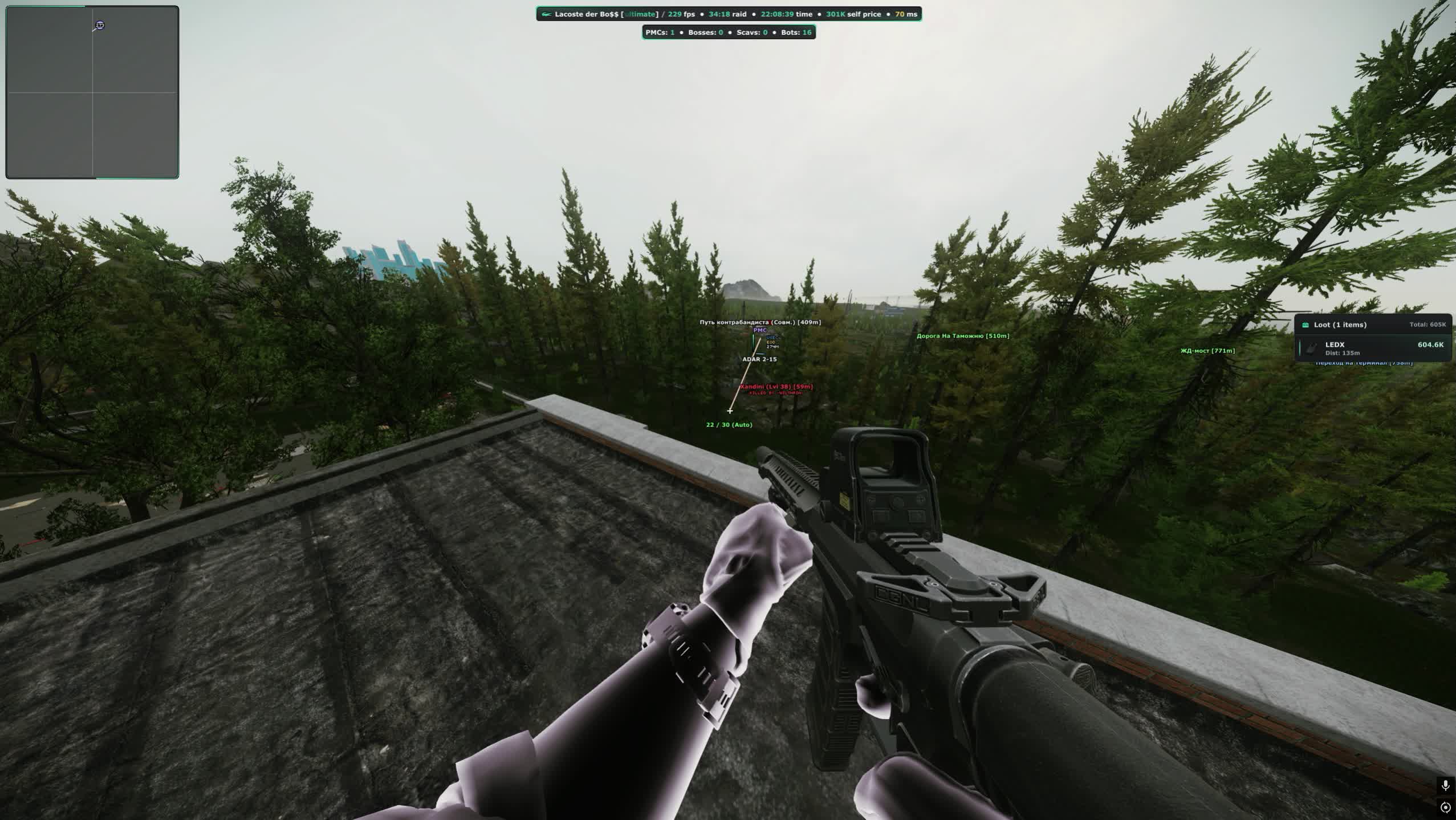
- The gun in his hands, the bone skeleton and the look direction. You instantly see whether he faces you or is turned towards loot.
- Off screen arrows
- Pointers to players outside your view, coloured by role with their own distance setting. Bots can be excluded so the arrows stop flickering.
- Cheater marker
- A tag on a suspicious player. Not a verdict, but a good reason to avoid pushing him across open ground.
- Chams
- Seven fill modes: flat, fresnel, glow, wireframe, matcap, gradient and edges. Visible and hidden targets get separate colours.
- Local player chams
- The same fill on your own model with its own colour. A small thing that helps you stay oriented in third person.
- Draw distances
- A separate cap for players and for bots, plus a global visibility check. Woods stops turning into a wall of labels.
- Crosshair
- A custom dot in the centre of the screen. Handy for hip fire at point blank range when there is no time to aim down sights.
- Hitmarker
- A hit indicator with different colours for armour blocks and ricochets. You can tell a chest hit from a round skipping off a helmet.
- Damage marker and tracers
- Damage numbers on impact and bullet trails in the air. The tracers give away the shooter sitting in the bushes.
- Ammo counter
- Your own magazine count next to the crosshair, with the ammo type shown. No more mid fight magazine checks.
- Hit sound
- A click on hit with separate volume for headshots and body shots. You hear whether the burst landed.
- Combat mode
- A key that swaps the whole drawing set: loot, extracts, transits, the BTR, quests and zones disappear and only players remain. The screen clears a second before contact.
ESP: map, loot and quests
- Extracts
- Evacuation points with icons, distance and a separate display for closed extracts. You know where to run while still on spawn.
- Transits
- Markers for transits between locations with their own icons and a distance setting.
- BTR and hazards
- The armoured vehicle with distance, mines and sniper zones. On Reserve and Lighthouse one wrong sprint costs the whole raid.
- Quest helper
- Task points with icons, conditions and a coloured zone circle. You see exactly where to sit or what to find without a wiki on a second monitor.
- Quest items
- Highlighting for task items and key items, with their own distance and colour for the key ones.
- Bodies
- Corpses with icons, a separate distance for PMC bodies and full parsing of what is inside. Loot can be shown always or only on hover.
- Grenades
- Incoming grenades with an icon and distance. That is the second you need to step behind the corner.
- Terminals and tripwires
- Code terminals and tripwires with distance settings. The lab door opens without hunting for notes first.
Loot filter
- Categories
- General loot, hideout materials and container contents are split apart, and every group is tuned on its own.
- Short names
- Items are labelled in shorthand. With a hundred entries on screen at Interchange that alone makes it readable.
- Shared settings
- One style applied to every category at once instead of picking colours line by line.
- Custom items
- Manual setup for a specific item: colour, distance, visibility. Put LEDX and graphics cards on their own colour and you stop walking past them in the dark.
- Filter sharing
- Export and import the loot filter as a file. A quest preset and a money preset swap between raids.
Players and encounter database
- Whitelist and blacklist
- Mark players in raid or add them by ID, each list with its own colour. You never confuse a friend with a stranger in a tight room.
- Working with IDs
- Copy your own ID, import other ones, push the current target into a list. Lists export and import as files, which is handy for a squad.
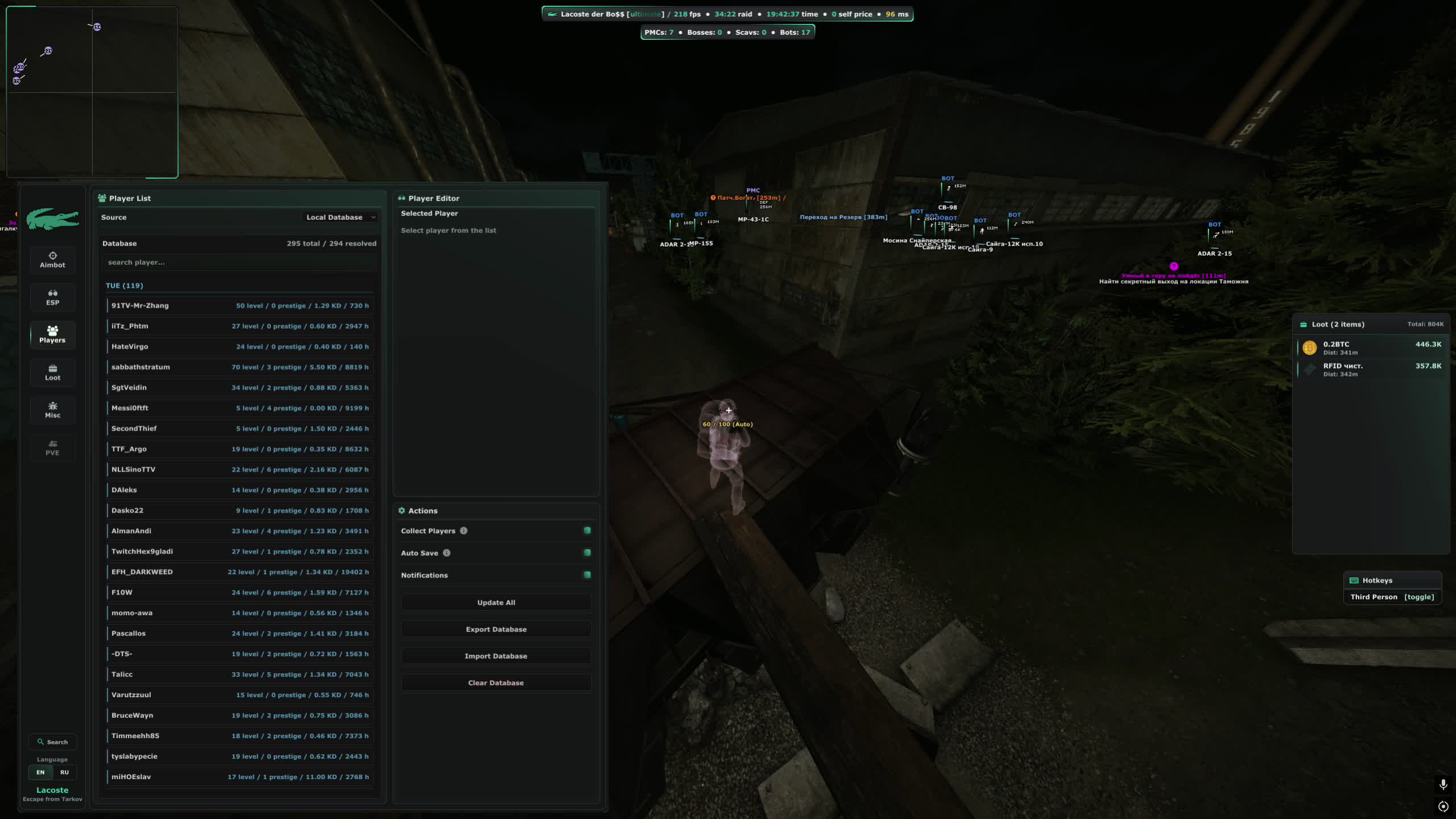
- Local database
- The cheat collects everyone you meet, with autosave and notifications. The database can be refreshed, exported, imported or wiped.
World, light and weather
- Custom time
- Set the time of day on your client. Night Factory turns into a daylight run and you can leave the flashlight and night vision at home.
- Environment colours
- Sky, sun, moon, rays, ground, ambience and the moon halo are all adjustable. Push the picture into high contrast and silhouettes read better.
- Sun and atmosphere
- Sun size, brightness and contrast, Rayleigh and Mie scattering, directionality and haze. Long sightlines on Woods stop drowning in mist.
- Lighting
- Separate intensity, shadows and ambience for day and night. The dark corners of the Labs become readable.
- Weather
- Rain, fog, cloud density, wind strength and direction. The downpour on Shoreline goes away with one slider.
Misc
- Grass and shadows
- Turn off vegetation and shadows. On Woods and Customs the bush camper stops being invisible, and you gain frames on top.
- Medical panel
- Quick healing with your meds at hand. After a fight you no longer spend ten seconds digging through the inventory.
- Long reach
- Doors, crates and items are used from an extended distance without walking right up to them.
- No malfunctions
- No jams, misfires or feed failures. A bolt stuck mid fight no longer decides the fight for you.
- Looting speed
- Instant container and door opening, automatic doors and no delay on picking items up. A stash is cleared before anyone can walk in on you.
- Weapon handling
- Fast magazine loading and unloading, quicker weapon operations, forced full auto and an instant knife strike.
- Silent loot
- Items are taken without sound, and the line to the item gets its own colour. Nobody on the floor hears that the stash is already empty.
- Safe zones
- Spots where enemies cannot reach you. Sitting out the wave until extraction becomes a real option.
- Visibility
- Full bright with an intensity slider, a custom light source, no effects, no flash blindness, no visor, no inventory blur and no head bobbing.
- Inflated heads
- Enlarged heads set separately for bosses, bots, Scavs, PMCs and whitelisted players. A long range headshot stops being a lottery.
- Camera
- Third person and free camera with their own speeds and sensitivity. You can look around a corner without putting your body in the doorway.
- Field of view
- Aspect ratio changes, FOV adjustment and zoom. A stretched screen shows you more than the enemy sees.
- Movement
- Infinite stamina, no inertia, long jump with levitation, high jump, fast crouch, instant lean, bunny hop, speed hack, obstacle ignore, air stall, fake duck and fly hack.
- Quest items
- Early access to task items and the option to plant a quest item. Some chains close without extra laps around the map.
- Weapon builds
- Unlocked attachments and builds. You put the gun together the way you want, not the way trader levels allow.
Menu, interface and launch
- Menu
- The open key is yours to pick, the ESP style switches, and there is DPI scaling, a custom menu background and seasonal theming.
- Interface elements
- Watermark, loot list, quest list, hotkeys and radar toggle one by one. You build the screen the way you like it.
- Configs
- Save, load, export and import your settings, plus search inside the menu. A Factory preset and a Woods preset swap in two clicks.
- Spoofer and cleaner
- The spoofer is built in and picked right at launch, the cleaner wipes anti cheat traces. No extra software to buy.
- Capture bypass
- The menu and overlay stay out of OBS recordings and Discord screen share. You can stream and clip without worrying.
Ürün Açıklaması
Lacoste Tarkov Cheat
Lacoste Tarkov Cheat paketi Escape From Tarkov istemcisinde ESP sunar. Loot ve sandık: isim, mesafe, nadirlik; boş olanlar gizlenir; Kaynak katmanı: tip, tier ve bitmiş node gizleme; Kayıtlı rota ve otomasyon. Menü: Russian, English. Spoofer dahil.
Lacoste Tarkov Cheat — Escape From Tarkov
Lacoste Tarkov Cheat paketi Escape From Tarkov istemcisinde ESP sunar. Loot ve sandık: isim, mesafe, nadirlik; boş olanlar gizlenir; Kaynak katmanı: tip, tier ve bitmiş node gizleme; Kayıtlı rota ve otomasyon. Menü: Russian, English. Spoofer dahil.
Öne çıkanlar
- Loot ve sandık: isim, mesafe, nadirlik; boş olanlar gizlenir
- Kaynak katmanı: tip, tier ve bitmiş node gizleme
- Kayıtlı rota ve otomasyon
- Oyuncu ESP: mesafe, renk, takım/lonca gizleme
- Aimbot: FOV, yumuşaklık ve hedef filtresi menüden
- Instant hit
- Bullet control
Not
Hiçbir özel yazılım sıfır risk vaat etmez. Sayfadaki duruma bakın; şüphede destekle konuşun. Bot ve farm hesabını ana hesaptan ayırmak alışkanlık olmalıdır.