Ghost WARDOGS
Varyasyonlar
3
Ghost WARDOGS
Ghost WARDOGS
Ürün Özellikleri
Ghost WARDOGS
Aimbot
- Key-held tracking
- Enable turns the aim assist on. Ghost marks the module as raising detection risk, and that is an honest label: an aimbot is the loudest thing in any build, so leaving it on for a whole match is a bad habit.
- Capture radius
- Field of View sets the cone around your crosshair where the aimbot picks up a target. Narrow for the ruins, wide for open approaches to the zone.
- Smoothing
- A slider controls how fast the barrel travels. Soft settings read like ordinary mouse corrections, hard settings close a point-blank fight faster.
- Hitbox selection
- Head, neck, chest, arms or legs. Chest is steadier at range, neck and head drop armoured targets quicker.
- Bone mode
- Bone Mode either holds the bone you chose or snaps to the nearest one. The second option helps when a target flickers through a doorway and the head is not always exposed.
- Visible only
- Visible Check stops the aimbot reaching for targets behind cover. Worth having on if people are watching, because your barrel stops sliding along concrete.
- Range limit
- Max Distance caps working range so the aimbot does not grab a silhouette across the sector instead of the man in front of you.
- Recoil control
- Recoil Control damps muzzle climb on a scale from zero to a hundred. Kitted M4s and AKs stop walking into the ceiling and suppressive bursts actually land.
Humanize
- Micro movement
- Jitter adds slight shake while tracking. A perfectly straight crosshair path is the first thing people spot on a recording.
- Dead zone
- Deadzone keeps a small area where the aimbot leaves your crosshair alone. Until the target crosses that edge, you are aiming yourself.
- Reaction delay
- Reaction Min and Reaction Max set the window before tracking kicks in. Instant response is not a human trait, so the pause works in your favour.
- Speed ceiling
- Max Speed limits how quickly the crosshair reaches the target. This is the slider that removes the half-screen snap.
Player ESP
- Box styles
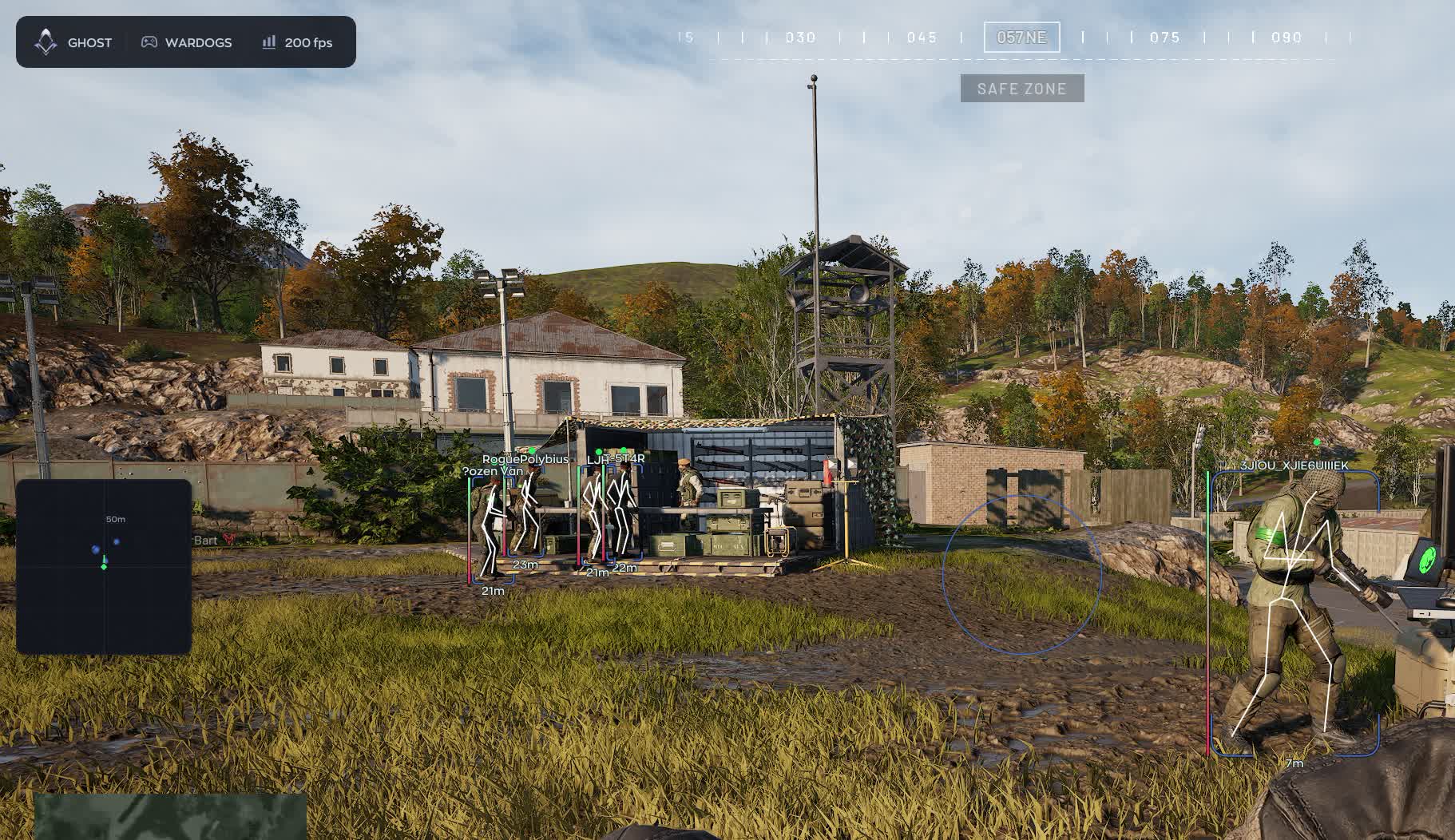
- Full box, corners only or filled. Corners keep the screen readable in a brawl, filled boxes stand out on distant silhouettes.
- Name and weapon
- Player nickname and the gun in their hands. You immediately know whether a sniper is watching the open flank or a shotgun is holding the corridor.
- Skeleton and health
- Bones show the pose, the HP bar shows what is left. A prone camper and a wounded runner call for different decisions.
- Distance and snapline
- Range in metres plus a line to the target. On a map where the zone stretches two kilometres, distance matters more than the box itself.
- DOWNED state
- Downed players get their own marker. You can see who is no longer a threat and where an enemy medic is about to run for the revive.
- Off-screen arrows
- Arrows point at contacts outside your view. With three factions in play, being flanked is routine rather than rare.
- Visibility split
- Visible Check paints targets behind cover and in the open in different colours, so you know who you can take right now.
Radar
- Surrounding contacts
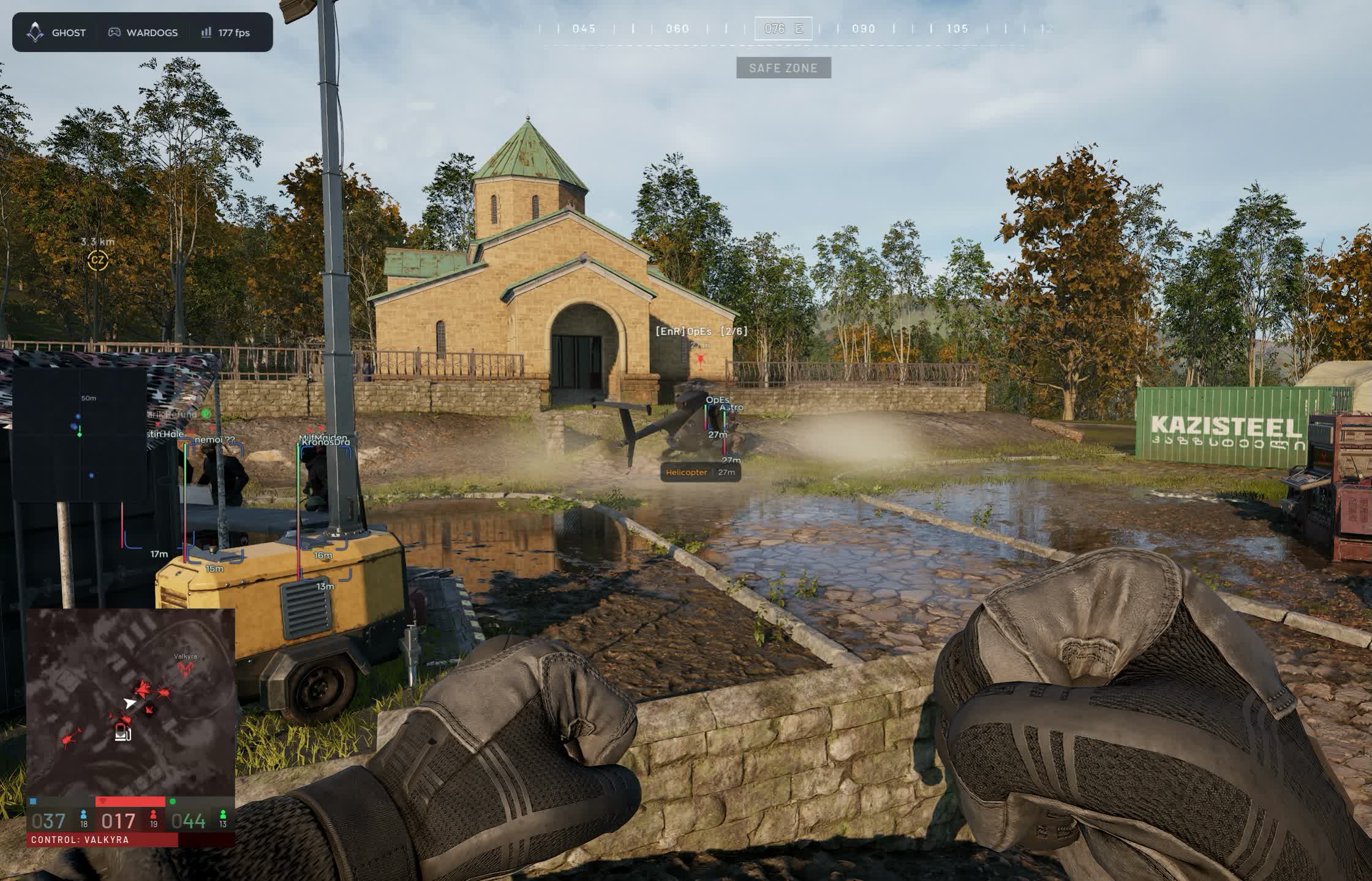
- Enemy dots on a separate panel without turning the camera. Handy when rotating between sectors and pushing toward the zone.
- Dot style
- Circle, square or triangle, with adjustable dot size. Triangles read as heading, circles stay out of the way.
- Size and zoom
- The panel scales to your monitor and zoom widens or tightens coverage. Close in for zone fights, wide for reading the map.
- Outline and background
- Draw Outline and Draw Background add a frame and a backing plate. On bright industrial ground the dots vanish without one.
- Display range
- Max Distance cuts everything beyond a set radius so the radar does not turn into a starfield.
Loot, corpses and vehicles
- Ground drops
- Items with name and distance, each type on its own toggle: weapons, ammo, meds, armour, attachments and everything else. Picking up someone else's rifle is cheaper than buying a new one.
- Player corpses
- Corpse marks the dead. A body on the ground flags a recent fight and tells you somebody nearby has already spent ammunition.
- Vehicles by class
- Quad bikes, SUVs, pickups, trucks, transport and attack helicopters, tanks. Every class has its own toggle, and each marker carries a name and range.
Menu, configs and safety
- Capture protection
- Hide From Capture removes the cheat window from OBS and Discord. You can stream or share a screen without shutting the software down.
- Battle Mode
- A minimal interface mode for the fight itself: extra elements disappear and only the essentials stay.
- Configs
- Create, Save, Load and Delete. One layout for infantry work in the zone, another for vehicle hunting, switched between matches.
- Keybind indicator
- The active binds sit on screen, so you know what is running without opening the menu.
- Interface options
- Watermark, text shadow, vertical sync for the overlay and DPI Scale to match your system scaling.
- Menu key
- Menu Key is bound wherever you like, so the panel never pops open mid-firefight.
Ürün Açıklaması
Ghost WARDOGS
WARDOGS tarafında Ghost WARDOGS: aimbot odaklı özel yazılım. Aimbot: FOV, yumuşaklık ve hedef filtresi menüden; Loot ve sandık: isim, mesafe, nadirlik; boş olanlar gizlenir; Bone mode. Windows 10: all builds; 11: all builds.. Spoofer yok.
Ghost WARDOGS — WARDOGS
WARDOGS tarafında Ghost WARDOGS: aimbot odaklı özel yazılım. Aimbot: FOV, yumuşaklık ve hedef filtresi menüden; Loot ve sandık: isim, mesafe, nadirlik; boş olanlar gizlenir; Bone mode. Windows 10: all builds; 11: all builds.. Spoofer yok.
Öne çıkanlar
- Aimbot: FOV, yumuşaklık ve hedef filtresi menüden
- Loot ve sandık: isim, mesafe, nadirlik; boş olanlar gizlenir
- Bone mode
- Recoil control
- Micro movement
Not
Hiçbir özel yazılım sıfır risk vaat etmez. Sayfadaki duruma bakın; şüphede destekle konuşun. Bot ve farm hesabını ana hesaptan ayırmak alışkanlık olmalıdır.