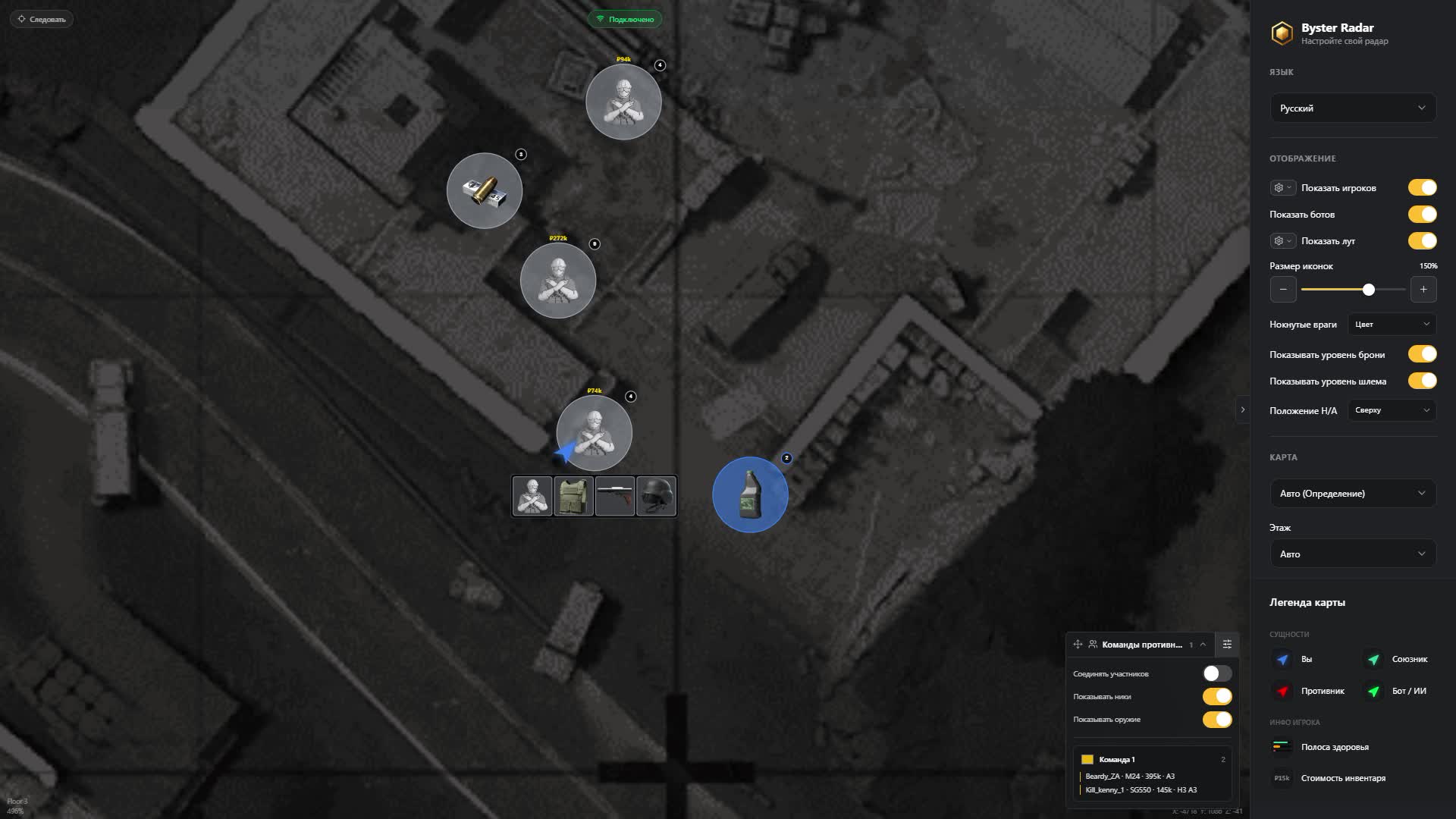
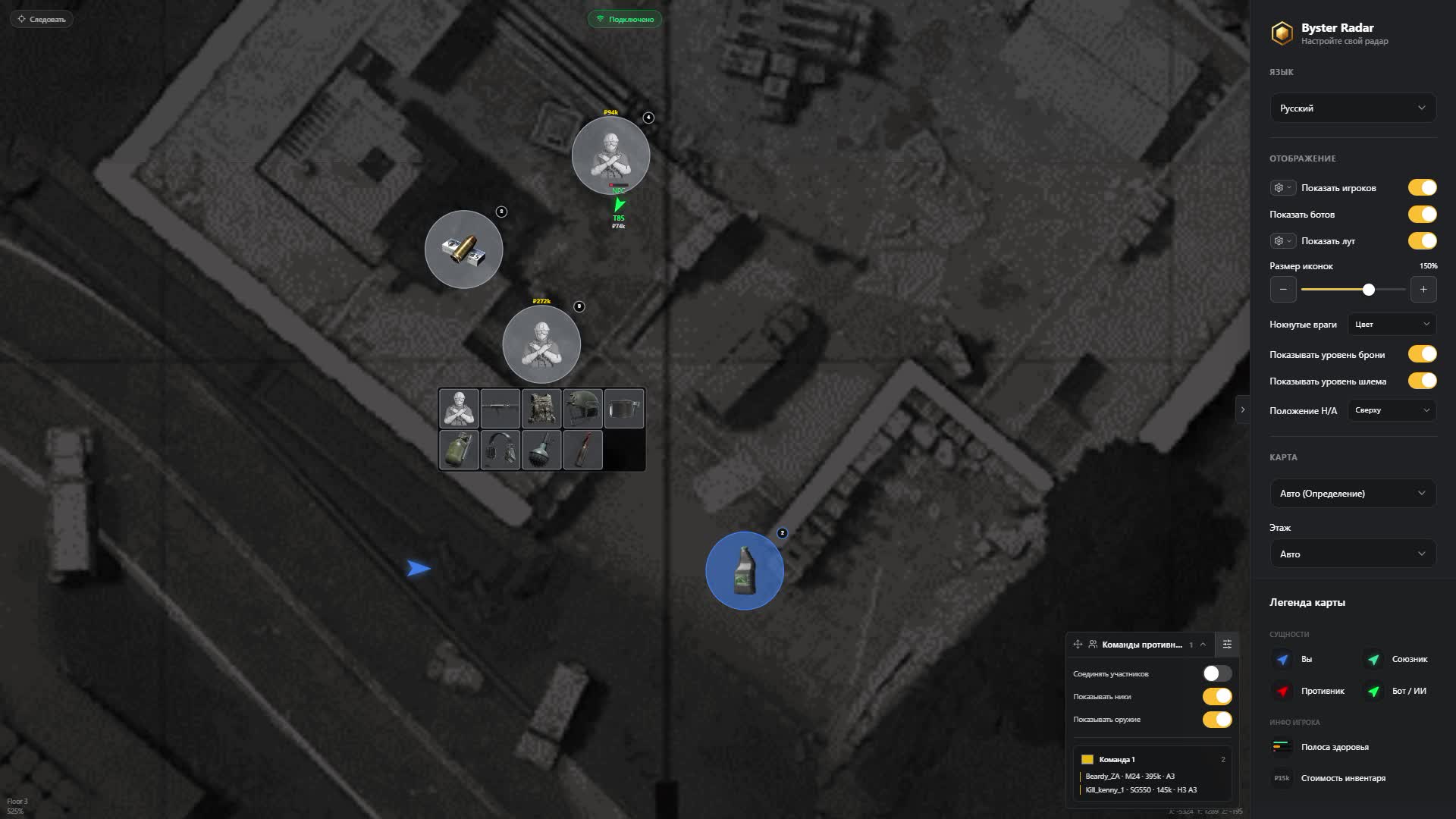
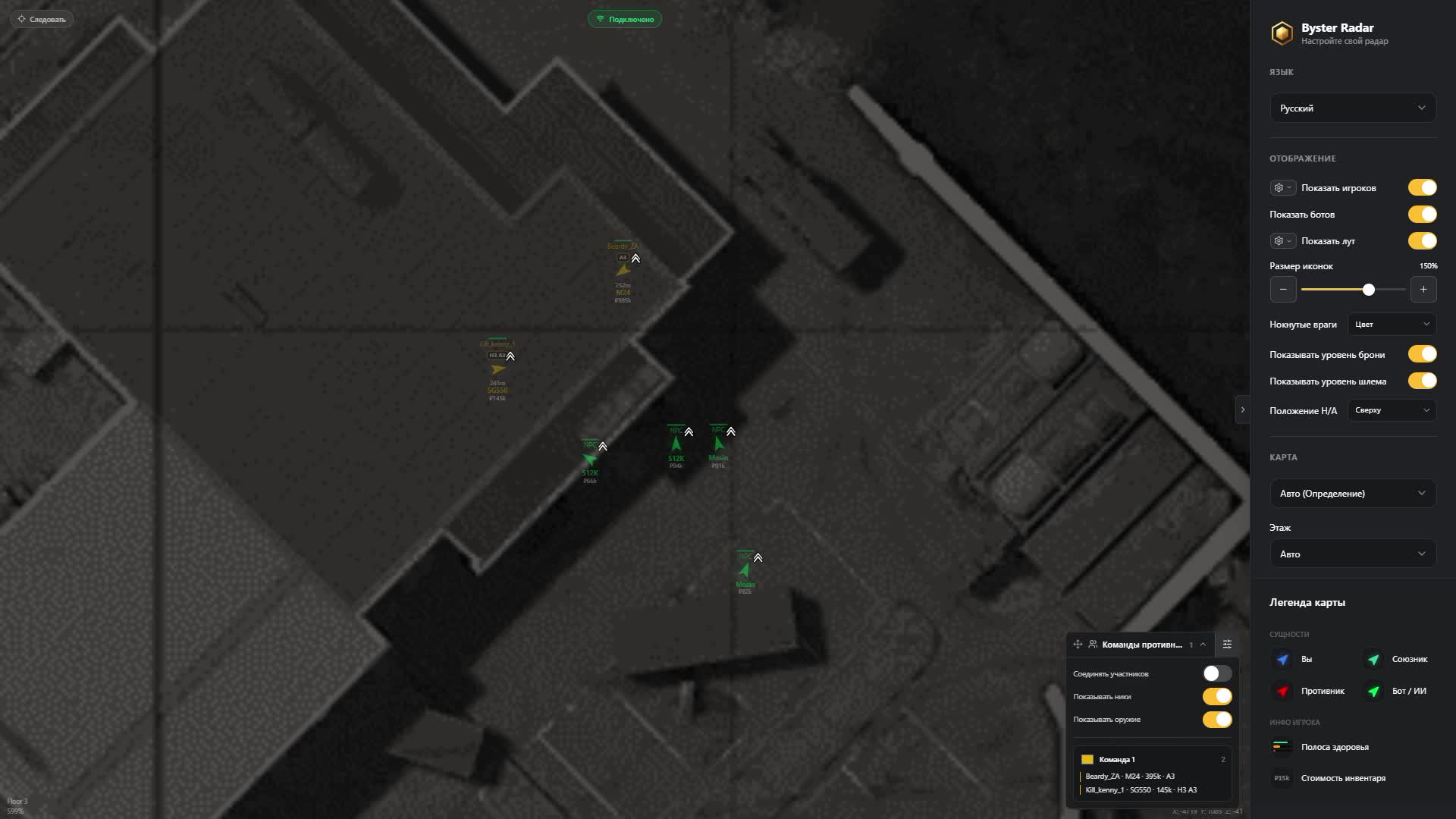
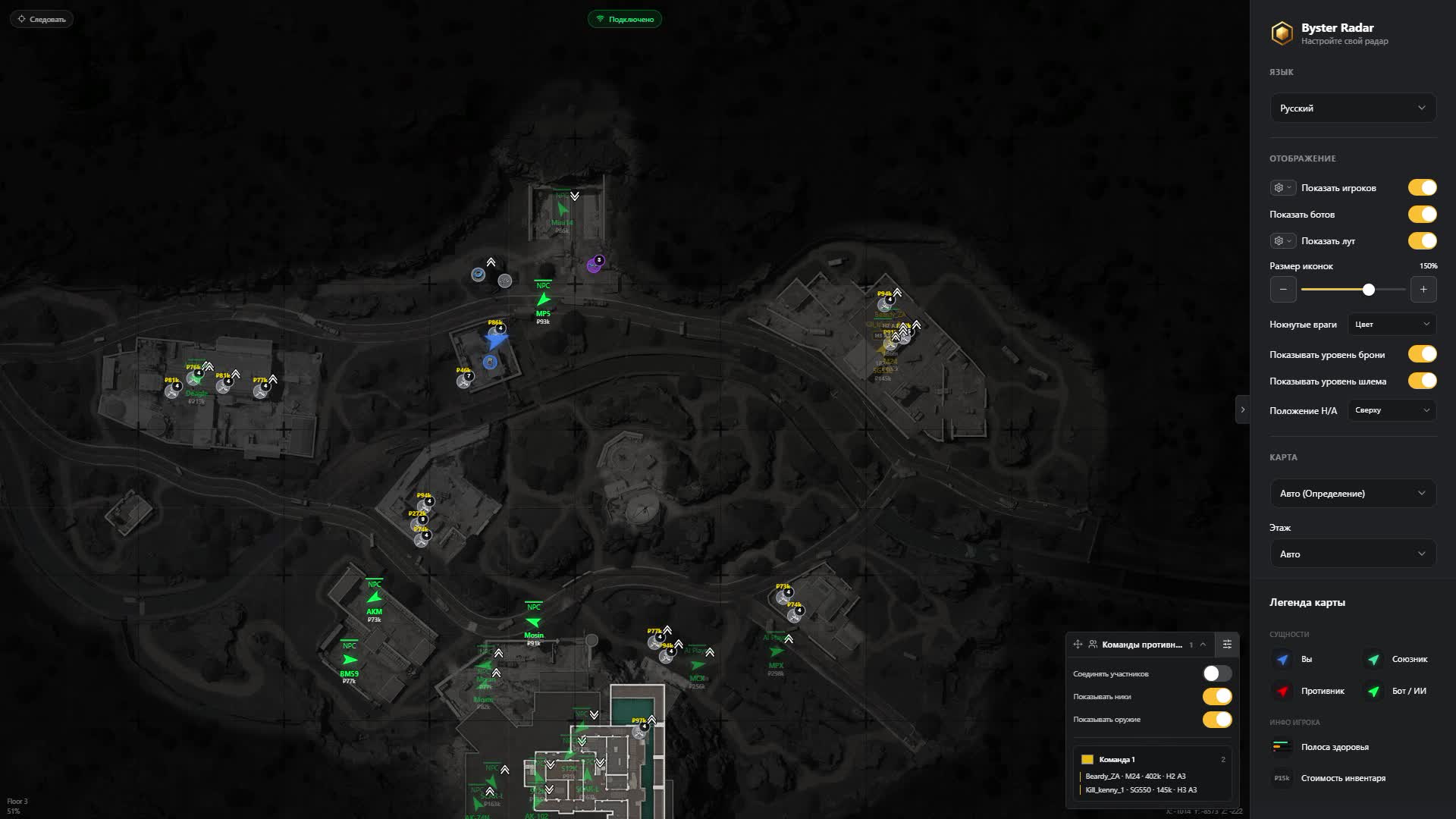
ABI Web Radar Byster
Varyasyonlar
3
ABI Web Radar Byster
Ürün Özellikleri
ABI Web Radar Byster
Map
- Six ABI locations
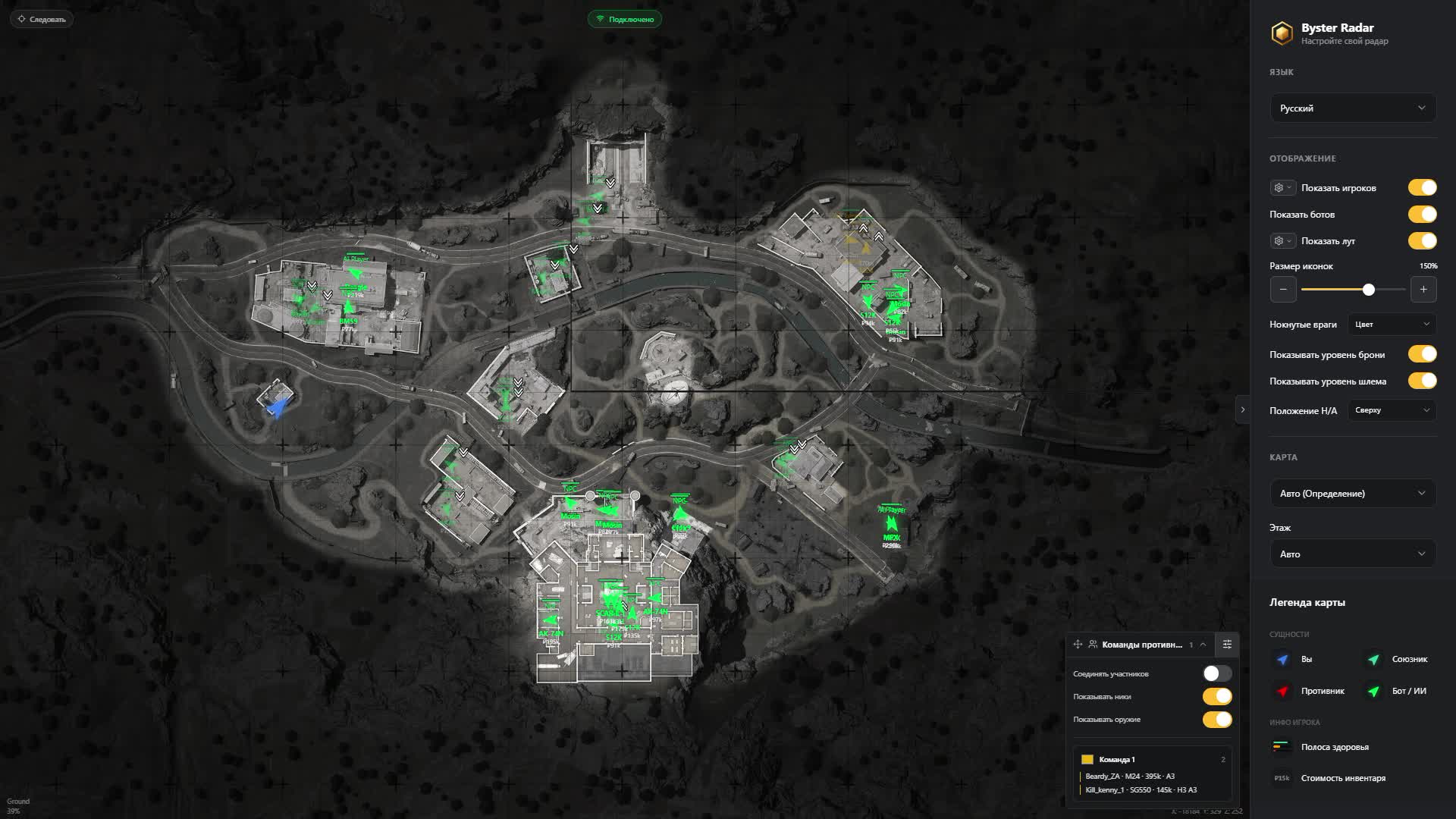
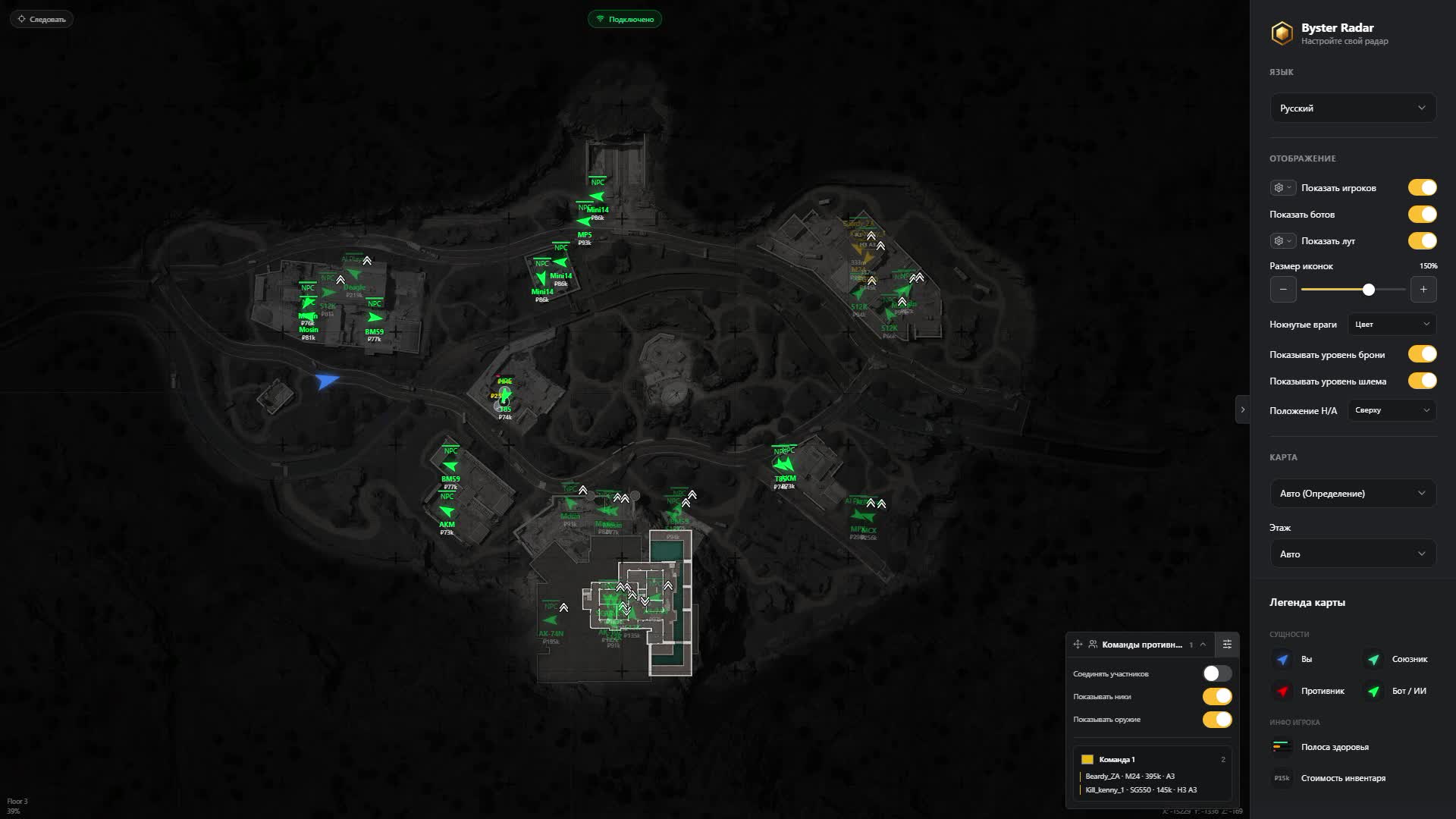
- Farm, Valley, Armory, Terminal, Northridge and TV Station. Drop into a raid and the radar opens the right map, or pick it by hand.
- Floors and levels
- The floor is detected automatically or switched manually. Indicators tell you who is above you and who is under the floor.
- Zoom and panning
- Wheel and mouse on a PC, pinch and finger on a phone. Your zoom is remembered and does not reset when the map changes.
- Follow mode
- The map travels with your character and keeps him centered, so you are not dragging the view mid-run.
- Shared map
- The radar link can go to your squad so everyone reads the same picture of the raid.
Players and bots
- Enemy markers
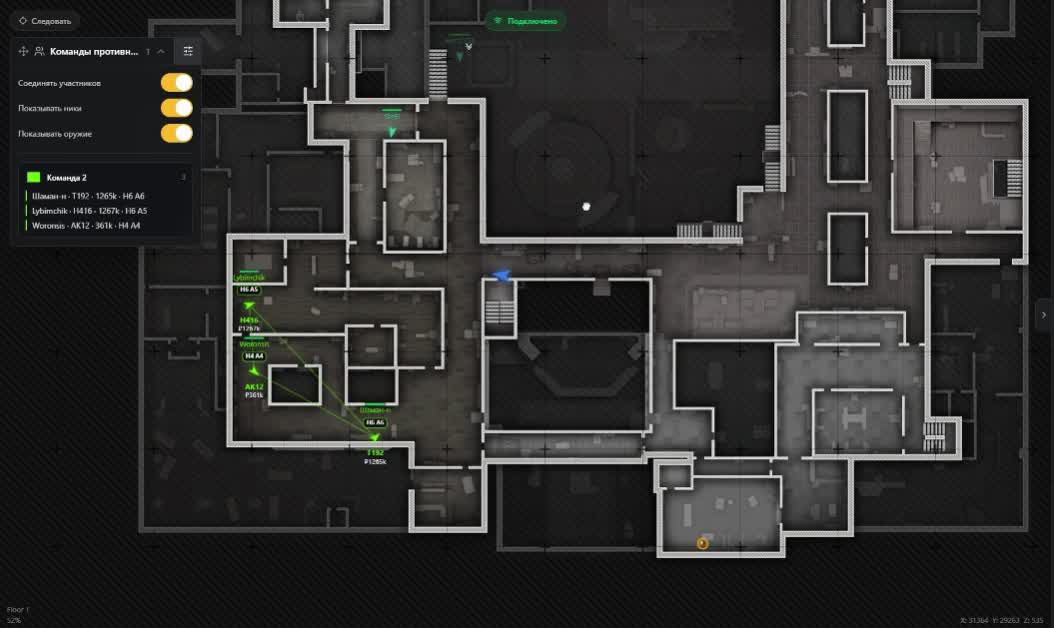
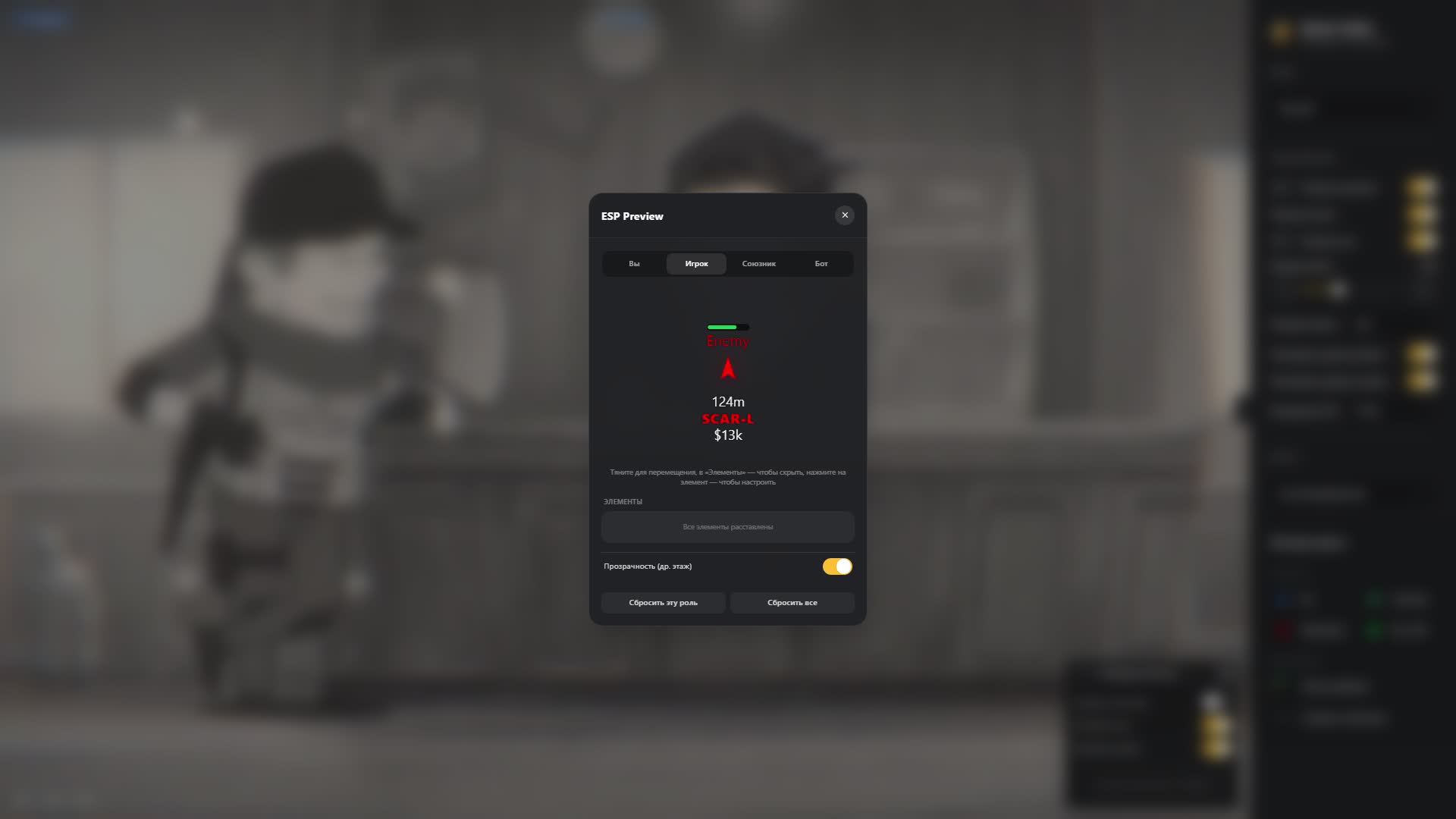
- Every enemy with nickname, Team ID and range to you. You know at once whether one guy is pushing or a full squad.
- Bots and AI Players
- Regular NPCs and AI Players sit on separate layers, so a fake human never passes for a live opponent.
- Target health
- Current and maximum HP on the marker. You see who walked out of a fight beaten up and who came in fresh.
- Alive, knocked, dead
- Knocked targets can be marked by color, by text or by both. The map is enough to decide: finish them or walk around.
- Weapon and protection
- What the target holds and which helmet and armor tier he wears. That is enough to take the fight or skip it.
- Inventory value
- The sum a player carries sits next to his nickname. You hunt the rich runs instead of guessing.
- Facing direction
- Where the enemy is looking right now. You can tell whether he is tracking you or you can slip around the flank.
Teams
- Grouping by Team ID
- The radar collects enemies into squads on its own and paints each one its own color. Colors can be set by hand.
- Squad lines
- Members of one group are joined by lines, so a runner who fell behind or swung wide is obvious at a glance.
- Member card
- For each member of a group you see nickname, weapon, helmet, armor and inventory value.
- Settings panel
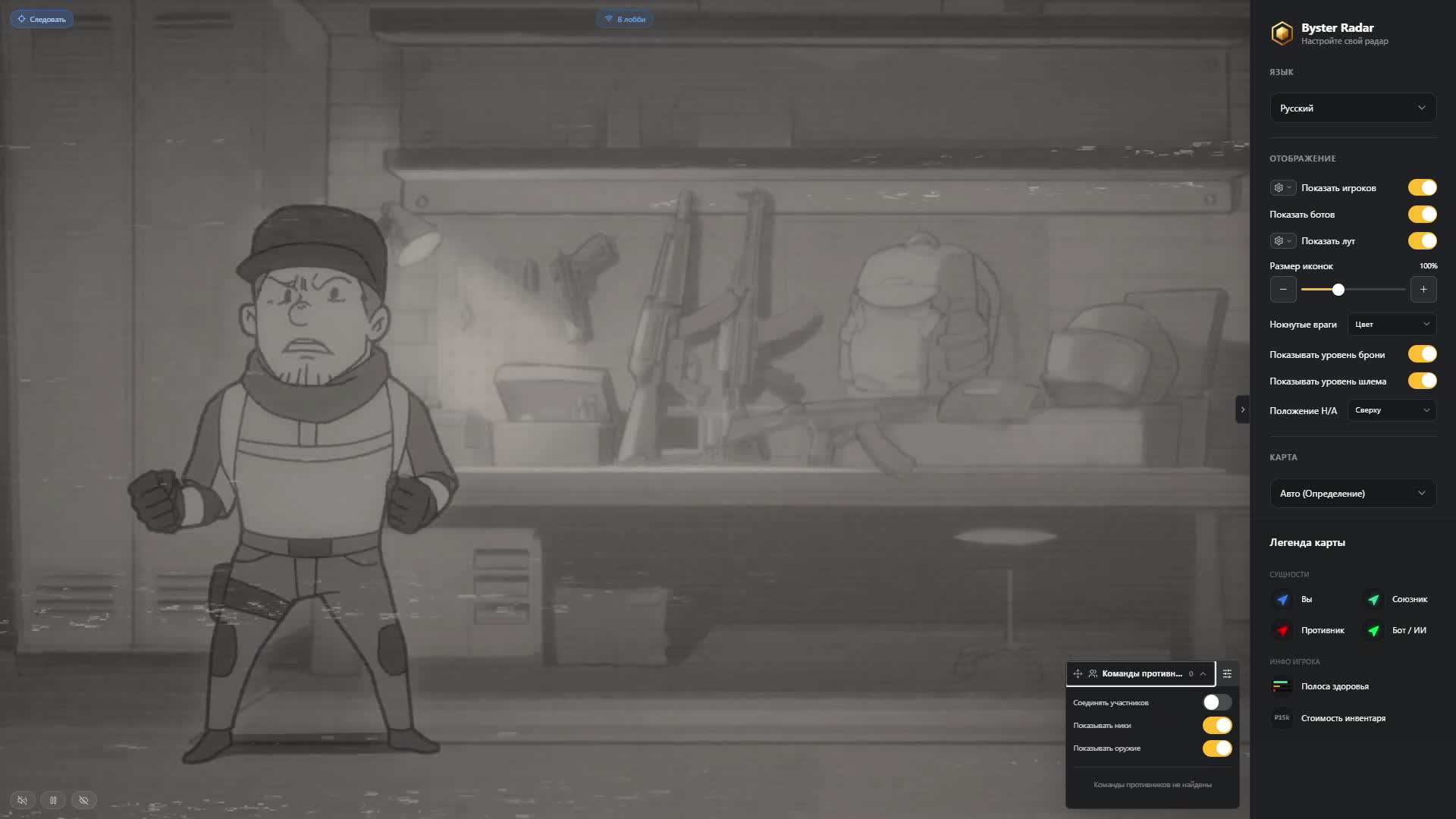
- Compact, collapsible and movable into any of the four screen corners so it never covers the map.
Perspective
- Teammate view
- Switch the radar to an ally and read the raid through his eyes. Handy when he enters an unfamiliar building first.
- Pick by marker
- A teammate is chosen by clicking his marker, and you can jump back to your own character any time.
- Recount from the ally
- Distances and floor are measured from the chosen player, and follow mode moves to his marker too.
- Choice is remembered
- The selected ally carries over between matches, so there is nothing to set up again next raid.
Loot
- Ground items
- Name, icon, quantity and price. You know what is lying in a room before you step into it.
- Six rarity tiers
- Every tier has its own color, so the expensive stuff reads with peripheral vision.
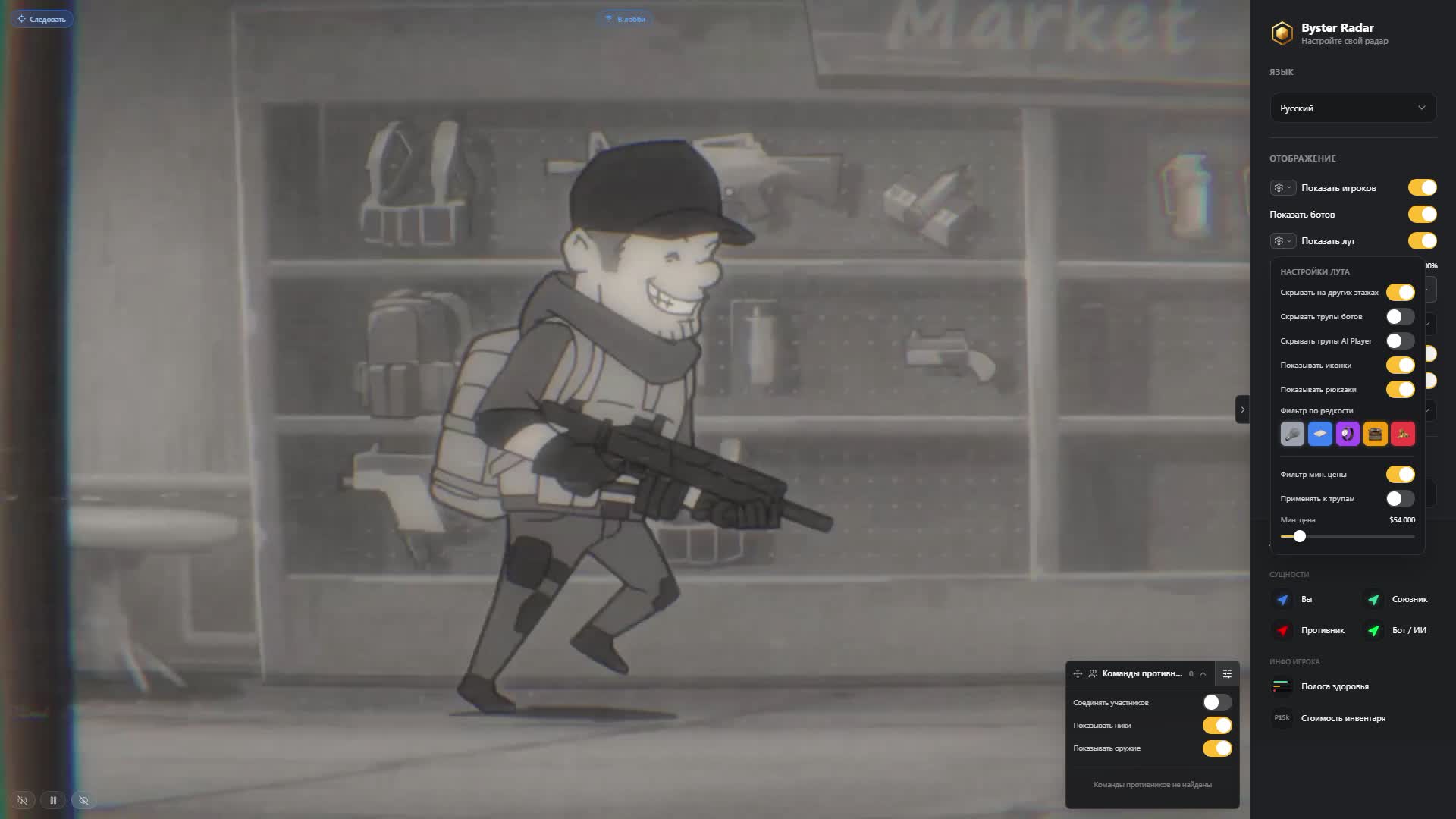
- Price and rarity filters
- Set a minimum value and the tiers you care about, everything else never reaches the map.
- Backpacks apart
- Ground backpacks show up past the rarity filter, while the ones inside corpses are kept out of that list.
- Containers with contents
- Crates are marked together with what is inside. You run to one container instead of checking them all.
- Corpses and their loot
- Bodies of players, regular bots and AI Players with contents. Bot and AI Player corpses hide separately.
- Corpse value filter
- A body shows only when it holds more than the sum you set. Empty ones stop cluttering the map.
- Hide other floors
- Loot from other levels leaves the map so your own floor stays readable.
Display
- Four sets of colors
- Your character, allies, enemies and bots are colored separately to match the scheme you are used to.
- Element sizes
- Markers, font and the health bar run on sliders. Bigger on a phone, smaller on a wide monitor.
- Helmet and armor labels
- Protection indicators go above, below, left or right of the marker, whichever reads faster.
- Other-floor opacity
- Players and bots on other levels dim down without disappearing from the map.
- PC, phone, tablet
- The same radar opens on all three screens and the interface fits itself to the width.
Ürün Açıklaması
ABI Web Radar Byster
ABI Web Radar Byster paketi Arena Breakout Infinite istemcisinde radar sunar. Loot ve sandık: isim, mesafe, nadirlik; boş olanlar gizlenir; Floors and levels; Zoom and panning. Menü: Russian, English. Spoofer yok.
ABI Web Radar Byster — Arena Breakout Infinite
ABI Web Radar Byster paketi Arena Breakout Infinite istemcisinde radar sunar. Loot ve sandık: isim, mesafe, nadirlik; boş olanlar gizlenir; Floors and levels; Zoom and panning. Menü: Russian, English. Spoofer yok.
Öne çıkanlar
- Loot ve sandık: isim, mesafe, nadirlik; boş olanlar gizlenir
- Floors and levels
- Zoom and panning
- Follow mode
- Radar / mini-harita: menzil ve ikon ölçeği
- Oyuncu ESP: mesafe, renk, takım/lonca gizleme
- Target health
- Kayıtlı rota ve otomasyon
- Weapon and protection
Not
Hiçbir özel yazılım sıfır risk vaat etmez. Sayfadaki duruma bakın; şüphede destekle konuşun. Bot ve farm hesabını ana hesaptan ayırmak alışkanlık olmalıdır.